Top 12 Excel AI Tools You Can Try for Free in 2024

The era of manual Excel drudgery is over. Artificial intelligence is no longer a futuristic concept; it's a practical, accessible co-pilot ready to transform how you work with spreadsheets. Professionals across every industry waste countless hours each week solving concrete problems like cleaning messy data, building complex reports, and debugging cryptic formulas. The problem isn't a lack of goals; it's the friction in execution.
This guide cuts through the noise to provide a definitive roundup of the 12 best excel ai tools free and 'freemium' options available today. We move beyond marketing claims to give you practical, hands-on insights and real-world examples to solve specific problems. For each tool on our list, you will find:
- A clear explanation of its core function and best use cases.
- Actionable tips and practical explanations to help you get started.
- Honest analysis of the limitations in its free tier.
- Critical security and privacy considerations.
Our goal is simple: to equip you with the knowledge to choose the right AI assistant for your specific needs, so you leave with a new skill or a useful solution. This will help you save hours of work and focus on the high-value analysis that drives decisions, not on tedious spreadsheet mechanics. Understanding how these specific tools fit into the bigger picture is also key. Beyond individual productivity gains, understanding the broader landscape of AI's impact on business can be valuable. Explore the best AI tools for small business to see how this technology is reshaping operations from the ground up. Let's dive in and find the perfect AI co-pilot to upgrade your Excel workflow.
Spending too much time on Excel?
Elyx AI generates your formulas and automates your tasks in seconds.
Sign up →1. Elyx AI
Elyx AI stands out as a powerful autonomous agent for Microsoft Excel, designed for users who need to produce complete, presentation-ready reports from raw data with minimal manual effort. Unlike tools that simply generate formulas, Elyx AI performs entire multi-step workflows from a single plain-English command. You can ask it to "clean this data, create a pivot table showing sales by region, and build a chart" and it will execute the full sequence directly within your spreadsheet, solving a complex problem in one step.

This makes it an exceptional choice among excel ai tools free to trial, especially for frequent users in finance, consulting, and business intelligence who want to shift their focus from manual spreadsheet tasks to strategic analysis. The tool chains together actions like data cleaning, pivot table creation, chart generation, and professional formatting, delivering a finished product instead of just instructions. For a deeper dive into the specific kinds of AI assistance available in spreadsheets, you can learn more about what Excel AI is and how it functions.
Key Features and Use Cases
- Autonomous Workflow Execution: Its main strength is its ability to handle complex, multi-part requests. For example, a project manager could ask, "Analyze my project timeline, identify tasks that are overdue, calculate the budget variance for each, and present the findings in a dashboard."
- Strong Security Posture: Elyx AI is GDPR-compliant and prioritizes data privacy. Your data remains on your machine, with only the anonymized instructions sent to the AI model. It uses AES-256 and TLS 1.3 encryption and is distributed through the official Microsoft AppSource, giving it a high degree of credibility.
- Quick Setup and High ROI: Installation takes about two minutes from the Microsoft AppSource. Users frequently report saving hours each week, making the subscription cost a justifiable investment for professionals whose time is better spent on analysis than on manual Excel work.
Limitations and Pricing
While Elyx AI offers a free 7-day trial (no credit card required), it operates on a subscription model. Plans start around €19-€39 per month, which may be a consideration for very occasional users. It also requires a modern version of Excel (2021+ or Microsoft 365) and an internet connection to function.
- Website: Elyx AI
2. GPT for Excel (by GPT for Work)
GPT for Excel, developed by GPT for Work, is a powerful Microsoft Excel add-in designed for users who need to perform AI tasks in bulk directly within their spreadsheets. Instead of manually copying data to an external AI tool, this add-in integrates AI functions that can reference cells and ranges, then automatically write the results back. It stands out by allowing you to apply complex prompts across hundreds or thousands of rows at once, making it ideal for solving large-scale data processing problems.
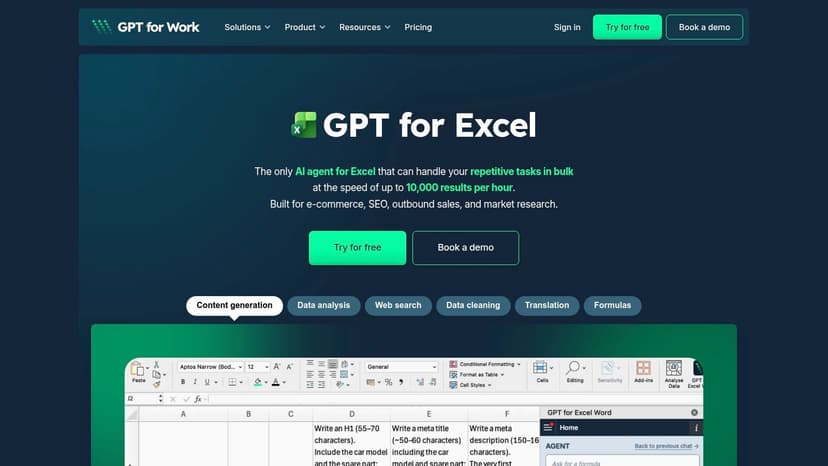
This tool is a strong choice among free Excel AI tools because of its focus on reliable, high-volume workflows and its clear commitment to security. For a deeper dive into the specific tasks AI can handle in a spreadsheet, you can explore what Excel AI can do for data cleaning and analysis.
Key Features and Access
- Bulk AI Functions: A sidebar provides tools for mass translation, classification, extraction, and rewriting.
- Cell-Based Formulas: Use functions like
=GPT()to apply a prompt to an entire column of data. For example, to classify customer feedback in column A, you could use=GPT("Classify the sentiment of this review as Positive, Negative, or Neutral: "&A2)and drag it down the column. - Free Trial: You can start for free without a credit card to evaluate its capabilities.
- Security: The platform is ISO 27001 certified and GDPR compliant, making it a safe choice for business data.
Limitations and Considerations
The main drawback is that it requires installing an add-in, which might need administrator approval in corporate environments. While its multi-model support is a strength, it might be more complex than necessary for very casual users just looking to ask a few simple questions.
Website: GPT for Excel
3. PromptLoop
PromptLoop is an add-in for both Microsoft Excel and Google Sheets that turns your spreadsheet into an AI-powered workspace. It operates by giving you new, custom functions that you can use directly in cells, just like =SUM() or =VLOOKUP(). This approach is excellent for users who want to solve problems row by row, such as data classification, extraction, or enrichment, seamlessly integrating AI into existing models without leaving the spreadsheet.
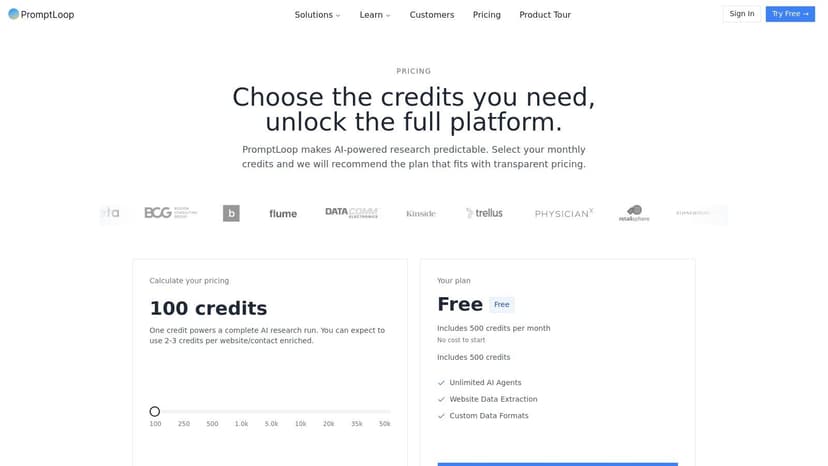
What makes PromptLoop stand out is its focus on go-to-market and sales use cases, with features designed for tasks like lead enrichment. For example, with a list of company names in column A, you could use a custom PromptLoop formula in column B to find their industry, solving the problem of manual research. The platform offers great documentation, making it one of the more approachable excel ai tools free for those who want to prototype AI solutions quickly.
Key Features and Access
- Custom AI Functions: Create and use custom AI formulas to classify text, extract information, or enrich data across entire columns.
- AI Agent Workflows: Build simple research agents that can find information on the web and return it to your spreadsheet.
- Free Plan: A free tier is available with starter credits, allowing you to test all the features before committing.
- Integrations: Offers API and CRM connections, positioning it as a tool that can grow with your automation needs.
Limitations and Considerations
The main limitation is that the free plan’s credit and row caps are quickly met with any significant use, making it more of a trial than a long-term free solution for heavy tasks. Additionally, its templates and primary focus on sales and marketing workflows might make it less immediately useful for users in finance or operations.
Website: PromptLoop
4. Formula Bot (formerly Excel Formula Bot)
Formula Bot is a versatile suite of spreadsheet tools for both Excel and Google Sheets, focused primarily on solving the problem of generating and explaining formulas with natural language. Originally known as Excel Formula Bot, it has expanded to include an AI data analyst chat and PDF-to-Excel conversion. Its main strength lies in making complex spreadsheet tasks more accessible by translating plain English instructions into functional formulas or VBA code.
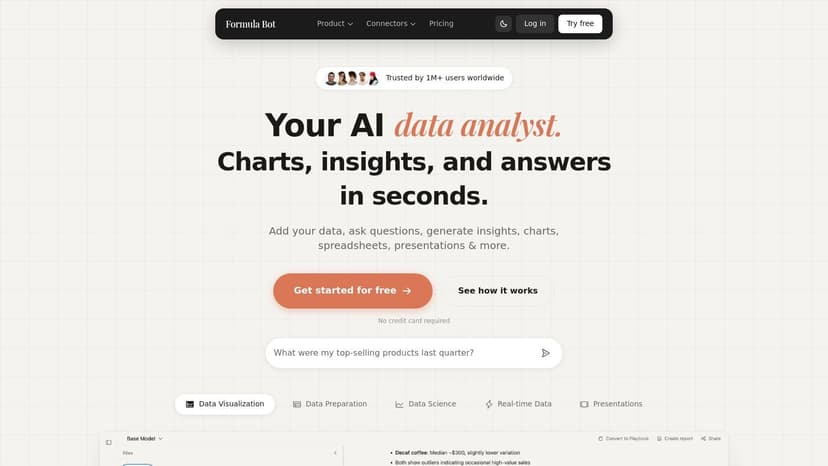
As one of the more established excel ai tools free to start with, it provides a well-rounded toolset that goes beyond simple formula generation. The AI chat feature allows you to ask questions about your data and receive insights, similar to having a data analyst on standby. For a closer look at how these tools work, you can explore guides on how to use an Excel AI formula generator to simplify your workflow.
Key Features and Access
- Formula Generation: Create and understand complex Excel formulas from text descriptions. For instance, asking "Sum values in column C where column A is 'Sales' and column B is after January 1, 2023" will generate a
SUMIFSformula. - AI Data Analyst: A chat interface where you can upload files, ask questions, and get charts or insights generated automatically.
- Broad Toolset: Includes utilities for converting data from PDFs and creating reports.
- Free-Forever Tier: Offers a limited number of free credits per month to test the core features without a subscription.
Limitations and Considerations
The primary limitation is the usage cap on the free plan, which provides only a few requests per month. Advanced features and higher usage limits require upgrading to a paid plan. Additionally, the website can feel marketing-heavy, sometimes making it difficult to find specific technical details about the tools without signing up.
Website: Formula Bot
5. Ajelix
Ajelix offers a suite of AI tools designed to cover a broad spectrum of spreadsheet-related tasks, available both as web-based utilities and a downloadable Excel add-in. This platform aims to be a one-stop shop for solving common Excel problems, providing helpers for everything from generating complex formulas and VBA scripts to creating entire spreadsheet templates. Its dual approach lets you quickly solve a problem online or integrate its tools directly into your workflow.

This platform earns its spot among free Excel AI tools by providing a genuine add-in experience with a free monthly allowance, letting users test its capabilities in a real-world setting. It assists with the entire data lifecycle, from initial setup to analysis. For users who need to manage their data effectively, understanding the fundamentals of Excel AI data cleaning is a great starting point before applying these tools.
Key Features and Access
- Excel Add-in: Brings AI formula and script generation directly into the Excel ribbon.
- Web-Based Tools: A collection of online generators for formulas, VBA scripts, and spreadsheet templates.
- File Translator: A dedicated tool for translating entire Excel files into different languages.
- Freemium Model: You can sign up and use the tools for free, with a monthly limit of 10 requests and small file size caps.
Limitations and Considerations
The primary limitation of Ajelix is its tight usage cap on the free plan, which is more suited for occasional help than for processing large datasets. Many of the more powerful features, like advanced Business Intelligence tools and larger file handling, are reserved for paid subscribers, making the free version more of a trial than a long-term solution for heavy users.
Website: Ajelix
6. ExcelFormulaGPT
ExcelFormulaGPT is a focused, web-based tool designed for one core purpose: generating and explaining Excel formulas. Unlike integrated add-ins, this is a lightweight, standalone service for users who need to solve specific formula challenges instantly without installing software. You describe the task in plain English, and the AI translates it into a ready-to-use Excel formula, also providing a clear explanation of how it works.

This tool earns its spot among free Excel AI tools by offering a straightforward solution with a very low barrier to entry. The free tier, while limited, is sufficient for occasional users needing to solve a tricky formula problem. For example, if you need to extract the domain from an email address in cell A2, you can ask for a formula and it might provide: =MID(A2, FIND("@", A2) + 1, LEN(A2) - FIND("@", A2)). The tool will then explain that FIND locates the "@" symbol, and MID extracts the text that follows it.
Key Features and Access
- Text-to-Formula: Generates complex Excel formulas from simple text descriptions.
- Formula Explanations: Breaks down what each part of a generated formula does.
- File Upload Support: Provides spreadsheet context to the AI for more relevant formula creation.
- Free Tier: Offers a limited number of free formula generations each month.
Limitations and Considerations
The primary limitation is its narrow scope. It excels at formula generation but does not offer broader data analysis, cleaning, or automation capabilities found in more comprehensive add-ins. The free plan is restricted to only a few generations per month, which may not be enough for frequent users, pushing them toward the low-cost paid plans.
Website: ExcelFormulaGPT
7. SheetFormula AI
SheetFormula AI is a straightforward and accessible AI formula generator designed for both Excel and Google Sheets users. Its primary function is to solve the common problem of translating natural language descriptions into complex formulas, making it an excellent starting point for those who struggle with Excel’s syntax. The platform stands out by offering a dedicated Excel add-in available directly from Microsoft AppSource, which integrates the formula generation and explanation capabilities right into your spreadsheet sidebar.
This tool earns its spot among free Excel AI tools by providing a simple, focused solution with a no-cost entry point. While many competitors bundle formula generation with broader data analysis features, SheetFormula AI concentrates on doing one thing well. This makes it a great choice for students or professionals who need occasional help building a specific formula without the complexity of a full-featured AI suite.
Key Features and Access
- Direct Add-In: Installs an add-in for both Excel and Google Sheets, bringing the AI helper into your workspace.
- Formula Generation: Create formulas by describing what you need in plain English.
- Formula Explanation: Paste an existing complex formula to get a step-by-step breakdown of how it works. This is useful for learning and debugging.
- Free Plan: Offers a free tier with a monthly cap on requests, suitable for light or occasional use.
Limitations and Considerations
The main limitation is its narrow focus. SheetFormula AI is almost exclusively centered on creating and explaining formulas, so it lacks the broader data cleaning, analysis, or visualization features found in more comprehensive tools. Additionally, while functional, the plan information and website are less detailed, which may not satisfy enterprise users looking for in-depth security documentation.
Website: SheetFormula AI
8. Sheeter.ai
Sheeter.ai is a dedicated web tool and add-on focused squarely on one of the most common challenges in spreadsheets: writing the correct formula. It translates natural language descriptions into ready-to-use formulas for both Excel and Google Sheets. The platform is designed for speed and simplicity, offering a fast way to solve a specific problem without the complexity of a full-featured AI suite. Its primary appeal lies in its direct, no-fuss approach to formula generation.

This tool earns its spot among free Excel AI tools by providing a very low-friction entry point for users who just need quick formula assistance. You describe what you need, and it gives you the formula. The included add-on further simplifies this by allowing one-click formula retrieval directly within your worksheet, removing the need to copy and paste from a browser.
Key Features and Access
- Text-to-Formula Generation: Describe your goal in plain English (e.g., "sum column B if column A is 'complete'") to get the corresponding Excel formula.
- One-Click Add-on: The optional add-on for Excel and Sheets enables you to generate and insert formulas without leaving your spreadsheet.
- Example Library: Provides a collection of common formula patterns to help users learn and find solutions even faster.
- Free Start: Offers a free trial to generate a limited number of formulas, allowing users to test its accuracy before committing.
Limitations and Considerations
The main drawback is its narrow focus. Sheeter.ai is excellent for formula generation but does not offer broader AI capabilities like data analysis, cleaning, or content generation. Additionally, its marketing of lifetime plans might not align with the subscription-based procurement policies common in many corporate environments, making it a better fit for individual professionals or small businesses.
Website: Sheeter.ai
9. SheetGPT.pro
SheetGPT.pro is a web-based AI assistant designed for both Microsoft Excel and Google Sheets users who need quick help with formulas and data tasks. Rather than operating as a deep-integration add-in, it serves as an accessible online helper where you can solve problems like generating or explaining complex formulas, chatting with your data, or even converting images of tables into spreadsheet-ready data. Its strength lies in providing a collection of useful, distinct tools in one place.

This platform is a solid choice among free Excel AI tools because it requires no installation or complex setup to get started. You can immediately begin using its features thanks to a daily allowance of free prompts. The inclusion of unique functions like Optical Character Recognition (OCR) for tables gives it a broader utility than many simple formula generators, helping with data entry and visualization.
Key Features and Access
- Formula Generation: Create and get explanations for Excel and Google Sheets formulas using plain English.
- Spreadsheet Chat: Upload a file and ask questions about your data conversationally to get quick insights.
- Image-to-Table OCR: Solve the problem of manual data entry by converting pictures of data tables into a usable spreadsheet format.
- Free Daily Prompts: The free plan offers a set number of daily prompts (e.g., 10 per day) without needing a subscription.
Limitations and Considerations
The primary limitation is the cap on the free plan; heavy users will quickly need to subscribe for unlimited access. Furthermore, since it is a web-based tool, the workflow involves moving between your browser and Excel, as most advanced interactions happen outside the native spreadsheet environment.
Website: SheetGPT.pro
10. TextToFormula.com
TextToFormula.com is a free, web-based tool that excels at one specific task: converting plain English into complex spreadsheet formulas. Unlike integrated add-ins, its strength is its simplicity and speed. You visit the website, type a request like "sum column A if column B is 'Complete'," and it instantly generates the correct formula for Excel or Google Sheets. It's the perfect solution for solving a one-off formula problem when you know what you want to do but can't remember the exact syntax.

This tool earns its spot among free Excel AI tools for being the most frictionless option available. There is no software to install, no account to create, and no credit card required. It is an ideal resource for quick, ad-hoc formula generation without the commitment of installing an add-in, making it accessible to users in restrictive corporate environments or those who only need occasional help.
Key Features and Access
- Instant Formula Generation: Converts natural language text into formulas for Excel and Google Sheets in seconds.
- Zero Installation: Entirely web-based, requiring no downloads, signups, or accounts.
- Copy-Paste Workflow: Designed for a simple copy-paste action directly into your spreadsheet.
- Completely Free: The service is 100% free to use, making it highly accessible for any user.
Limitations and Considerations
The primary drawback is its lack of integration. Since it's not an add-in, you must manually copy and paste between your browser and Excel, which is inefficient for bulk operations. It also lacks features like a persistent history, team controls, or the ability to reference live data within a worksheet, making it unsuitable for complex, data-dependent workflows.
Website: TextToFormula.com
11. ExcellentAI
ExcellentAI is a modern Microsoft Excel add-in that embeds a wide range of AI capabilities directly into the spreadsheet interface. It positions itself as an all-in-one assistant, offering an AI chat agent for analysis, a formula writer, and unique functions for solving problems like extracting data from external sources like PDFs, images, and even live websites. This makes it a versatile option for users who need to not only analyze existing data but also bring new information into their workbooks without manual copy-pasting.

This tool stands out among free Excel AI tools by combining an interactive AI agent with practical data-fetching functions. Its native integration into the Excel ribbon and provision of a template gallery help new users get started quickly. The free trial, which includes 25 starter AI credits, provides a solid opportunity to test its core features before committing to a paid plan, making it accessible for evaluation.
Key Features and Access
- AI Agent: A chat sidebar allows you to ask for analysis, data formatting, and insights on your selected data.
- Data Extraction: Pull text and tables directly from PDFs, images, and CSV files into your spreadsheet.
- Web Fetch Function: The
=AI.WEB()formula can scrape information from a URL, useful for tracking live data. For example,=AI.WEB("https://finance.yahoo.com/quote/AAPL", ".Fw(b)")could pull Apple's current stock price. - Free Trial: Installation is free and includes 25 AI calls to let you try out the main functions.
Limitations and Considerations
As a newer vendor in the space, organizations with strict security protocols may need to perform extra due diligence before widespread adoption. The initial 25 free credits are a great starting point, but they can be used up very quickly, especially when experimenting with data extraction or web-fetching functions, which may require a paid plan for sustained use.
Website: ExcellentAI
12. AI Perfect Assistant (ChatGPT for Excel add-in)
AI Perfect Assistant is a versatile AI assistant that extends its capabilities across the entire Microsoft Office suite, including a dedicated add-in for Excel. Its primary goal is to act as an all-in-one helper, allowing you to solve problems like generating, fixing, and explaining formulas, as well as summarizing and analyzing data directly within your spreadsheet. This multi-app approach is great for users who frequently switch between Word, PowerPoint, Outlook, and Excel and want a consistent AI experience.

The tool stands out as a solid choice among free Excel AI tools because it offers a true add-in with a simple onboarding process and a free-forever plan. This makes it easy to test its value without any initial investment. For those new to these capabilities, it's helpful to first understand how to use Excel AI tools to get the most out of them.
Key Features and Access
- Integrated Formula Helper: Generate, correct, and get explanations for complex Excel formulas without leaving your worksheet.
- Broad Office Support: Works as an assistant in Word, PowerPoint, Outlook, and Teams, in addition to Excel.
- Free-Forever Plan: A free plan is available to help you validate if the tool fits your needs before committing.
- Easy Installation: Available directly from the official Microsoft AppSource marketplace for a straightforward setup.
Limitations and Considerations
The biggest drawback of the free plan is its strict token limit, which allows for only a handful of requests per month. This makes it more of a trial than a productive free tool. Additionally, its focus on being a jack-of-all-trades across Office means it may lack the deep, specialized Excel functions found in more dedicated spreadsheet automation platforms.
Website: AI Perfect Assistant
Top 12 Free Excel AI Tools — Feature Comparison
| Product | Core features ✨ | UX / Quality ★ | Price / Value 💰 | Target audience 👥 | Unique selling points |
|---|---|---|---|---|---|
| Elyx AI 🏆 | Autonomous multi-step workflows (cleaning, pivots, charts, formatting, trend analysis) | ★★★★★ (4.9/5) — presentation-ready outputs | 💰 Free 7‑day trial; plans from ~€19–€39/mo; enterprise tiers | 👥 Financial analysts, controllers, consultants, BI pros | ✨ 🏆 Executes end-to-end inside Excel; local-data privacy (GDPR/AES‑256/TLS1.3); Microsoft AppSource |
| GPT for Excel (GPT for Work) | Bulk AI sidebar, cell/range GPT functions, multi-model & on‑prem support | ★★★★ | 💰 Free trial; enterprise pricing | 👥 High-volume teams, enterprises | ✨ Multi-model & on‑prem options; strong admin/security controls |
| PromptLoop | Custom prompts as sheet functions, web extraction, API/CRM integrations | ★★★ | 💰 Free plan with starter credits (row/credit caps) | 👥 Data researchers, GTM teams, prototypers | ✨ API/CRM integrations; research/agent workflows |
| Formula Bot | Formula gen/explain, AI data‑analyst chat, PDF→Excel, chart/report tools | ★★★★ | 💰 Free‑forever tier; paid for advanced features | 👥 Users needing formulas + import/chart tools | ✨ PDF→Excel, VBA generation, chart automation |
| Ajelix | Excel add‑in + web tools: formula/VBA, template generator, file translator | ★★★ | 💰 Freemium (limited free monthly requests) | 👥 Casual Excel users, SMBs | ✨ File translator, template & BI helpers |
| ExcelFormulaGPT | Text→formula, explanations, file upload, saved history | ★★★ | 💰 Free tier + very low‑cost paid plans | 👥 Occasional users needing quick formulas | ✨ Very low price; minimal learning curve |
| SheetFormula AI | Formula gen/explain for Excel/Sheets, API access on paid tiers | ★★★ | 💰 Free plan with monthly caps; paid API | 👥 Light testers, developers needing API | ✨ AppSource add‑in; API for automation |
| Sheeter.ai | Text→formula generator, one‑click add‑on, examples library | ★★★ | 💰 Free start; low‑friction, lifetime plan options | 👥 Quick formula lookup users | ✨ One‑click retrieval + example patterns |
| SheetGPT.pro | Formula gen, spreadsheet chat, image→table OCR, chart suggestions | ★★★★ | 💰 Daily free prompts (e.g., 10/day); paid unlimited | 👥 Users needing OCR & conversational sheets | ✨ OCR + spreadsheet chat; easy start (no API keys) |
| TextToFormula.com | Instant text→formula conversion, zero signup, copy‑paste workflow | ★★ | 💰 100% free; no install | 👥 One‑off formula lookups | ✨ No signup or install; instant results |
| ExcellentAI | AI chat in Excel, formula writing, PDF/image/CSV extraction, =AI.WEB() | ★★★★ | 💰 Free install with starter credits (25 calls) | 👥 Power users wanting extraction & web fetch | ✨ Native ribbon, =AI.WEB(), PDF/image extraction |
| AI Perfect Assistant | Generate/fix/explain formulas; summarizes data; cross‑Office support | ★★★ | 💰 Free‑forever token‑limited; paid tiers with model choices | 👥 Users needing multi‑app AI (Excel + Office) | ✨ Cross‑Office assistant (Word/PowerPoint/Outlook/Teams) |
From Assistance to Autonomy: 3 Steps to Choose Your Ideal AI Co-Pilot
We have navigated the world of excel ai tools free, exploring 12 distinct options that cater to a wide range of needs. From single-purpose formula generators like TextToFormula.com to more integrated add-ins like GPT for Excel, one thing is clear: AI is no longer a distant concept but a practical, daily-use tool for spreadsheet users. The key takeaway is that the "best" tool is entirely dependent on your workflow, your skill level, and the specific problem you need to solve.
A simple formula generator is perfect for a quick fix, saving you a frustrating search for the right syntax. Freemium tools like Formula Bot and Ajelix provide a great middle ground, offering a generous number of free requests to help you learn and apply complex functions without a financial commitment. They act as expert guides, explaining the logic behind the formulas they create.
Moving Beyond Suggestions to Full Execution
The real distinction emerges when you compare AI assistants to AI agents. Most of the tools we've reviewed fall into the "assistant" category. They suggest formulas, explain functions, or clean data in isolated steps. You tell them what to do, they tell you how to do it, and then you must perform the action yourself. This is a significant help, but it still requires manual execution for every step of a complex task.
For professionals whose roles depend on producing complete reports, the goal isn't just to get help with a formula; it's to get the entire report finished. This is where an autonomous agent like ElyxAI stands apart. Instead of asking for a formula to create a pivot table, you can give a single command like, "Analyze the Q3 sales data, create a pivot table showing revenue by salesperson, generate a bar chart from that table, and format the final report." The agent doesn't just give you instructions; it performs the entire sequence of actions for you.
How to Choose Your Free Excel AI Tool in 3 Steps
Making the right choice comes down to assessing your needs. To select the ideal starting point from the list of excel ai tools free we've covered, follow these 3 steps:
- Identify your primary pain point. Are you stuck on complex formulas, or are you spending too much time on repetitive, multi-step tasks like cleaning, sorting, and charting?
- Consider your usage frequency. For occasional help, a web-based generator with unlimited free use is ideal. For daily tasks, a dedicated Excel add-in with a generous free tier makes more sense.
- Define your end goal. Do you want to learn and improve your own Excel skills, or do you want to delegate tasks to an AI to save as much time as possible?
If your goal is learning, choose an assistant. If your goal is maximum productivity and offloading entire workflows, an autonomous agent is the logical next step. Integrating these tools is just one piece of a larger puzzle. For those looking to integrate AI more broadly, exploring a comprehensive guide on generative AI strategy can provide valuable insights into its wider applications and benefits.
Ultimately, the availability of so many free and freemium AI tools for Excel empowers every user to work smarter. The first step is to simply pick one, install it, and start experimenting. You might be surprised by how quickly it becomes an essential part of your daily routine.
Ready to move from simple assistance to full workflow automation? While many free tools offer a great starting point, Elyx AI is built to handle your entire Excel workflow from a single command. See how an autonomous AI agent can save you hours of manual work by trying Elyx AI today.
Reading Excel tutorials to save time?
What if an AI did the work for you?
Describe what you need, Elyx executes it in Excel.
Sign up