10 Proven Strategies for Cost Reduction Using AI in Excel

In today's competitive landscape, every organization is searching for effective strategies for cost reduction. While leaders often focus on large-scale initiatives, a significant source of financial drain goes unnoticed: the countless hours lost to manual, repetitive tasks within Excel. Data cleaning, report formatting, and complex analysis consume thousands of employee hours annually, creating hidden operational costs and delaying critical business decisions. This silent inefficiency directly opposes the principles of lean operations.
A core principle of effective cloud design focuses on maximizing business value at the lowest price point. To delve deeper into this concept, you can explore the Cost Optimization Pillar of the AWS Well-Architected Framework, which provides a structured approach to financial management. The good news is that a powerful solution already exists within the tool you use every day to apply these same principles to your workflows.
By integrating artificial intelligence directly into Excel, you can transform these time-consuming processes into automated, efficient systems. This article provides 10 practical strategies that leverage AI, specifically an intelligent agent like Elyx AI, to reclaim lost productivity, enhance accuracy, and drive substantial cost savings. You will leave with actionable steps and concrete Excel examples to turn your spreadsheets from a source of friction into an engine for financial efficiency.
Spending too much time on Excel?
Elyx AI generates your formulas and automates your tasks in seconds.
Sign up →1. Robotic Process Automation (RPA) for Repetitive Tasks
Robotic Process Automation (RPA) is a powerful strategy for cost reduction that uses software "bots" to automate high-volume, rule-based tasks traditionally performed by humans in Excel. Instead of employees spending hours on repetitive data entry or report compilation, you can deploy AI to execute these workflows instantly and without error. This frees up your team's valuable time for strategic analysis and higher-value activities.
This approach is ideal for processes that are frequent, standardized, and prone to human error. For instance, a finance department can automate monthly expense report reconciliation, or a sales team can auto-generate weekly pipeline summaries from raw CRM data directly within their spreadsheets. These automations directly reduce labor costs and eliminate the financial impact of costly mistakes.
Key Insight: True cost reduction isn't just about spending less; it's about reallocating resources from low-value, repetitive work to high-impact strategic initiatives.
How to Implement RPA in Your Excel Workflow
While enterprise RPA tools exist, you don't need a complex platform to get started. An AI assistant like Elyx AI acts as an intelligent automation layer directly within Excel, allowing you to build and run sophisticated workflows using simple, natural language commands.
To begin, follow these steps:
- Identify Bottlenecks: Pinpoint the most time-consuming, repetitive tasks in your current spreadsheets. Start with high-frequency, low-complexity tasks like formatting data or consolidating information from multiple tabs to demonstrate a quick ROI.
- Document the Process: Clearly write down each step of the manual process. This serves as a blueprint for your automation instructions.
- Build the Automation: Describe the workflow to Elyx AI in plain language. For example: "Every Monday at 9 AM, take the data from 'RawSalesData.csv', create a pivot table summarizing sales by region, generate a bar chart from the pivot table, and save the file as 'Weekly_Sales_Report_[Date]'."
By automating these processes, you not only achieve significant cost reduction but also improve data accuracy and operational efficiency. Learn more about automating repetitive tasks in Excel to see how you can start saving time and money today.
2. Intelligent Data Cleaning and Standardization
Intelligent data cleaning is a critical strategy for cost reduction that addresses the hidden expense of poor data quality in your spreadsheets. Analysts often spend 20-30% of their time manually correcting inconsistencies, removing duplicates, and reformatting information using complex formulas. This wasted effort directly translates to higher labor costs and delayed insights.
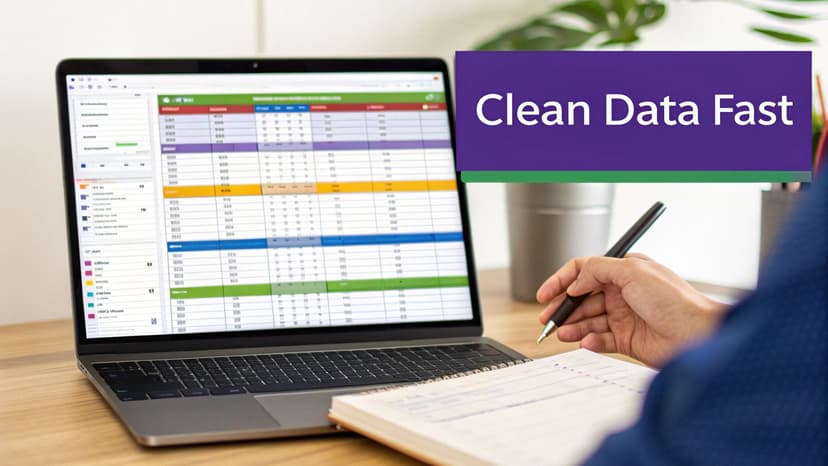
This approach is essential when data is sourced from multiple systems. For example, standardizing country codes like "USA," "U.S.", and "United States" into a single format is a common, time-consuming task. Automating this process with AI recovers significant analytical capacity, allowing your team to focus on analysis rather than tedious prep work.
Key Insight: Reducing costs from poor data quality isn't just about fixing errors; it’s about reclaiming your team's most valuable asset—time—and reinvesting it into generating accurate, actionable insights.
Practical Example: Standardizing Data with Excel Formulas vs. AI
Traditionally, you might use nested formulas to standardize data. To convert "USA" and "U.S." to "United States" in cell A2, the formula would be:
=IF(A2="USA", "United States", IF(A2="U.S.", "United States", A2))
IF(A2="USA", "United States", ...): This first part checks if the value in cell A2 is "USA". If true, it returns "United States".... IF(A2="U.S.", "United States", A2)): If the first check is false, this nestedIFchecks if A2 is "U.S.". If true, it returns "United States". If false, it returns the original value from A2.
This becomes complex with more variations. With an AI assistant in Excel, you can use a simple command:
"In the 'Country' column, replace all instances of 'U.S.' and 'USA' with 'United States'. Then, find and remove all duplicate rows based on the 'CustomerID' column."
By systematically cleaning your data with AI, you implement a powerful strategy for cost reduction, improve decision-making accuracy, and enhance operational efficiency. Learn more about data cleaning best practices in Excel to start building a foundation of reliable data.
3. Consolidation of Manual Reporting Tools and Processes
Many organizations accumulate a patchwork of reporting tools like Tableau, Power BI, custom VBA macros, and manual Excel processes. This redundancy creates significant hidden costs through multiple software licenses, inconsistent data, and high maintenance overhead. Consolidating these disparate systems into a single, intelligent Excel-based platform is a powerful strategy for cost reduction.
This approach is ideal for companies where different teams produce similar reports using different tools, leading to operational friction and a lack of a single source of truth. By centralizing reporting within an AI-enhanced Excel environment, you can streamline operations, cut licensing fees, and reduce training complexity.
Key Insight: True cost reduction in reporting comes from eliminating redundant systems and processes, creating a single, efficient workflow that saves money on tools and frees up employee time.
How to Implement Reporting Consolidation in Excel
An AI assistant like Elyx AI transforms Excel into a centralized reporting hub, allowing users to generate complex, professional reports using only natural language. This eliminates the need for specialized BI tools or coding skills, making it accessible to everyone.
To begin, follow these steps:
- Audit Existing Tools: Identify all software and manual processes currently used for reporting. Note which ones produce similar outputs and calculate their combined cost in licenses and labor.
- Prioritize High-Frequency Reports: Start by consolidating the reports that are generated most often. This will demonstrate the most immediate return on investment and build momentum for the project.
- Build a Centralized Template: Use Elyx AI to create a master report template with a simple command. For example: "Create a report with our company logo in the top-left corner. The first tab should be a summary dashboard with three key KPIs. The second tab should contain a detailed data table with sales figures, sorted by region."
By unifying your reporting, you not only achieve significant cost reduction but also enhance data consistency and speed up decision-making. Learn more about how to automate your Excel reports to build a more efficient and cost-effective analytics process.
4. Workforce Skill Optimization and Internal Redeployment
One of the most effective strategies for cost reduction involves looking inward at your existing talent. Instead of hiring new analysts or paying for specialized expertise, you can upskill your current team to handle more complex analytical tasks directly within Excel. This approach empowers employees to take on higher-value work, reducing the need for costly external hires or specialized software subscriptions.
This strategy is ideal for organizations where specific departments, like finance or operations, are bottlenecks for data analysis. By providing them with intuitive AI tools in Excel, you enable team members who understand the business context to perform their own analysis. A marketing coordinator, for example, can analyze campaign performance directly in a spreadsheet without needing a data scientist.
Key Insight: True cost savings come from multiplying the capabilities of your current workforce, not just from reducing headcount. Upskilling turns every team member into a more valuable, data-driven contributor.
How to Implement Workforce Upskilling in Excel
The goal is to lower the technical barrier for complex analysis. An AI assistant like Elyx AI integrates directly into Excel, allowing non-technical professionals to perform advanced tasks like data modeling or statistical analysis using simple instructions.
To begin, follow these steps:
- Conduct a Skills Audit: Identify which teams rely most on specialized analysts and pinpoint recurring data requests. These are prime opportunities for upskilling.
- Implement Phased Training: Start with a pilot group of "internal champions" who are eager to learn. Their success will build momentum and encourage wider adoption.
- Enable Self-Service Analytics: Empower your team by showing them how to ask Elyx AI complex questions in plain language. For instance: "Analyze the sales data in this sheet to identify the top three factors driving customer churn," or "Create a forecast model for Q4 revenue based on the last two years of performance."
By redeploying internal talent with AI-powered tools in Excel, you reduce hiring costs, increase operational agility, and foster a more empowered, analytical culture.
5. Automation of Recurring Financial and Operational Analysis
Recurring financial and operational analysis, such as monthly performance reviews or quarterly business summaries, consumes a significant amount of analyst time within Excel. Automating these repetitive analytical processes is one of the most effective strategies for cost reduction, as it frees highly skilled employees from routine data compilation and allows them to focus on strategic interpretation and decision-making.
This approach is perfect for standardized reports like monthly financial close summaries, weekly sales pipeline forecasts, or quarterly budget-versus-actual variance analyses. By deploying an AI-powered tool to handle the data cleaning, pivoting, charting, and formatting, organizations can recover substantial analyst hours while ensuring reports are consistent, accurate, and delivered on time, every time.
Key Insight: Automating recurring analysis doesn't replace financial experts; it empowers them by handling the low-value, repetitive tasks, freeing them to provide high-value strategic guidance.
How to Automate Recurring Analysis in Excel
An AI assistant like Elyx AI makes it simple to automate complex analytical workflows directly within your existing spreadsheets. Instead of manually repeating dozens of steps each week or month, you can execute the entire process with a single command.
To get started, follow these steps:
- Document the Manual Process: Map out every step of your current reporting workflow, from sourcing raw data to the final chart formatting in Excel. A clear blueprint is essential for successful automation.
- Isolate Standard vs. Exception Items: Identify which parts of the analysis are routine and which require manual judgment. Design your automation to handle the standard workflow and flag exceptions for human review.
- Build the Automation with AI: Provide Elyx AI with a clear, step-by-step command. For example: "For the 'Q3_Financials.xlsx' file, calculate the variance between the 'Actuals' and 'Budget' columns. Create a pivot table summarizing variance by department, then build a waterfall chart visualizing the changes."
By transforming these manual, time-intensive processes into automated workflows, you can achieve significant operational cost reduction and accelerate your reporting cycles. Discover more about automating recurring financial and operational analysis to enhance your team's efficiency and impact.
6. Cloud-Based Collaboration and Elimination of Version Control Chaos
One of the most significant hidden costs in any organization is the time wasted managing multiple spreadsheet versions. When teams rely on email attachments, they create a chaotic environment where "Final_Report_v3_Johns_Edits_FINAL.xlsx" becomes the norm. This version control chaos leads directly to rework, data errors, and critical project delays, all of which inflate operational costs.
Adopting cloud-based platforms like OneDrive or SharePoint for your Excel files is a foundational step in creating a single source of truth. This approach is ideal for distributed teams, such as finance departments sharing budget models across regions. Centralizing files prevents data fragmentation and ensures everyone works from the most current information.
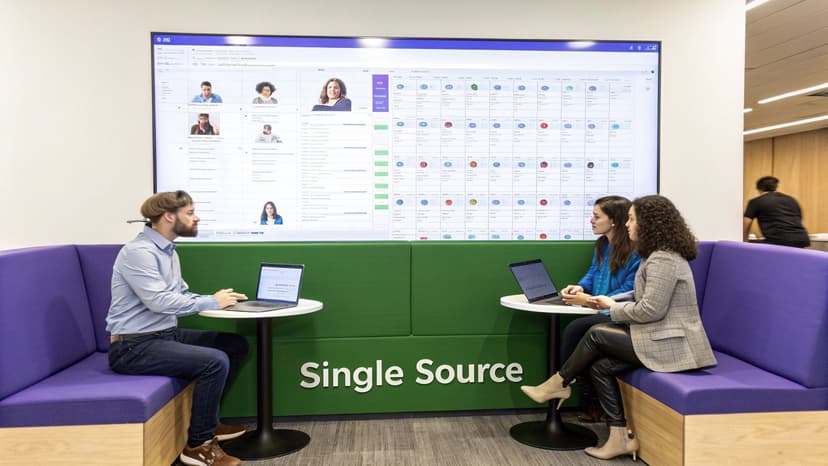
Key Insight: Effective collaboration isn't just about sharing files; it's about eliminating the friction and costly errors caused by disorganized data management.
How to Implement Cloud Collaboration with AI in Excel
While cloud storage provides the infrastructure, an AI assistant enhances this collaborative environment by streamlining data consolidation and analysis tasks, making it a powerful strategy for cost reduction. This ensures data consistency without the security concerns of uploading sensitive information to third-party cloud processors.
To begin, follow these steps:
- Establish a Central Repository: Use Microsoft OneDrive or SharePoint to store all shared workbooks. This immediately eliminates confusion about which file is the master version.
- Define Clear Protocols: Implement strict file naming conventions (e.g., "ProjectName_ReportType_YYYY-MM-DD") and train your team on collaboration etiquette.
- Consolidate Data Intelligently: When team members add their data to separate tabs or files within the shared environment, use an AI assistant like Elyx AI to automate the consolidation. For example, use the command: "Merge all tabs named 'Region_*' into a single master sheet, summarizing total sales by product."
By combining structured cloud storage with intelligent AI automation, you eliminate the costly inefficiencies of version control chaos and empower your team to collaborate seamlessly.
7. Vendor and Third-Party Tool Consolidation and Renegotiation
Vendor consolidation is a direct strategy for cost reduction where you eliminate redundant software subscriptions. Many organizations unknowingly pay for multiple analytics tools that have functional overlap with what can be achieved in an AI-powered Excel. This approach involves streamlining your software stack to cut licensing fees, reduce training overhead, and simplify workflows.
This strategy is ideal when departments use different tools like Tableau and Power BI to achieve similar reporting outcomes. By centralizing these activities within a single, powerful Excel environment, you can renegotiate better terms with fewer vendors or eliminate subscriptions entirely. This not only yields immediate savings but also standardizes processes across the organization.
Key Insight: Reducing the number of specialized tools doesn't mean sacrificing capability; it means maximizing the value and versatility of the platforms you already own, like Excel.
How to Implement Vendor Consolidation Using Excel
Instead of paying for separate BI tools and reporting platforms, you can use an AI assistant to supercharge Excel. An AI tool like Elyx AI enhances Excel's native capabilities, allowing it to perform tasks that might otherwise require a dedicated, expensive platform.
To begin consolidating your tool stack, follow these steps:
- Conduct a Software Audit: Create a comprehensive list of all analytics and reporting tools currently in use. Analyze usage data to identify which are critical and which have features that can be replicated in Excel.
- Calculate True Cost: Tally the total cost of ownership for each tool, including licensing, support, and training. This reveals the full financial impact of software redundancies.
- Consolidate in Excel: Use Elyx AI to replicate the core functions of redundant tools. For example, instead of a separate data visualization tool, ask Elyx AI: "Create an interactive dashboard showing sales trends by product category and region from the 'Q3_Data' tab."
By centralizing your analytics within an AI-enhanced Excel environment, you can execute powerful strategies for cost reduction while simplifying your tech stack.
8. Smart Error Prevention and Quality Assurance Automation
Formula errors, data inconsistencies, and calculation mistakes in Excel are silent profit killers. They lead to incorrect business decisions, wasted rework, and failed audits. This strategy uses an AI-powered approach to proactively detect anomalies, validate calculations, and flag potential issues before they cause damage, serving as a powerful method for cost reduction.
This approach is crucial for any data-sensitive process, like financial reporting, where accuracy is non-negotiable. For instance, you can automatically flag forecasting anomalies that might lead to costly overstocking. Automating quality assurance reduces the labor costs of manual checking and prevents expensive downstream consequences.
Key Insight: The most effective strategies for cost reduction often focus on prevention. Stopping an error is far cheaper than correcting the damage it causes.
Practical Example: Error Checking with Excel Formulas vs. AI
Manually checking for errors can be tedious. To check if a total in cell H10 matches the sum of a range in another sheet ('SourceData'!A1:A100), you might use:
=IF(H10=SUM('SourceData'!A1:A100), "OK", "MISMATCH")
SUM('SourceData'!A1:A100): Calculates the sum of the source data.IF(H10=..., "OK", "MISMATCH"): Compares the total in H10 to the calculated sum and returns "OK" or "MISMATCH".
This requires setting up individual formulas for each check. An AI assistant can perform multiple checks at once with a single command:
"Scan column G for any values greater than $1,000,000 and highlight them in red. Then, check if the sum in cell H10 matches the total from the 'SourceData' tab and flag any mismatch."
By integrating automated error prevention, you secure your data's integrity, reduce financial risk, and implement one of the most proactive strategies for cost reduction available.
9. Demand Forecasting and Capacity Planning Optimization
Optimizing demand forecasting and capacity planning in Excel is one of the most effective strategies for cost reduction. Many organizations over-invest in analytical teams to handle peak demand, leaving resources underutilized during normal periods. By accurately forecasting workload and team capacity, you can right-size your teams and redirect excess resources to higher-value initiatives.
This approach is ideal for departments with fluctuating analytical workloads, like finance or operations. For example, a corporate finance department can handle a threefold increase in reporting volume during quarter-end without hiring temporary staff by automating routine data consolidation in Excel. This directly reduces labor costs while improving project delivery speed.
Key Insight: True cost reduction comes from building a leaner, more agile team that can accomplish more with existing resources, not just cutting headcount.
How to Implement Capacity Optimization in Excel
You can begin optimizing your team’s capacity without complex software. An AI assistant like Elyx AI helps you automate the repetitive analytical work that consumes your team's bandwidth, allowing a smaller team to manage a larger workload.
To get started, follow these steps:
- Track Analytical Tasks: Begin by auditing the time your team spends on various analytical activities in Excel. Identify the most frequent and repetitive tasks.
- Establish Baselines: Document the current process and time required for each target task. This creates a baseline to measure efficiency gains after you introduce automation.
- Automate Repetitive Work: Use a natural language command in Elyx AI to automate the identified tasks. For instance: "Analyze the 'ProjectHours.xlsx' file, calculate the total hours per project phase, and generate a summary report comparing actual hours to budgeted hours."
By automating these core analytical functions in Excel, you can significantly improve your team's output and achieve substantial cost reduction. Learn more about effective capacity planning strategies to unlock your team's full potential.
10. Integrated Self-Service Analytics and Reduced Analytics Backlog
A significant hidden cost in many organizations is the delay caused by analytical backlogs. When business users must wait for data analysts to fulfill their requests, decision-making stalls. An effective strategy for cost reduction is to implement integrated self-service analytics in Excel, empowering non-technical teams to find answers on their own. This democratizes data access and drastically cuts down the reliance on specialized data teams.
This is ideal for departments like marketing, sales, or HR. For instance, a sales manager can instantly analyze pipeline conversion rates in a spreadsheet without filing a ticket with the BI team. By eliminating the queue, you accelerate the entire cycle from question to insight to action, directly impacting agility and reducing opportunity costs associated with waiting.
Key Insight: Reducing the analytics backlog isn't just an IT efficiency metric; it's a direct cost-saving measure that minimizes delays, accelerates strategic decisions, and empowers teams to act on timely insights.
How to Implement Self-Service Analytics in Excel
Democratizing analytics doesn't require a massive BI platform overhaul. By integrating an AI assistant like Elyx AI into the familiar Excel environment, you give your team a powerful yet intuitive tool for independent data exploration.
To get started, follow these steps:
- Identify Common Requests: Pinpoint the most frequent report requests your analytics team receives. These are prime candidates for self-service templates in Excel.
- Establish Data Governance: Ensure users have access to the right data without compromising security. Provide guidelines on interpretation to maintain consistency.
- Empower with Natural Language: Encourage users to ask questions directly to Elyx AI in plain language. For example: "Compare the sales performance of Product A vs. Product B for Q3 and create a column chart," or "Show me the top 5 sales regions by revenue this month."
By enabling teams to serve themselves, you not only reduce the direct cost of analyst time but also unlock the immense value of faster, more informed business decisions.
10 Cost-Reduction Strategies Comparison
| Strategy | Implementation Complexity 🔄 | Resource Requirements ⚡ | Expected Outcomes 📊⭐ | Ideal Use Cases 💡 | Key Advantages ⭐ |
|---|---|---|---|---|---|
| Robotic Process Automation (RPA) for Repetitive Tasks | Medium — multi-step workflows, Excel-native 🔄 | Low — Excel + intelligent add-in; no infra overhaul ⚡ | High ⭐⭐⭐ — 60–80% processing time reduction; fewer errors 📊 | High-volume data entry, report generation, reconciliations 💡 | Fast ROI, low licensing, real-time adjustments ⭐ |
| Intelligent Data Cleaning and Standardization | Medium — requires initial data audit and rules 🔄 | Moderate — access to source data and SME reviews ⚡ | High ⭐⭐⭐⭐ — improves accuracy; saves 5–10 hrs/week per analyst 📊 | Transaction/CRM/staging data consolidation and preprocessing 💡 | Reduces rework, enables faster time-to-insight ⭐ |
| Consolidation of Manual Reporting Tools and Processes | High — migration of report logic and integrations 🔄 | Moderate–High — migration effort and template rebuilds ⚡ | High ⭐⭐⭐⭐ — 40–60% reporting infra cost reduction; consistent outputs 📊 | Organizations using many BI tools and custom macros 💡 | Lowers licensing, training, and maintenance overhead ⭐ |
| Workforce Skill Optimization and Internal Redeployment | Low–Medium — training and change management 🔄 | Low — upskilling time vs. new hires ⚡ | High ⭐⭐⭐ — avoids specialist hires (€40k–100k); broader capability 📊 | Non-technical teams, Excel-centric departments for upskilling 💡 | Democratizes analytics, improves retention and agility ⭐ |
| Automation of Recurring Financial & Operational Analysis | Medium — template setup and standardization 🔄 | Moderate — standardized data feeds and docs ⚡ | High ⭐⭐⭐⭐ — shortens month-end close 40–60%; recovers analyst time 📊 | Monthly close, variance analysis, recurring dashboards 💡 | Timely reports, audit trails, frees analysts for root cause work ⭐ |
| Cloud-Based Collaboration & Version Control Elimination | Medium — migration and adoption effort 🔄 | Moderate — cloud integration and user training ⚡ | High ⭐⭐⭐ — reduces rework (3–5 hrs/week); improves security & compliance 📊 | Distributed teams collaborating on shared spreadsheets 💡 | Single source of truth, real-time edits, audit trail ⭐ |
| Vendor & Third-Party Tool Consolidation and Renegotiation | High — vendor migration and contract work 🔄 | Moderate — software audit and phased migration ⚡ | High ⭐⭐⭐ — reduces software spend 30–50%; simpler governance 📊 | Organizations with overlapping BI, reporting, and tooling stacks 💡 | Strong cost savings and negotiation leverage ⭐ |
| Smart Error Prevention & Quality Assurance Automation | Medium — rule definition and sensitivity tuning 🔄 | Low–Moderate — validation rules and monitoring tooling ⚡ | Very High ⭐⭐⭐⭐ — reduces costly errors 80–90%; audit-ready logs 📊 | High-risk reporting (finance, healthcare, inventory) 💡 | Prevents cascading errors; improves confidence in outputs ⭐ |
| Demand Forecasting & Capacity Planning Optimization | Medium — needs historical workload data and models 🔄 | Moderate — data capture, dashboards, forecasting ⚡ | High ⭐⭐⭐ — right-sizes teams; €30k–150k per prevented hire potential 📊 | Seasonal workloads, staffing and contractor planning 💡 | Better utilization, identifies automation opportunities ⭐ |
| Integrated Self-Service Analytics & Reduced Analytics Backlog | Low–Medium — governance and template setup 🔄 | Low–Moderate — templates, access controls, training ⚡ | High ⭐⭐⭐⭐ — cuts backlog 50–70%; accelerates decisions (10–15x leverage) 📊 | Business users needing ad-hoc analysis without analyst wait 🚀💡 | Democratizes insights, scales delivery without proportional headcount ⭐ |
Start Implementing Your Cost Reduction Strategy Today
Embarking on a cost-cutting initiative can feel like a monumental task, but as we've explored, the most impactful strategies for cost reduction are often found in the daily processes and tools you already use—especially Excel. This isn't about massive, disruptive overhauls. It's about making intelligent, incremental changes that compound over time to deliver significant financial and operational benefits.
We've covered ten powerful approaches, from automating repetitive tasks with RPA to consolidating vendor contracts and optimizing workforce skills. The common thread connecting these strategies is the shift from manual, time-intensive labor to smart, technology-driven efficiency within Excel. By addressing the root causes of wasted resources, such as data entry errors, version control chaos, and redundant reporting, you free up your team’s most valuable asset: their analytical and strategic thinking.
Your Path to Sustainable Savings
The journey begins with a single step. Instead of trying to implement all ten strategies at once, focus on identifying the most immediate opportunity for improvement within your workflow. Ask yourself: which Excel task consumes the most manual effort for the least strategic return? Often, the answer lies in data cleaning, recurring report generation, or consolidating data from multiple sources.
Mastering these cost reduction strategies is more than just a financial exercise; it's a competitive advantage. It fosters a culture of continuous improvement, enhances data accuracy for better decision-making, and empowers your employees to contribute to higher-value initiatives. For a comprehensive overview of various intelligent approaches to lowering expenditures, you might find valuable insights in these 10 Proven Cost Optimization Strategies. This broader perspective can help you contextualize where your Excel-based efforts fit into a larger corporate plan.
Ultimately, the goal is to transform your spreadsheets from static data repositories into dynamic engines of efficiency. The key takeaway is that you don't need a massive budget or a dedicated IT project to start seeing results. The power to unlock substantial savings is already on your desktop. By embracing automation and intelligent tools, you can turn routine operational drag into a source of strategic momentum, driving productivity and protecting your bottom line one spreadsheet at a time. The future of lean, effective operations is here, and it’s more accessible than ever before.
Ready to turn these strategies into action? Elyx AI acts as your autonomous data analyst right inside Excel, automating complex tasks, cleaning data, and generating insights from simple text commands. Stop wrestling with formulas and start implementing your cost reduction strategy today with your personal AI assistant. Discover how much time and money you can save by visiting Elyx AI.
Reading Excel tutorials to save time?
What if an AI did the work for you?
Describe what you need, Elyx executes it in Excel.
Sign up