7 Steps to Master Data Munging in Excel with AI Automation

Picture this: you've just come back from the market with a bag full of beautiful, fresh ingredients. Before you can even think about cooking a gourmet meal, you have to wash the vegetables, trim the fat, and get everything neatly arranged on your cutting board.
That, in a nutshell, is data munging. It’s the essential prep work that turns a chaotic mess of raw information into a clean, reliable, and perfectly organized dataset that’s ready for analysis.
What Is Data Munging? A 2-Minute Explanation
Data munging, which you'll also hear called data wrangling, is the non-negotiable first step in almost any data project. It's the hands-on process of cleaning, structuring, and enriching raw data to get it into a usable format, especially within a tool like Microsoft Excel.
Spending too much time on Excel?
Elyx AI generates your formulas and automates your tasks in seconds.
Sign up →Without this crucial step, any analysis you perform is built on a shaky foundation. You’d be basing critical business decisions on flawed information, which is a recipe for disaster. Trying to analyze messy data is like trying to build a house with crooked bricks—the final result just won't be sound.
The Core Goal of Data Munging in Excel
At its heart, the main goal is to tackle the common data headaches that analysts run into every single day. It’s all about a series of transformations that boost data quality, making it accurate and consistent. When you get this right from the start, you pave the way for powerful, trustworthy insights.
Data munging is designed to fix problems like:
- Inconsistent Formatting: A classic example is dates. You might have "10/05/2026," "May 10, 2026," and "2026-05-10" all in the same column. Munging standardizes them.
- Typographical Errors: Simple typos can throw everything off, like "New York" being entered as "New Yrok" or "NY."
- Missing Information: What do you do with all those blank cells? Munging involves making a strategic choice, whether that's filling them in, using a placeholder, or removing the row.
- Duplicate Entries: Finding and removing identical records that would otherwise inflate your numbers and skew the results.
Ultimately, data munging acts as the bridge connecting raw, chaotic data to the clear, actionable insights your business needs. It’s a key part of the larger data preparation pipeline. If you want to see the full picture, you can explore our guide on what data preprocessing entails. It truly is the unsung hero that makes all meaningful analysis possible.
The 5 Core Activities of Data Munging
Data munging isn't a one-and-done task. It's really more of a rhythm, a workflow you follow to get your data into shape. Thinking about it in stages helps take the mystery out of the process and turns it into a clear set of steps you can follow every time.
Essentially, we can break the whole journey down into five core activities that take messy, jumbled information and turn it into a high-quality, reliable resource for analysis.
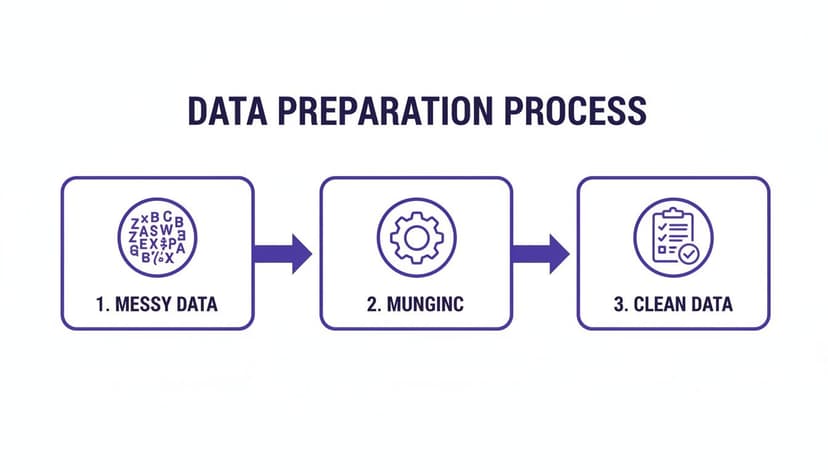
As you can see, munging is the engine that sits between raw data and real insights. It’s what makes all the analysis that comes later actually mean something.
1. Discovery
Before you can fix anything, you first have to understand what you're dealing with. This is the discovery phase. You're basically putting on your detective hat and getting to know your dataset—its structure, its quirks, and all of its hidden problems. You'll be on the lookout for odd patterns, outliers, and obvious errors.
For example, a marketing manager looking at an Excel sheet might find campaign names recorded as "Q4_Promo_FB," "q4-promo-ig," and "Q4 Promo." Spotting this kind of inconsistency is exactly what the discovery phase is for. To dig deeper into this initial stage, check out our post on what is exploratory data analysis.
2. Structuring
Once you’ve identified the problems, it's time to start bringing some order to the chaos. Structuring is all about organizing your data into a format that’s consistent and easy to work with. Raw data often arrives in a messy, semi-structured state that tools like Excel can’t make sense of.
Structuring is the act of bringing order to chaos. It’s about creating a standardized framework so that every piece of data has a predictable and logical place.
This might involve moving columns around, parsing information out of long text fields, or converting a jumbled log file into a clean, row-and-column format that analysis tools can read properly.
3. Cleaning
When most people hear "data munging," this is the part they think of. Cleaning is where you roll up your sleeves and actively fix the errors you found during discovery. This is where the real transformation happens.
Typical cleaning tasks include:
- Correcting Typos: Fixing entries like "New Yrok" to become "New York."
- Handling Missing Values: Making a call on what to do with blank cells. Do you fill them in, use a placeholder like "N/A," or just remove the record entirely?
- Removing Duplicates: Getting rid of identical entries that could throw off your results.
4. Enriching
But data munging isn't just about subtracting the bad stuff; it's also about adding value. Enriching your data means bringing in new information from other sources to make your dataset even more powerful.
For instance, you could take a simple customer list and enrich it by adding demographic data based on postal codes. Or you might append industry codes to a list of company names to open up new avenues for analysis.
5. Validating
Finally, before you declare victory, you need to check your work. Validation is the last, crucial step where you run checks to make sure the data is now accurate, consistent, and truly ready for action.
This is your chance to confirm that the munging process worked. You might run a quick check for impossible values (like a customer age of 200) or ensure all your data now follows the new, standardized format you created. It’s the final quality check that gives you the confidence to trust your data.
The 3 Biggest Time-Wasters in Data Munging
Ever feel like you spend way more time wrangling your data than actually analyzing it? If you're nodding along, you're in good company. It's a common headache for anyone who works with data, and there's a well-known statistic that perfectly captures this universal frustration.
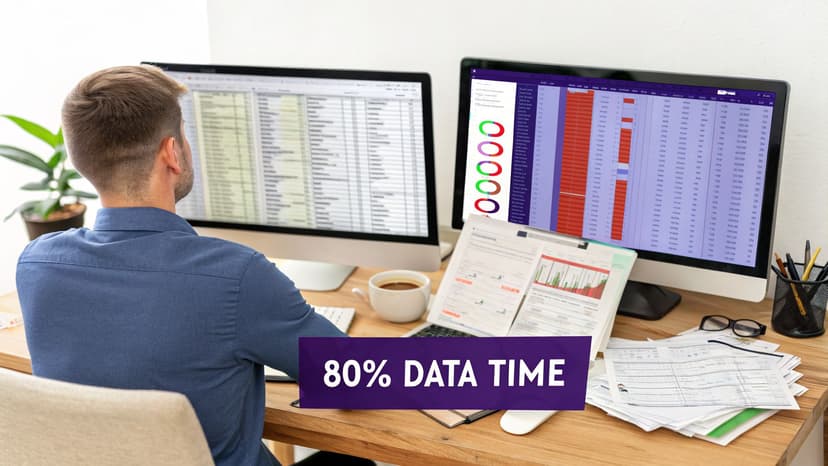
For years, industry reports have consistently shown that the process of data munging eats up a massive 80% of a data scientist's time. This isn't just a number; it’s a reality that drains productivity. Professionals who rely on Excel often report spending over 3 hours every week on mind-numbing, repetitive cleaning tasks. That’s three hours of fixing, formatting, and fighting with data before the real work can even begin. To see how this challenge is shaping the industry, you can get a wider view from market reports on data mining tools.
The Root Causes of Wasted Time
So, where does all that time actually go? It disappears into the messy, imperfect reality of how businesses create and store information. Data almost never shows up clean and ready for analysis.
The 3 usual suspects behind this mess are probably familiar to you:
- Inconsistent Data Sources: You pull sales figures from your CRM, inventory data from the ERP, and lead info from a web form. Each system has its own quirks—different field names, unique formatting, and separate conventions. It's on you to piece that puzzle together every single time.
- Human Error: Typos happen. It's a fact of life in manual data entry. A simple "New York" can easily get entered as "New Yrok" or "NY," creating multiple versions of the same thing and throwing your reports off.
- Outdated Systems: Older, legacy systems can be a nightmare. They often export data in clunky, outdated formats that need a ton of work before you can even get them into a modern tool like Excel.
The Real Cost of This Data Tax
This endless cycle of cleaning is more than just a hassle—it's like a hidden "data tax" that your business pays every day. Just think about the last time you had to merge three spreadsheets from different teams. The formatting nightmares, the endless copying and pasting, and the manual hunt for inconsistencies? That’s the data tax in action.
The cost isn't just measured in wasted hours. It translates directly to delayed decisions, missed opportunities, and a high risk of producing inaccurate reports that could misguide strategic planning.
When your sharpest analysts are stuck in the weeds cleaning data, they aren't finding the insights that drive the business forward. This is exactly why finding a smarter way to handle what is data munging isn't just a nice-to-have anymore. For any professional who relies on data, it’s an absolute necessity.
7 Data Munging Steps You Can Master In Excel
Alright, let's get our hands dirty. It’s one thing to talk about the high cost of messy data, but it’s another thing entirely to roll up your sleeves and fix it. You don't need a fancy, expensive software suite to start—the secret is that Microsoft Excel is a data munging powerhouse in its own right.
With just a handful of its built-in tools, you can solve the most common data headaches right inside your spreadsheet. These seven mini-walkthroughs will give you a practical toolkit for turning a chaotic mess into something clean, reliable, and ready for analysis.
The image above gives you a sneak peek of what we're about to do. We're going to take that jumbled data on the left and systematically whip it into the clean, orderly table you see on the right.
1. Instantly Remove Duplicates
Duplicate records are a classic data nightmare. They can inflate your counts, throw off your averages, and make your reports unreliable. Luckily, Excel has a one-click fix.
Just highlight the data you want to clean, head over to the Data tab, and click Remove Duplicates. Excel will then ask you which columns to check for identical entries. It's incredibly fast and effective.
2. Clean Extra Spaces with TRIM()
This one’s sneaky. Why won't "Apple" match with "Apple "? Because of a hidden trailing space. Annoying, right? Extra spaces at the beginning, end, or even between words can break sorting, filtering, and lookups.
The TRIM() function is your go-to solution.
- Formula:
=TRIM(A2) - Explanation: This formula takes the text from cell A2 and strips out all extra spaces, leaving only a single space between words. It cleans leading, trailing, and multiple spaces between text.
3. Standardize Text with Find and Replace
Inconsistent entries are another common problem. If one person enters "New York" and another types "NY," your data sees them as two different places.
While you could build a complex formula with FIND() and REPLACE(), the quickest way to fix this is with the Find and Replace tool. Just press Ctrl+H, tell Excel to find all instances of "NY," and replace them with "New York." Done.
4. Split Data with Text to Columns
Ever get a list where a full name is crammed into one cell, like "John Smith"? If you need to sort by last name or use first names for a mail merge, you have to split them up.
The Text to Columns feature on the Data tab is perfect for this. It lets you slice a single column into multiple columns based on a delimiter, like a space, comma, or dash.
5. Combine Fields with CONCAT()
The reverse is also true. Sometimes you have a "First Name" and "Last Name" column and need to join them. That's where the CONCAT() function (or its older cousin CONCATENATE()) comes in.
- Formula:
=CONCAT(A2, " ", B2) - Explanation: This formula joins three pieces of text together. It takes the value from cell
A2(the first name), adds a space character" ", and then appends the value from cellB2(the last name), creating a full name in a new cell.
6. Handle Blank Cells Using IF()
Blank cells can be a landmine, causing formulas to return errors and breaking your calculations. Instead of deleting them, you can tell Excel how to handle them with an IF() statement.
- Formula:
=IF(ISBLANK(C2), "N/A", C2) - Explanation: This formula checks if cell
C2is empty. TheISBLANK(C2)part returnsTRUEif the cell is blank. If it'sTRUE, the formula outputs the text "N/A". If it'sFALSE(meaning the cell has content), the formula simply returns the original value fromC2.
7. Standardize Messy Date Formats
Dates are notoriously difficult. Excel often gets confused by mixed formats like "10/05/2026," "May 10, 2026," and "2026-05-10."
After using Text to Columns to separate the day, month, and year (if they're jumbled), you can use the DATE() function to reassemble them into a single, consistent format that Excel will always understand. For anyone wanting to see how this works in a real-world scenario, checking out guides on using an Excel sheet for expenses can be really helpful.
By learning just these seven techniques, you have a solid foundation for most data munging tasks. You can move from spending hours on manual clean-up to applying a systematic and repeatable workflow that saves time and guarantees accuracy.
For a deeper dive into making your spreadsheets more effective from the ground up, take a look at our guide on how to organize data in Excel.
The 2 Eras of Data Munging: Manual Work to AI Automation
While those manual Excel tricks are powerful, they’re really just the latest chapter in a long story. The way we handle data has changed completely over the years, moving from slow, manual work to smart, automated systems. It’s a path that leads directly from the past of data wrangling to its AI-driven future.
Dealing with messy data is hardly a new headache. The term "munging" actually popped up back in the 1970s within MIT's hacker circles. As databases got bigger and more complicated with the arrival of SQL in the '80s, fixing data errors became a huge, time-sucking part of the job. In fact, studies from that time showed that up to 60% of data in live systems had major flaws. With today's data explosion, that problem has only gotten worse. If you're curious about how data became such a big deal for businesses, the data monetization market offers some fascinating insights.
From Formulas to AI Commands
For decades, professionals leaned on complex SQL queries, Python scripts, and advanced Excel formulas to get their data into shape. These methods work, but they demand a lot of specialized knowledge, patience, and hours spent writing and fixing code. Worse yet, every time a new dataset landed on your desk, you had to start the whole tedious process all over again.
This is where things are finally starting to change. We’re moving away from doing the work ourselves and toward simply directing an intelligent assistant, often right inside tools we already use, like Excel.
The big change is this: instead of telling the computer how to clean the data with specific formulas, you now just tell it what you want to achieve using plain English.
This shift is all thanks to new AI assistants that can understand your instructions.
The Rise of AI in Excel
Think about it. What if you could just tell your spreadsheet, "Clean this sales data, remove all duplicates, and standardize the region codes"? Instead of you clicking through a dozen steps, an AI agent can run that entire workflow for you in seconds. This completely changes our answer to the question, what is data munging.
This move from manual formula-writing to AI-powered automation isn't about making your skills obsolete—it's about making them more powerful. It takes the boring, mechanical work off your plate so you can focus on the strategic thinking that actually makes a difference. To see how this works in practice, check out our article on what is Excel AI. It’s a modern solution to a problem that’s been around for a very long time.
How to Automate Data Munging in 3 Steps with AI
We've walked through the painstaking manual process of data munging, and if you’ve ever done it, you know it can feel like a never-ending chore. It’s tedious, it’s slow, and a single mistake can throw off your entire analysis. There has to be a better way, right?
Thankfully, there is. This is where AI assistants like Elyx AI are changing the game for anyone working with spreadsheets. Think of it not as a formula helper, but as a data-savvy partner sitting right inside Excel, ready to take on entire workflows for you.

You simply tell it what you need in plain English, and the AI handles all the heavy lifting. Instead of you doing the work, the work gets done for you.
1. Open the Elyx AI Chat
First things first. Once you have the Elyx AI add-in installed in Excel, you just pop open its chat panel. It appears right alongside your spreadsheet, which is a huge plus—no more exporting data or juggling different applications. Everything happens right where your data lives.
2. Describe Your Goal in Plain English
Here’s where you’ll really feel the difference. Rather than trying to remember and nest a dozen different functions, you just talk to the AI like you would a colleague. A single instruction can replace what might have been an hour of manual clicking and typing.
For instance, you could just type: "Clean this sales data, remove all duplicates, and standardize the region codes." The AI understands that this is a multi-step task and knows exactly how to execute it.
This conversational method breaks down the barrier between you and your data. You don't need to be a formula wizard to perform powerful transformations anymore. If you're looking for more ways to cut down on manual work, our guide on how to automate repetitive tasks has some great tips.
3. Let the AI Work and Review the Results
After you send your request, Elyx AI gets straight to it, running through each cleaning and standardizing step you asked for. In just a few seconds, that messy, inconsistent dataset becomes a clean, reliable table ready for analysis.
Your only job left is to give the finished data a quick review. This approach doesn't just save you a massive amount of time; it also wipes out the risk of human error from all those tedious steps. You get to skip straight to the strategic work—the part that actually drives decisions and adds value. It's no longer a question of what is data munging, but how fast you can get it done.
3 Common Questions About Data Munging
As you get more familiar with data munging, a few questions tend to pop up. Let's tackle some of the most common ones to clear up any lingering confusion.
1. What Is the Difference Between Data Munging and ETL?
This is a great question. Think of it in terms of preparing a meal. Data munging is everything you do in the kitchen before you start cooking—washing vegetables, chopping onions, measuring spices, and arranging all your ingredients so they're ready to go. It's the hands-on prep work.
ETL (Extract, Transform, Load), on the other hand, is the entire industrial food processing plant. The "Transform" step in an ETL pipeline definitely includes munging, but the term ETL itself describes the whole automated, large-scale process of moving huge volumes of data from one system (like a sales database) to another (like a data warehouse).
2. Can AI Completely Replace Manual Data Munging?
Not quite, but it gets incredibly close. Modern AI tools, like Elyx AI, act as powerful assistants that can automate the lion's share of the work—all the repetitive, mind-numbing tasks that used to take hours.
A human expert is still needed for that final quality check and to solve those tricky, context-specific problems that only a person can understand. The real goal of AI here is to handle the 90% of tedious work, freeing you up to focus on the critical 10% that requires your strategic insight. For a deeper look at this, you can find great resources on building and deploying AI agents for data tasks.
3. Is Data Munging a One-Time Task?
Almost never. Data munging is an iterative, ongoing process. You might get a dataset perfectly clean for a specific report, but next quarter, new data will arrive, or your team will have new questions. Each time, you'll need to revisit and adapt your data prep.
That’s why establishing an efficient and repeatable workflow from the start is so important. When you have good habits and the right tools, you save yourself a massive amount of redundant effort on every single project down the line.
Ready to stop wasting hours on manual data prep? With Elyx AI, you can automate your entire data munging workflow inside Excel using simple English commands. Turn messy data into analysis-ready insights in seconds and reclaim your time for strategic work. Try it for free and see the difference at https://getelyxai.com.
Reading Excel tutorials to save time?
What if an AI did the work for you?
Describe what you need, Elyx executes it in Excel.
Sign up