A Guide to Legacy System Modernization with AI and Excel

When we talk about legacy system modernization, we're often picturing massive, complex software overhauls. But for many, the "legacy system" is a collection of sprawling, interconnected Excel workbooks that have grown over years. Modernizing these isn't just about a new look; it’s a strategic overhaul to boost security, slash manual data entry, and give your business the flexibility it needs to make faster, smarter decisions.
This guide will show you how to tackle this specific challenge, focusing on how artificial intelligence directly within Excel can solve the concrete problem of modernizing your spreadsheet-based workflows.
Why Modernizing Your Excel Systems Matters Now
Think of your critical Excel workbooks as the foundation of an old building. They’ve held up your reporting, analysis, and operations for years. But now, the cracks are showing. The manual upkeep is time-consuming, security vulnerabilities are a constant worry, and you can’t easily integrate new data sources or build powerful, automated reports. Sticking with that crumbling foundation just isn't an option anymore.
Spending too much time on Excel?
Elyx AI generates your formulas and automates your tasks in seconds.
Sign up →This is exactly why legacy system modernization for Excel-based processes has become a critical business need. Ignoring it leads to tangible problems—slow decision-making, compliance headaches, and watching your competitors leverage data more effectively. You simply can't afford to be held back by your own spreadsheets.
The Real Cost of Doing Nothing
Putting off modernization isn't just kicking the can down the road; it’s letting a small problem snowball into an avalanche. Many companies are stuck in a vicious cycle, pouring countless hours of skilled employee time into just keeping these Excel systems running. That’s time that could be going toward innovation and analysis.
The numbers are pretty stark. Industry reports often show that while modernizing is a priority, many businesses are shackled to old tech. It’s estimated that up to 80% of IT expenditures in some organizations go toward maintaining outdated systems. While your Excel workbooks may not be on the IT budget, the "people cost" is just as real, as employees spend hours on tasks that could be automated.
Legacy spreadsheets aren't just a data problem; they are a business bottleneck. They represent a growing "process debt" where outdated manual tasks actively restrict your ability to adapt, innovate, and compete effectively.
Evolving for Survival and Growth
At the end of the day, modernizing your Excel workflows is an investment in your company's future. It’s about turning your spreadsheets from a liability that holds you back into an asset that propels you forward. When you make this shift, you open up a world of possibilities.
- Improve Agility: Respond instantly to requests for new reports or analysis without days of manual work.
- Enhance Security: Centralize data and reduce the risks associated with emailing sensitive spreadsheets with broken formulas or outdated information.
- Boost Efficiency: Use AI to automate data cleaning, formula generation, and report creation, giving your team the modern tools they need to do their best work.
The image below captures this idea perfectly—moving from a rigid, old structure to a sleek, flexible, and modern one.

The main takeaway is that this process is about more than just cleaning up formulas. It's about building a data foundation that can support your business goals for years to come. If you want to get into the nuts and bolts of it, A Technical Guide to Legacy System Modernization offers a much deeper, more comprehensive look at the process from an IT perspective.
Why Bother Modernizing in the First Place?
Kicking off a legacy system modernization project without a clear "why" is a recipe for disaster. It's like reformatting a spreadsheet without knowing if you're fixing a calculation error or just making a mess. You need to get past vague goals like "making things better" and nail down the specific, measurable problems that make this whole effort worthwhile.
These are your real drivers for change—the hard-hitting issues that impact your operations, security, and, ultimately, your bank account. Getting a handle on them is the first step to building a case for modernization that gets everyone, from your team to the executive board, on the same page.
The Slow, Expensive Bleed of Maintenance Costs
Often, the most compelling reason to modernize is the staggering cost of simply keeping the old system alive. Legacy Excel systems are resource hogs, demanding hours of manual data entry, validation, and formula troubleshooting.
Think of it like owning a vintage car. It's cool, but the charm fades when you realize you're spending more on niche parts and specialized mechanics each month than you would on a brand-new car payment. Similarly, the time your team spends wrestling with old spreadsheets is a hidden cost that drains productivity.
These costs aren't always obvious; they're often buried in payroll. We're talking about things like:
- Manual Data Entry: Paying skilled employees to copy and paste data from different sources.
- Formula Troubleshooting: Wasting hours trying to find a broken VLOOKUP or a circular reference in a giant workbook.
- Manual Workarounds: Paying people to spend hours on clunky processes that an AI-powered tool in Excel could automate in seconds.
Once you start tallying up these hidden expenses, the argument for modernization shifts. It’s no longer just a cost—it's an investment to plug a serious financial drain.
Plugging Dangerous Security Holes
Let's be blunt: legacy spreadsheets can be a massive security risk. They often exist as multiple versions on different computers, get emailed around with sensitive data, and lack any real access control. It's the digital equivalent of an old building with broken locks and windows wide open.
A single data breach from an unsecured spreadsheet can gut a company, costing millions in fines, recovery efforts, and lost trust. Suddenly, the cost of modernization doesn't look like an expense. It looks like essential insurance against a catastrophe.
And this isn't just a hypothetical threat. One study found that 60% of data breaches happened because of a vulnerability where a patch was available but never installed. In Excel, the risk is human error—an employee accidentally emailing the wrong file or leaving a laptop in a coffee shop. Modernization, using AI and cloud-connected tools, helps centralize and secure your data.
The Looming Skills Gap
The human factor is another huge driver. The complex macros and nested formulas that power these old workbooks might only be understood by one person. As that Excel guru moves to a new role or leaves the company, finding someone who can even understand the workbook becomes nearly impossible.
This creates a dangerous "knowledge silo," where maybe one or two people in the entire company know how a critical report is actually generated. When they leave, that knowledge walks out the door with them, leaving the business high and dry.
Moving to modern, AI-assisted workflows in Excel makes it infinitely easier to train new talent. It democratizes data skills and ensures your critical reports can be supported for years to come.
Choosing Your Modernization Strategy
Once you’ve figured out why you need to change, the next big question is how. A legacy system modernization project isn't a one-size-fits-all deal. It's more like renovating a house—there are several ways to go about it, and each comes with its own trade-offs in cost, risk, and time.
Think about it this way. Your legacy Excel system is an old house that's seen better days. Do you just move its data to a new cloud platform? Do you keep the structure but use AI to clean up the formulas and data? Do you rebuild the reports from scratch in a more modern tool? Or do you just replace it with a dedicated software solution?
This analogy lines up perfectly with the four main modernization strategies, often called the "4 R's." Getting a handle on these options is the key to matching your technical plan with your business goals.
H3 Rehosting The Lift-and-Shift Method
Rehosting, or "lift-and-shift," is the quickest and simplest play. In the context of Excel, this means moving your workbooks from local desktops to a cloud environment like SharePoint or Google Drive.
The workbook’s core logic and formulas stay the same. The real win here is improved collaboration and getting out of the business of emailing different versions around.
- Best For: Stable workbooks that function well but need better accessibility and version control. It's a fantastic first step for teams just starting to centralize their data.
- Benefits: It’s a low-risk, low-cost move you can execute quickly. You start seeing collaboration benefits almost immediately.
- Risks: You're not fixing any deep-seated problems in the workbook. You're basically just moving your old issues to a new home, and you're not yet leveraging modern tools like AI to improve the process itself.
H3 Refactoring The Renovation Approach
Refactoring is your renovation project. You're keeping the workbook's structure but overhauling the internals—using AI to clean messy data, generate more efficient formulas, and automate data extraction.
The goal is to boost performance, make the workbook easier to maintain, and plug data quality issues. Getting familiar with different legacy code refactoring techniques can be conceptually helpful here, as it allows for smart, targeted improvements.
Refactoring with AI in Excel is all about balance. You get to fix real pain points—like manual data cleaning or complex formula writing—without throwing away the years of investment you've poured into your workbook's core logic.
This is the perfect approach for systems that are fundamentally solid but have been bogged down by years of manual workarounds, making them a nightmare to manage.
H3 Rebuilding The New Construction Project
Rebuilding is a much bigger job. Here, you're keeping the raw data but building a brand-new report or model from scratch, often in a more advanced tool. For a legacy Excel system, this might mean rebuilding the analysis in a BI tool or a new, cleaner Excel workbook using modern data models.
You’re not changing what the report does, but you are completely changing how it does it. This gives you the freedom to use modern tools, like AI for automated analysis and visualization.
- Best For: Reports where the business logic is still pure gold, but the workbook it's built on is too messy and slow to fix. It's for when you need a clean slate but want the same trusted functionality.
- Benefits: You end up with a fully modern report that’s a breeze to maintain, scale, and update. All that old technical debt? Gone.
- Risks: Don't underestimate the effort. This is a major project requiring a lot of time and planning.
H3 Replacing The Fresh Start
Finally, you can simply replace the whole thing. This is the equivalent of selling your old, creaky house and buying a modern one that has everything you need right out of the box. This strategy involves retiring the legacy spreadsheet completely and switching to a dedicated software solution, usually a commercial off-the-shelf (COTS) product or a SaaS platform.
This is the right call when your old workbook's functions have outgrown Excel, or when a ready-made solution on the market can do the job better and cheaper. If you're exploring this path, our business reporting tools comparison can give you a good sense of how to evaluate potential replacements.
Making the right choice means carefully weighing your budget, security requirements, and what you want the end-user experience to be.
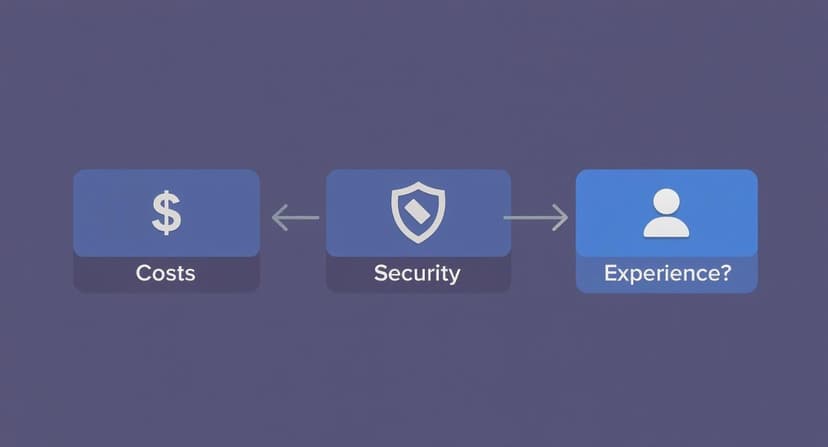
There’s no single "correct" answer. The best path forward is the one that best aligns with what matters most to your organization.
H3 Comparing the Four Modernization Strategies
To make the decision a bit easier, it helps to see the "4 R's" laid out side-by-side. Each path offers a different mix of risk, cost, and reward.
| Strategy | Risk Level | Typical Cost | Implementation Speed | Business Impact |
|---|---|---|---|---|
| Rehost | Low | Low | Fast | Low |
| Refactor | Medium | Medium | Medium | Medium |
| Rebuild | High | High | Slow | High |
| Replace | Varies | Varies | Varies | Transformative |
As you can see, the faster and cheaper options like Rehosting tend to have a lower immediate impact, while the more intensive strategies like Rebuilding promise a much bigger payoff. Your job is to find the sweet spot that fits your business needs and resources.
Navigating Common Modernization Hurdles
Embarking on a legacy system modernization project is a powerful strategic move, but it's almost never a straight path. Think of it like a major home renovation—you're bound to find some unexpected issues lurking behind the walls. Acknowledging these hurdles upfront isn't about being negative; it's about being smart. Knowing what's coming lets you build a plan that can handle the bumps in the road before they derail your entire project.
From getting the initial investment approved to managing the very real human side of change, every stage has its own unique obstacles. By understanding these common roadblocks, you can give your team the foresight they need to navigate them, ensuring your big initiative actually delivers on its promises.
Overcoming High Upfront Costs and Budgetary Fears
One of the first hurdles you'll hit is the sticker shock. Modernization projects often come with a hefty upfront price tag, which can make getting budget approval a real battle—especially when the old system is, technically, still running. You'll almost certainly hear from stakeholders, "If it's not completely broken, why are we spending so much to fix it?"
To get past this, you have to change the conversation from cost to value. Your job is to frame this project not as an expense, but as a crucial investment to stop a financial bleed.
- Quantify the Hidden Costs: Add up the real price of doing nothing. This includes the ever-increasing maintenance fees for old hardware, expensive support contracts for obsolete software, and the payroll hours your team wastes on clunky manual workarounds.
- Highlight Opportunity Costs: Pinpoint what the business is losing by standing still. Maybe it’s market opportunities you can't seize because you lack agility, or customers you're losing because of a frustrating user experience.
- Show the ROI: Present a clear return on investment. Show them exactly how this project will lead to long-term savings, boost efficiency, and even open up new ways to make money.
The Problem of Poor or Missing Documentation
Here’s a nightmare scenario that’s all too common: you dive into a legacy workbook only to find its logic is undocumented, hopelessly out of date, or just plain wrong. The original creator is probably long gone, leaving behind a "black box" that nobody on the current team fully understands. This makes any change feel incredibly risky because you have no map of the workbook's dependencies or hidden business logic.
This is a big reason why so many critical institutions still rely on ancient technology. For example, the U.S. IRS still depends on 60-year-old codebases for some of its core functions. The U.S. Government Accountability Office reported that the ten most critical federal legacy systems cost about $337 million a year just to maintain. That cost is made even worse by the fact that the pool of programmers who can actually understand them is shrinking. You can learn more about how legacy technology underpins critical operations from this guide.
Without proper documentation, every single change is a gamble. You risk breaking a critical formula that could bring business operations to a grinding halt, creating a paralyzing fear of touching the system at all.
This challenge really underscores the need for a thorough discovery phase. This is where AI tools in Excel become invaluable. They can help explain complex formulas in plain English, allowing you to reverse-engineer the logic and build the documentation you need.
Managing the Technical Complexity of Data Migration
Moving data from an old system to a new one is one of the most delicate, high-stakes parts of any modernization project. It’s far from a simple copy-and-paste job. Legacy systems are often riddled with inconsistent data formats, hidden duplicates, and years of accumulated "dirty" data that can poison your new system if you're not careful.
A successful migration demands meticulous planning and validation. This means mapping data fields, cleansing bad records, and transforming formats. This is another area where AI excels. It can automate the tedious process of data cleaning—like standardizing addresses or removing extra spaces—ensuring high-quality data. Upholding high standards is absolutely critical, and understanding data quality best practices is essential to avoid a "garbage in, garbage out" situation.
Addressing Cultural Resistance and Fear of Disruption
Finally, you have to remember that technology is only half the battle. The other half is people. Your employees, who may have used the same workbook for years—or even decades—are likely to resist the change. They’ve built workflows around the old system's quirks and know it inside and out. A new system represents a steep learning curve and a major disruption to their daily work.
This is why effective change management isn't just a nice-to-have; it's non-negotiable. You have to communicate early and often, clearly explaining the "why" behind the project. Get your end-users involved in the design and testing process so they feel a sense of ownership. Providing comprehensive training and ongoing support is the only way to ensure a smooth transition and get everyone truly on board with the new way of working.
A Blueprint for a Successful Project
A successful legacy system modernization project never happens by accident. It's the result of a deliberate, well-thought-out plan. Without that clear blueprint, even the most promising initiatives can go sideways, leading to blown budgets and missed deadlines. Think of this plan as your strategic roadmap—it's what will help you navigate the common pitfalls and ensure the project delivers real business value.
The first step is always the most important: getting a deep, honest assessment of what you already have. After all, you can't modernize what you don't truly understand.
Conduct a Thorough System Assessment
Before you change a single formula, you need a complete picture of the legacy workbook's current reality. This goes way beyond the data itself. You need to understand its place in the entire business ecosystem. A proper assessment maps out the data sources, identifies every dependency, and gives a realistic look at its current business value.
This discovery phase is all about uncovering risks and complexities before they bite you later. It helps you answer the big questions that will define the entire project:
- What are the workbook’s absolute must-have functions? Pinpoint the core reports that the business would grind to a halt without.
- Who are the key stakeholders? Figure out which departments and real-world users depend on this thing every single day.
- What are the hidden connections? Unearth the links to other workbooks, data sources, and even manual workarounds that aren't written down anywhere.
Only when you have this solid foundation can you start to define what "done" and "successful" actually mean.
Define Clear Goals and Success Metrics
Once you know your starting point, it's time to figure out your destination. Vague goals like "improving efficiency" just won't cut it. Your project needs specific, measurable, achievable, relevant, and time-bound (SMART) goals that tie directly back to what the business needs to accomplish.
Think of your success metrics as the guardrails for your project. They keep the team focused on what truly matters and provide a clear, objective way to measure progress and declare victory at the end.
For example, instead of a fuzzy objective, you might aim to reduce the time spent on manual data cleaning by 80% within the first quarter by using an AI tool. Or maybe you want to decrease report generation time from 2 days to 2 hours. These kinds of concrete metrics give you a clear benchmark for success.
Adopt a Phased Rollout to Minimize Risk
The "big bang" approach, where you roll out the new workbook overnight, is incredibly risky. A much safer and saner strategy is a phased rollout. This just means breaking the project into smaller, manageable chunks and modernizing one piece of the system at a time.
This incremental method has some huge advantages:
- It causes minimal disruption to daily business operations.
- It lets the team gather feedback and make adjustments as they go.
- It creates opportunities for quick wins, which builds momentum and keeps everyone confident in the project.
Prioritize Data Migration and Validation
Data is the lifeblood of your company, and moving it is like performing surgery. One mistake can corrupt critical information and torpedo the whole project. This process requires a meticulous plan covering data cleansing, mapping, transformation, and—most importantly—rigorous validation, often automated with AI.
You simply cannot skip robust testing here. You have to be certain that every piece of data is transferred accurately and that it remains consistent between the old and new systems.
Manage Change with Clear Communication and Training
Finally, never forget that legacy system modernization is a people project just as much as it is a technology project. The employees who have used the old workbook for years aren't going to adapt to new workflows automatically. They need support.
A solid change management plan is essential for a smooth transition. This means being transparent about the project's progress, clearly explaining how the new AI tools will make their jobs better, and providing excellent training. When you involve users early and listen to their concerns, you can turn potential resistance into enthusiastic adoption.
How AI and Cloud Are Changing the Game
The whole world of legacy system modernization is being turned on its head, and it’s largely thanks to two things: the cloud and artificial intelligence. These two forces are working together to transform what used to be a daunting, high-stakes project into something far more achievable, even at the level of individual Excel users.
For most modernization projects today, the cloud is the obvious destination. Moving from clunky on-premise servers to a cloud environment just makes sense. The same is true for your Excel files. Moving them to a collaborative cloud platform gives you flexibility, version control, and security you could only dream of before.
The market data tells the same story. The global legacy modernization market is expected to jump from $24.98 billion in 2025 to $56.87 billion by 2030, and cloud-based projects are set to account for over 67% of that. There's a clear consensus here—the cloud is the new foundation for modern IT. You can dig into the numbers yourself in this market growth report on Mordor Intelligence.
AI as the Accelerator
If the cloud is the new foundation, think of AI as the accelerator that gets you there faster. AI-powered tools integrated directly into Excel are now tackling the most tedious and error-prone parts of modernization, automating tasks that used to burn thousands of hours.
When you have a legacy workbook with no documentation, it’s like trying to navigate a maze blindfolded. AI tools can analyze complex formulas and explain them in simple English, giving your team a clear, accurate blueprint to work from. This alone takes a huge amount of risk off the table right from the start.
These tools are a game-changer because they can:
- Automate Data Cleaning: AI can instantly fix inconsistencies, remove duplicates, and standardize formats across thousands of rows.
- Generate Complex Formulas: Instead of struggling with nested functions, you can describe what you need in plain English, and AI will generate the correct formula for you.
- Provide Smart Recommendations: AI can analyze your data and suggest the best charts, pivot tables, or analytical approaches to uncover insights you might have missed.
We're already seeing the practical impact of AI for spreadsheets and other common business tools. By cutting down on human error and taking over repetitive work, AI is making modernization projects more predictable, affordable, and ultimately, more successful.
Frequently Asked Questions
Thinking about modernizing your legacy systems is a big step, and it's natural to have a lot of questions. Let's tackle some of the most common ones that come up when you start digging into budget, timelines, and finding the right help.
How Much Does Legacy System Modernization Cost?
This is the big question, and the honest answer is: it depends. The cost can swing dramatically. A straightforward "lift-and-shift" project, where you're moving Excel files to the cloud, is very low-cost.
On the other hand, a complete rebuild of a complex financial model or replacing a spreadsheet system with dedicated software is a major undertaking with a price tag to match. The final cost really comes down to the complexity of your old workbook, the volume of data, and the path you take. For Excel users, the investment is often in an AI tool that pays for itself quickly in saved time.
How Long Will a Modernization Project Take?
Just like cost, the timeline is all over the map. You might be able to modernize a small, well-documented workbook in just a few hours using AI.
However, if you're dealing with a massive, interconnected system of spreadsheets that's at the heart of your business, you should be prepared for a project that could take weeks or longer. A smart approach is to break the project into smaller, manageable phases. This way, you start seeing real value and tangible results much sooner.
What Should I Look for in a Modernization Partner?
For large-scale IT projects, you need a partner fluent in old and new technologies. But for modernizing your Excel workflows, the best "partner" is often the right tool.
Look for an AI tool that integrates directly into Excel, has a proven track record, and is easy for your team to use. It should solve your specific pain points—whether that's data cleaning, formula generation, or analysis. The right tool empowers your team to become the agents of modernization themselves.
Ready to bring the power of AI to your daily tasks? Elyx.AI integrates directly into Excel, allowing you to clean, analyze, and translate data with simple commands. Streamline your workflow and unlock deeper insights without ever leaving your spreadsheet. Learn more and get started at https://getelyxai.com.
Reading Excel tutorials to save time?
What if an AI did the work for you?
Describe what you need, Elyx executes it in Excel.
Sign up