Top 12 Excel AI Tools to Supercharge Your Spreadsheets in 2024

If you spend hours wrestling with complex formulas, cleaning messy data, or formatting reports in Excel, you're not alone. The manual processes required for effective data management can be a significant drain on productivity. Fortunately, a new wave of excel ai tools is fundamentally changing how we work with spreadsheets, automating tedious tasks and unlocking deeper insights with unprecedented speed.
This guide moves beyond the hype to provide a practical, hands-on review of the top platforms transforming Excel into an intelligent workspace. We will explore tools designed to solve real, everyday problems, from generating complex formulas with plain English commands to automating entire multi-step reporting workflows. Forget generic feature lists; we're focusing on specific use cases, actionable tips, and implementation considerations for each tool. To dive deeper into the overarching principles of applying artificial intelligence, consider this practical guide to machine learning for businesses and AI integration.
Our goal is to give you a clear roadmap for choosing the right AI assistant for your specific needs. Each review includes screenshots, direct links, and a detailed breakdown of pros and cons, ensuring you have all the information necessary to make an informed decision. By the end of this listicle, you'll be equipped to select a tool that can save you countless hours, eliminate manual errors, and allow you to focus on what truly matters: the strategic insights hidden within your data. Let's get started.
Spending too much time on Excel?
Elyx AI generates your formulas and automates your tasks in seconds.
Sign up →1. Elyx AI
Elyx AI stands out as a powerful and comprehensive AI agent built directly into Microsoft Excel. Instead of just suggesting formulas or explaining functions, Elyx AI acts as an autonomous colleague capable of understanding and executing complex, multi-step workflows from a single plain-language instruction. It effectively transforms how users interact with their data, shifting the focus from manual execution to strategic direction.
This tool is designed for anyone who wants to reclaim time spent on repetitive spreadsheet tasks. You can ask it to perform an entire sequence of actions, such as, "Clean this sales data by removing duplicates, create a PivotTable summarizing sales by region, generate a bar chart from the pivot, and format the report using our company’s brand colors." Elyx AI plans and performs each step automatically, turning what could be a half-day project into a task that takes just a few minutes.

Why Elyx AI is a Top Choice
Elyx AI earns its place as a featured tool due to its unique focus on end-to-end workflow automation and enterprise-grade security. Built on Anthropic’s powerful Claude 3.5 Sonnet model and distributed as an official Microsoft AppSource add-in, it combines cutting-edge AI with a secure, trusted integration. This makes it one of the most practical and reliable excel ai tools available for professionals.
The platform is particularly effective because it doesn't just assist; it executes. While other tools might generate a formula for you to copy and paste, Elyx AI directly manipulates the data, creates PivotTables, builds charts, and applies formatting within your workbook. Its ability to chain multiple commands makes it a true productivity multiplier. Learn more about how to leverage AI in Excel on getelyxai.com.
Key Features and Use Cases
- Autonomous Agent: Performs multi-step tasks like data cleaning, analysis, charting, and formatting from a single prompt.
- Privacy-First Security: Your file remains on your computer; only instructions are sent to the AI. It uses AES-256 and TLS 1.3 encryption and does not store or use your data for training.
- Seamless Integration: Installs in minutes from Microsoft AppSource and works with Excel 2021+ and Microsoft 365.
This tool is ideal for financial analysts creating variance reports, marketing teams analyzing campaign data, and project managers building dashboards. Essentially, any professional who regularly relies on Excel can benefit.
Pricing and Access
Elyx AI offers a flexible pricing structure to suit different needs:
- Free Trial: A 7-day trial is available with 50 credits and no credit card required.
- Solo: €19 per month for 600 credits, designed for individual professionals.
- Pro: €69 per month for 2,000 credits, including priority support.
- Enterprise: Custom plans with unlimited requests and dedicated support.
All plans can be canceled at any time, and a 14-day satisfaction guarantee is offered.
| Pros | Cons |
|---|---|
| Complete workflow automation from one command. | Requires an active internet connection. |
| Enterprise-grade security and privacy controls. | Credit-based system may be limiting for very heavy users on lower tiers. |
| Fast setup via Microsoft AppSource. | Not compatible with Excel versions older than 2021. |
| Strong social proof and high user ratings. | Complex, custom VBA scripts may still need manual adjustments. |
| Free trial available without a credit card. |
Website: https://getelyxai.com
2. Microsoft 365 Copilot (for Excel)
As Microsoft's native AI solution, Copilot offers the deepest and most seamless integration available for Excel. It isn't just an add-in; it's a core part of the Microsoft 365 ecosystem, designed for organizations that prioritize security, governance, and a unified user experience. Copilot excels at understanding natural language commands to perform complex tasks directly within your spreadsheets.
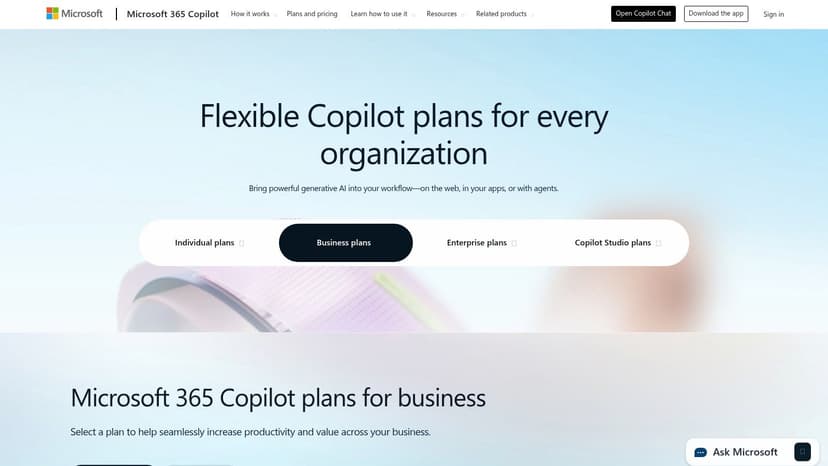
This tool shines for enterprise users who need to analyze data, generate formulas, or create visualizations without leaving Excel. For example, you can ask the Copilot pane to "highlight the top 5 sales in green" or "create a pivot table showing revenue by region," and it executes instantly. Its tight integration with Microsoft's security stack ensures that all data processing adheres to your organization's compliance policies.
Key Features and Use Cases
- Natural Language Commands: Use the Copilot side pane to clean data, format cells, generate charts, and create pivot tables with simple text prompts.
- Formula Assistance: Describe the calculation you need, and Copilot will generate the correct Excel formula, saving you time and reducing errors. For instance, asking for a formula to find the total sales for "Product A" in a table might yield a
SUMIFformula. - Data Summarization: Instantly generate insights and summaries from large datasets, identifying key trends and outliers without manual analysis.
- Centralized Governance: For businesses, Copilot allows for centralized license management and administration, a key advantage over third-party tools.
Pricing and Access
Access to Copilot for Excel requires a Microsoft 365 Business Standard, Business Premium, E3, or E5 license, with an additional per-user monthly fee for the Copilot add-on.
- Pros: Unmatched integration with Excel and Microsoft's enterprise security framework. Centralized administration for IT departments.
- Cons: Higher cost compared to standalone tools and requires a specific Microsoft 365 subscription. Feature rollout can vary by channel.
Website: https://www.microsoft.com/en-us/microsoft-365-copilot/pricing
3. AI in Excel (Official Excel AI overview)
This isn't a tool itself, but Microsoft's official documentation and resource hub for its AI capabilities. It serves as an essential starting point for any organization planning to adopt or maximize its use of Copilot and other AI features within Excel. This platform is designed to educate users, set realistic expectations, and provide authoritative guidance on implementation.

The primary value of this resource is in its role as a "user manual" for Excel's evolving AI landscape. It offers clear instructions, guided prompts, and step-by-step tutorials for common scenarios like data cleaning, trend identification, and formula assistance. By using this hub for internal training, businesses can ensure their teams are using AI features effectively and securely, making it a crucial resource for anyone serious about integrating these powerful excel ai tools into their workflow. For further reading, you can learn more about how AI is transforming Excel in this comprehensive overview.
Key Features and Use Cases
- Onboarding and Adoption: Provides structured guidance for IT admins and end-users on how to enable and start using Copilot in Excel.
- Guided Prompts and Scenarios: Offers examples of effective prompts for data cleaning, generating reports, and identifying trends to help users get started quickly.
- Formula Assistance Tutorials: Includes step-by-step instructions on how to use AI for generating and explaining complex Excel formulas.
- Best Practices: Details supported scenarios and limitations, helping organizations set proper expectations for what the AI can and cannot do.
Pricing and Access
This website is a free informational resource provided by Microsoft. Accessing the features described requires a separate, paid Microsoft 365 and/or Copilot license.
- Pros: Authoritative and always up-to-date information directly from Microsoft. An excellent internal resource for training and enablement.
- Cons: It's purely documentation; it does not provide the AI service itself. You cannot use the features without the necessary licenses.
Website: https://www.microsoft.com/en-us/microsoft-365/excel/ai-for-excel
4. ChatGPT for Excel (AppSource listing by Apps Do Wonders / TwistlyCells)
This popular add-in brings AI-powered worksheet functions directly into your Excel grid, making it one of the most practical Excel AI tools for users who prefer working with formulas over chat panes. Deployed directly from Microsoft AppSource, it integrates a suite of AI functions (like AI.ASK, AI.TABLE, and AI.FILL) that are powered by leading models from OpenAI and Anthropic. This approach allows users to perform AI tasks within cells, just like any native Excel function.
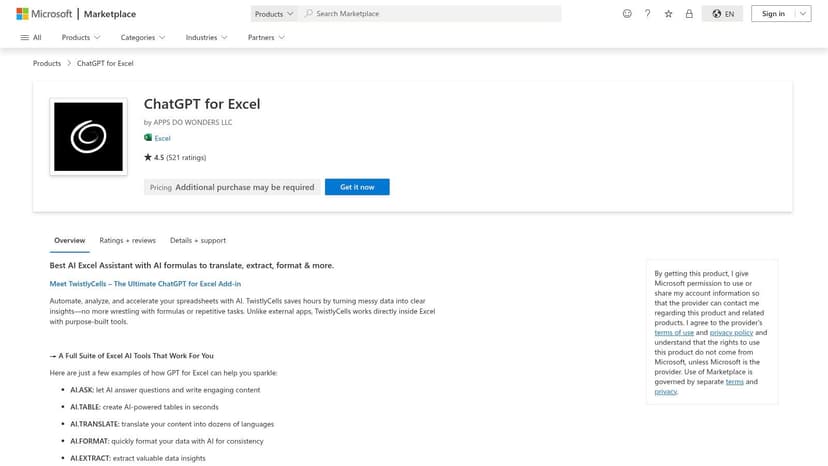
The add-in stands out for its straightforward, function-based implementation and broad compatibility across Excel for Windows, Mac, and the web. You can use it to clean messy data, translate text in bulk, or extract specific information from a block of text without ever leaving your worksheet. For instance, to pull an email from a cell (A2) containing mixed contact details, you could use the formula:=AI.EXTRACT(A2, "email address")
AI.EXTRACT: This is the custom function provided by the add-in.A2: This is the cell containing the source text."email address": This is the prompt telling the AI what specific piece of information to find and extract.
Key Features and Use Cases
- Native Worksheet AI Functions: Perform tasks like text generation (
AI.ASK), data extraction (AI.EXTRACT), and bulk data cleaning (AI.FILL) using intuitive formulas. - Support for Multiple AI Models: Access both OpenAI models and Anthropic's Claude models, which are particularly useful for analyzing large ranges of text due to their large context windows.
- One-Click Deployment: Install the add-in easily from Microsoft AppSource, ensuring compatibility and a simple setup process across different platforms.
- Bulk Data Processing: Ideal for running AI tasks on entire columns of data, such as translating product descriptions or categorizing customer feedback survey responses.
Pricing and Access
The add-in offers a free tier with limited usage. For more extensive use, users can subscribe to a paid plan or connect their own API key from OpenAI or Anthropic, which can be a cost-effective option for heavy users.
- Pros: Easy deployment via AppSource with wide client compatibility (Windows, Mac, web). Strong user ratings and active development.
- Cons: Ongoing AI usage may require bringing your own API key or subscribing to a paid plan. Enterprise deployment may be subject to internal AppSource and billing policies.
Website: https://appsource.microsoft.com/en-us/product/category/WA200005271
5. TwistlyCells (developer site for ChatGPT for Excel)
While many AI add-ins are discovered through Microsoft's AppSource, TwistlyCells offers a direct-from-the-developer experience for its popular ChatGPT for Excel tool. This website serves as the central hub for documentation, tutorials, and support, providing a much deeper look into the add-in's capabilities than a marketplace listing can offer. It's the ideal resource for users who want to fully understand how to leverage advanced functions like AI.TABLE and AI.FILL before committing.

The platform stands out by giving users direct access to detailed guides and workflow examples for integrating both ChatGPT and Claude models into their spreadsheets. For those evaluating different excel ai tools, the site’s transparency about its product roadmap and direct support channels provides valuable insight into the developer's vision and commitment. This direct connection is a significant advantage for troubleshooting or exploring advanced use cases.
Key Features and Use Cases
- Detailed Function Documentation: Get comprehensive explanations and usage examples for core functions like
AI.TABLEfor bulk data processing andAI.FILLfor smart data imputation. - Tutorials and Guides: Access step-by-step tutorials that show practical applications, from cleaning messy datasets to generating creative content directly in your cells.
- Direct Plan Information: View clear, up-to-date pricing and feature comparisons without navigating through the AppSource interface.
- Roadmap and Support: Gain insight into upcoming features and access dedicated support channels directly from the team that built the tool.
Pricing and Access
TwistlyCells provides its pricing tiers directly on the website, often with monthly and annual options available. Users can typically sign up and manage their subscription through the site, although initial installation still happens via the official Microsoft AppSource marketplace.
- Pros: Excellent documentation and onboarding resources. Direct access to developer support and product roadmap.
- Cons: Enterprise deployment and purchasing may still be routed through AppSource, which can be influenced by internal IT policies.
Website: https://twistlycells.ai/
6. PromptLoop
PromptLoop is an AI platform designed specifically for go-to-market teams, sales professionals, and researchers who need to enrich data directly within Excel or Google Sheets. It excels at turning your spreadsheet into a dynamic research tool by using AI-powered functions to find, label, extract, and categorize information from the web. Instead of generic spreadsheet assistance, its focus is on scalable data enrichment workflows.
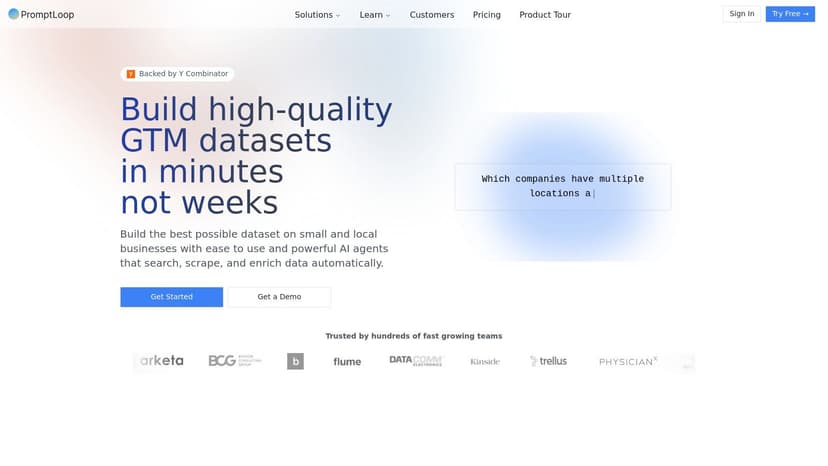
This tool is ideal for users who need to perform tasks like finding contact information for a list of companies, categorizing customer feedback, or summarizing competitor features from web pages. Its ‘Autoloop’ feature allows you to run a single AI prompt across thousands of rows automatically, transforming tedious manual research into a streamlined, one-click process. This makes it one of the more specialized excel ai tools for data acquisition and labeling.
Key Features and Use Cases
- Custom AI Functions: Build custom spreadsheet functions to perform web research, label data, or extract information from text without leaving your workbook.
- Autoloop for Scale: Run complex AI workflows across entire datasets with a single command, perfect for enriching large lists of leads or products.
- Data Enrichment Pipelines: Create multi-step workflows to find, clean, and enrich data from online sources directly into your spreadsheet cells.
- API and CRM Integration: Connect PromptLoop to other systems like CRMs to automate data flows between your most critical business applications.
Pricing and Access
PromptLoop offers a credit-based subscription model with different tiers, including a free plan to get started. Paid plans provide more credits, team features, and faster processing for larger-scale operations.
- Pros: Excellent for web research and data enrichment tasks directly in Excel. Scalable with team features and volume pricing.
- Cons: Highly specialized for go-to-market and research use cases, which may present a learning curve for general Excel users. The credit-based model can become costly for very high-volume usage.
Website: https://www.promptloop.com/
7. Formula Bot
Initially launched as a specialized formula generator, Formula Bot has evolved into a comprehensive AI data analyst. It offers a unique combination of a web app and free Excel/Google Sheets add-ins, making it highly accessible for users who want to start with formula assistance before exploring deeper analytical capabilities. Its core strength lies in its chat-based interface that operates directly within your spreadsheet.
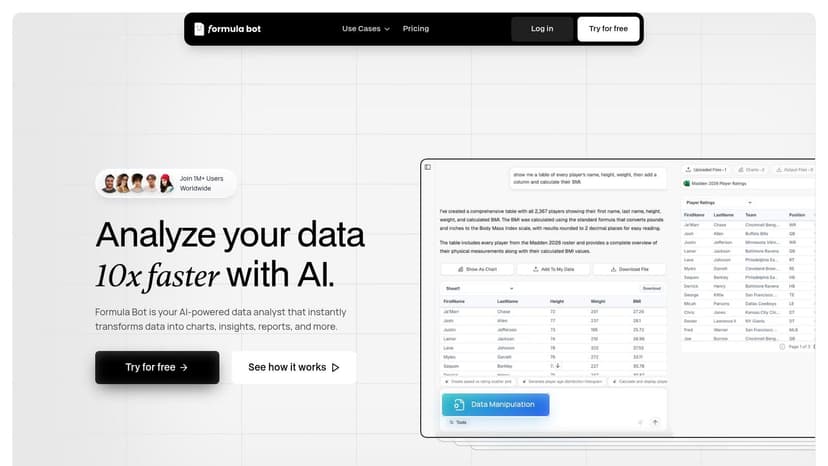
This tool is ideal for users looking for an easy on-ramp into AI for Excel. You can start by simply asking it to explain a complex nested formula or generate a new one from a text description. From there, you can leverage its chat to request charts, tables, and text-based insights, all without leaving your workbook. This versatility makes it one of the most practical excel ai tools for both beginners and intermediate users.
Key Features and Use Cases
- In-Cell Utilities: Generate, explain, and modify complex formulas directly in Excel or Google Sheets using the free add-in.
- Chat-Style Analysis: Interact with your data using a conversational AI that can produce charts, tables, and written summaries based on your prompts.
- Data Preparation: Use the AI to handle routine data cleaning, formatting, and organization tasks.
- Cross-Platform Access: Work with the tool through its web app or the dedicated add-ins for Excel and Google Sheets, providing flexibility.
Pricing and Access
Formula Bot operates on a freemium model. The free add-ins provide a limited number of requests per month, which is great for evaluation. Paid plans offer a higher number of credits for more intensive use cases.
- Pros: Excellent starting point for AI formula assistance with a clear path to broader data analysis. Free add-ins make it easy to try.
- Cons: More complex or heavy-duty analytical tasks may quickly consume credits and require a higher-tier plan. The quality of insights depends heavily on prompt clarity.
Website: https://www.formulabot.com/
8. Ajelix Excel Add‑in
Ajelix offers a versatile suite of AI tools designed to enhance productivity both within and outside of Excel. Its core strength lies in a unique combination of an Excel add-in and a complementary web platform, making it particularly useful for multilingual teams and users who need quick, on-the-fly assistance with formulas and spreadsheet management. The platform aims to be an all-in-one assistant for common Excel challenges.
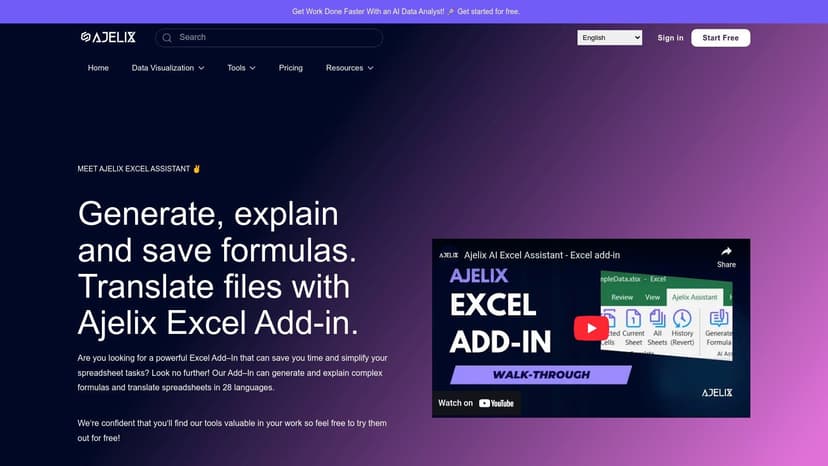
This tool stands out with its spreadsheet translation feature, allowing users to translate entire files into over 28 languages, a significant benefit for global organizations. The in-Excel "Spreadsheet Assistant" chat provides immediate help, while the web-based tools offer additional resources like templates and script generators. This dual approach gives users flexibility in how they access AI support for their spreadsheet tasks. For those interested in this functionality, you can find more about how an AI Excel formula generator works.
Key Features and Use Cases
- AI Formula Generator & Explainer: Generate complex formulas from text descriptions and receive clear explanations, reducing the learning curve for advanced functions.
- Spreadsheet Translation: A standout feature for translating entire workbooks into 28+ languages, ideal for international teams.
- Spreadsheet Assistant: An in-Excel chat assistant for getting instant answers to questions about formulas, functions, and data manipulation.
- Web-Based Toolkit: Includes additional tools like a VBA and Office Scripts generator, file converters, and templates that complement the add-in.
Pricing and Access
Ajelix operates on a freemium model. A free plan offers limited access to its tools, while paid subscriptions (Premium and Business tiers) unlock unlimited usage, higher API access, and additional team features.
- Pros: Excellent for multilingual collaboration due to its translation feature. The combination of an add-in and web tools provides broad utility.
- Cons: Some of the most powerful features are on the web platform, requiring users to switch between Excel and their browser.
Website: https://ajelix.com/tools/excel-add-in/
9. Kutools for Excel with AI Aide (ExtendOffice)
Kutools for Excel by ExtendOffice is a well-established add-in that offers a massive suite of over 300 productivity utilities. Its recent integration of an "AI Aide" feature brings modern AI capabilities to a mature and trusted toolkit, making it one of the most feature-rich Excel AI tools available. It stands out by combining powerful, pre-existing data manipulation tools with new AI-driven assistance for formulas and analysis.
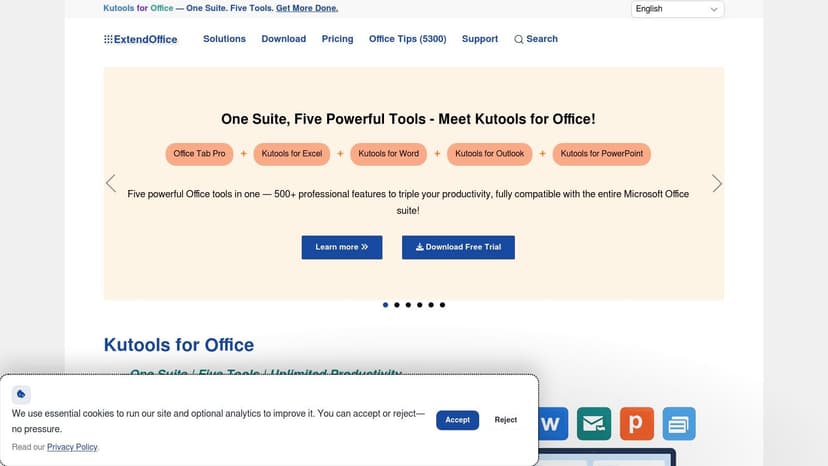
This tool is ideal for power users who already appreciate the extensive non-AI features of Kutools, such as advanced merging, data cleaning, and navigation panes. The AI Aide enhances this experience by allowing you to generate complex formulas, get data analysis suggestions, or even create VBA scripts using natural language. This additive approach means users get AI assistance without sacrificing the robust, traditional utilities they rely on.
Key Features and Use Cases
- AI Aide Integration: Use natural language prompts to generate formulas, get explanations for complex functions, and create VBA code without prior programming knowledge.
- Extensive Utility Library: Access over 300 non-AI tools for tasks like merging sheets, deleting blank rows, advanced sorting, and batch operations.
- Flexible AI Configuration: Users can connect their own OpenAI API key or use the built-in KutoolsAI service, which comes with trial credits to test the features.
- Data Analysis Assistance: Select a data range and ask the AI Aide to summarize findings, identify trends, or suggest next steps for your analysis.
Pricing and Access
Kutools for Excel is available through various subscription and lifetime license options. The AI Aide functionality requires an internet connection and either a personal OpenAI API key or credits for the KutoolsAI service.
- Pros: A comprehensive toolkit that combines hundreds of mature utilities with new AI features. Trusted by a large, long-standing user base. Flexible AI key options.
- Cons: AI features require a separate configuration and internet access. Enterprise IT teams may need to review data privacy implications with external AI providers.
Website: https://www.extendoffice.com
10. TIM Forecasting for Excel (Tangent Works) – AppSource
For users whose work revolves around time-series data, TIM Forecasting by Tangent Works is a highly specialized AI tool available directly from Microsoft AppSource. It is designed specifically for automated forecasting and anomaly detection, making it ideal for tasks like sales projections, demand planning, and energy consumption analysis. This add-in brings sophisticated machine learning capabilities into Excel without requiring users to write any custom code.
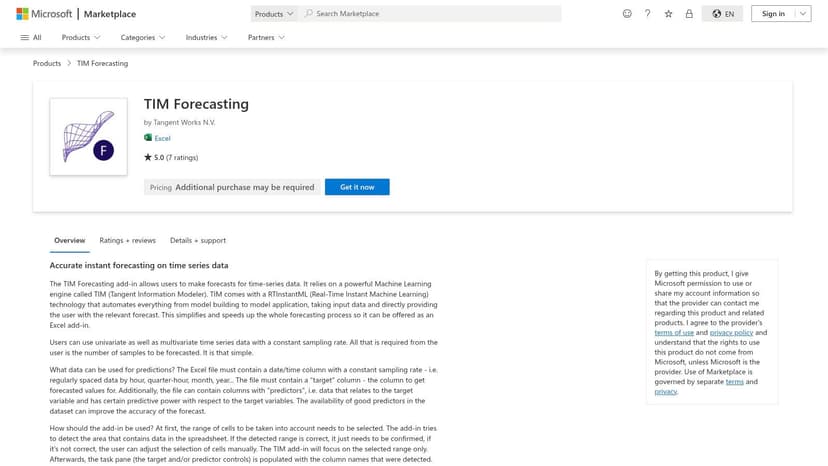
This tool stands out by automating the complex processes of feature engineering and model building, which are typically major hurdles in forecasting projects. Instead of manually preparing data and testing different models, users can leverage TIM to generate accurate predictions and identify unusual data points directly within their familiar Excel environment. Its availability on AppSource also simplifies deployment and management for enterprise IT teams.
Key Features and Use Cases
- Automated Time-Series Forecasting: Automatically builds and deploys predictive models for time-series data without manual intervention or ML expertise.
- Anomaly Detection: Integrates functions directly into Excel to identify outliers and unexpected deviations from historical patterns in your data.
- Automated Feature Engineering: The AI handles the creation of relevant predictive features from your time-series data, a critical step for forecast accuracy.
- Microsoft AppSource Integration: Streamlines the installation and deployment process for organizations, ensuring a smoother and more secure setup.
Pricing and Access
TIM Forecasting is available as an Excel add-in via Microsoft AppSource. Specific pricing details and plans are not publicly listed, and interested users must contact the vendor, Tangent Works, for a quote tailored to their needs.
- Pros: Purpose-built for high-quality forecasting and anomaly detection at scale. Marketplace availability simplifies enterprise deployment and security vetting.
- Cons: Highly specialized, making it less suitable for general-purpose AI analysis. Pricing is not transparent and requires direct vendor contact.
Website: https://appsource.microsoft.com/en-us/product/saas/wa200001608
11. Zapier: Excel + ChatGPT (OpenAI) automation
For organizations where installing third-party add-ins is restricted, Zapier offers a powerful alternative by connecting Microsoft Excel with ChatGPT outside the workbook. This no-code automation platform excels at creating AI-driven workflows that trigger based on changes in your Excel files, such as a new row being added to a table. It's an ideal solution for automating tasks that bridge Excel with other applications.
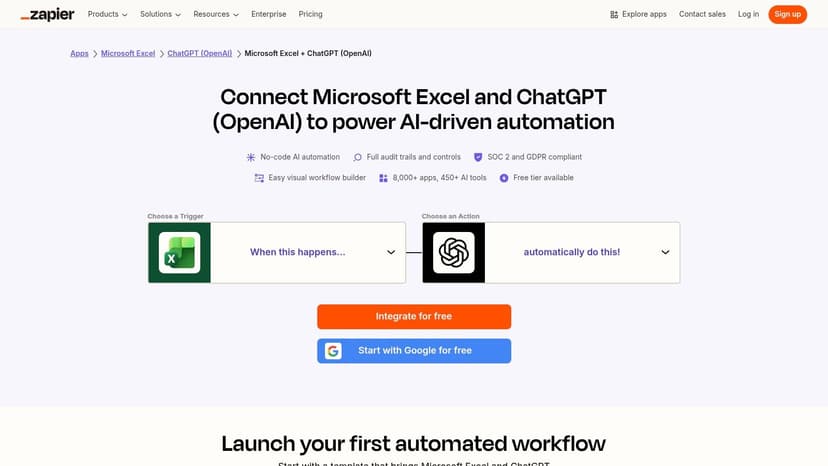
This approach is perfect for teams needing to run AI processes without direct integration into their spreadsheets. For example, you can set up a "Zap" to automatically send new row data to ChatGPT for classification, summarization, or content generation, and then write the result back into Excel or another app like Slack or Salesforce. This makes it one of the most versatile excel ai tools for cross-platform automation, particularly useful for tasks like improving forecast accuracy with external data enrichment.
Key Features and Use Cases
- Trigger-Based Automation: Automatically run ChatGPT actions whenever a new row is added or updated in a specified Excel table on OneDrive or SharePoint.
- Cross-App AI Workflows: Connect Excel to thousands of other applications, embedding AI-powered steps into larger business processes.
- Pre-Built Templates: Use ready-made "Zaps" to quickly set up common workflows, such as generating AI summaries for new spreadsheet entries.
- Enterprise-Grade Controls: Offers robust security and governance features like SOC 2 compliance and detailed audit trails for secure automation.
Pricing and Access
Zapier offers a tiered pricing model, including a free plan with limited tasks. Paid plans scale based on the number of tasks and the complexity of the workflows needed. ChatGPT usage also incurs separate costs based on OpenAI's API pricing.
- Pros: Bypasses strict add-in policies by running automations externally. Highly flexible and scalable, connecting Excel to a vast ecosystem of apps.
- Cons: Requires files to be stored in OneDrive/SharePoint and formatted as tables. Costs can increase significantly with high task volume.
Website: https://zapier.com/apps/excel/integrations/chatgpt
12. Microsoft Power Automate + AI Builder
For organizations looking to automate data entry from documents into Excel, Microsoft Power Automate combined with AI Builder offers a powerful, low-code solution. This toolset is not about analyzing data already in your spreadsheet; instead, it focuses on getting structured information from external sources like invoices, receipts, and forms directly into your Excel tables, eliminating manual data entry.
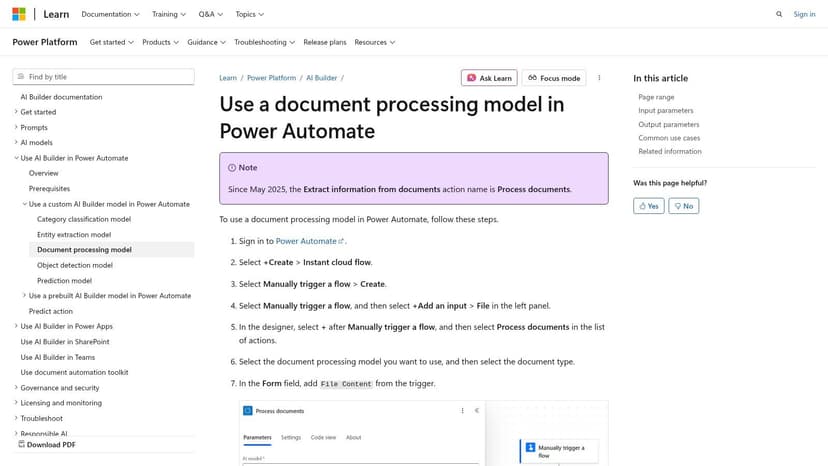
It excels at creating automated workflows that can, for example, monitor an email inbox for new PDF invoices, use AI to extract key fields like invoice number, date, and total amount, and then write that data into a new row in an Excel file stored on SharePoint or OneDrive. Because it's part of the Power Platform, it integrates seamlessly with the entire Microsoft 365 ecosystem, ensuring robust security and governance. This makes it one of the most reliable Excel AI tools for document processing automation.
Key Features and Use Cases
- Automated Document Processing: Create flows to extract structured data from PDFs and images (invoices, forms, receipts) and populate Excel tables automatically.
- Custom Entity Extraction: Train custom AI models to recognize and extract specific data fields unique to your business documents for higher accuracy.
- Enterprise-Grade Governance: Leverage the Microsoft 365 and Power Platform admin centers for centralized management, security controls, and connector policies.
- Workflow Automation: Build end-to-end automations that trigger based on events like a new email arrival or a file being added to a folder. Learn more about automating data entry with these powerful tools.
Pricing and Access
Power Automate usage rights are included with many Microsoft 365 licenses. However, using the AI Builder component requires separate capacity credits, which are purchased as an add-on to your Power Platform or Dynamics 365 subscription.
- Pros: Native integration with the Microsoft stack for excellent security and compliance. Ideal for automating the ingestion of PDFs and scanned documents into Excel at scale.
- Cons: Can be complex to set up initially. Requires separate licensing for AI Builder capacity credits, which can add to the cost.
Website: https://learn.microsoft.com/en-us/ai-builder/form-processing-model-in-flow
Head-to-Head Comparison of 12 Excel AI Tools
| Product | Core features | Quality & UX ★ | Price & value 💰 | Target audience 👥 | Standout ✨ |
|---|---|---|---|---|---|
| Elyx AI 🏆 | Autonomous end-to-end Excel agent (clean → pivot → chart → format); Claude Sonnet 4.5; on‑device file handling | ★★★★★ • Saves 3+ hrs/wk | 💰 From €19/mo (Solo) • Free 7‑day trial • Enterprise plans | 👥 Financial analysts, consultants, controllers, Excel power & non‑tech users | ✨ Full-workflow execution in one NL request; privacy-first (AES‑256/TLS) |
| Microsoft 365 Copilot (for Excel) | Copilot pane + COPILOT worksheet function; deep Excel integration & admin controls | ★★★★☆ • Native UX | 💰 Add-on via Microsoft 365 licensing (tenant billing) | 👥 Large orgs, IT/gov, enterprise admins | ✨ Deepest UI integration, centralized governance |
| AI in Excel (Official) | Official guides, prompts, onboarding, supported scenarios | ★★★☆☆ • Authoritative docs | 💰 Free docs — requires eligible Copilot/M35 license to use features | 👥 Admins, enablement teams, adopters | ✨ Official step‑by‑step guidance and best practices |
| ChatGPT for Excel (AppSource) | Native AI worksheet functions (AI.ASK, AI.TABLE, AI.FILL…); multi‑model support | ★★★★☆ • Cross‑platform (Win/Mac/Web) | 💰 Free listing / may need API key or paid plan | 👥 Power users, cross‑platform Excel users | ✨ In‑cell AI functions + one‑click AppSource deploy |
| TwistlyCells (ChatGPT for Excel vendor) | Function docs, tutorials, roadmap, vendor support | ★★★☆☆ • Strong docs/onboarding | 💰 Vendor plans + AppSource deployment options | 👥 Users seeking docs/support and advanced usage | ✨ Detailed function examples and vendor support channels |
| PromptLoop | Spreadsheet functions, Autoloop for scale, web research & enrichment | ★★★★☆ • Scalable pipelines | 💰 Tiered pricing / team plans | 👥 Data teams, GTM/research teams, enrichment use cases | ✨ Autoloop for row‑scale AI + CRM/API integrations |
| Formula Bot | Formula generation/explanation, chat analysis, in‑cell insights | ★★★☆☆ • Easy on‑ramp | 💰 Free add‑ins; paid tiers for heavy use | 👥 Beginners, analysts wanting formula help | ✨ Chat‑style analysis returning charts/tables in sheet |
| Ajelix Excel Add‑in | Formula generator/explainer, spreadsheet translation (28+ languages), assistant chat | ★★★☆☆ • Multilingual focus | 💰 Free/web tools + paid options | 👥 Multilingual teams, consultants, power users | ✨ Built‑in translation + formula templates |
| Kutools for Excel + AI Aide | 300+ utilities (cleaning, merge, dedupe) + AI Aide for formulas/VBA | ★★★★☆ • Mature toolkit | 💰 One‑time/subscription + optional AI key/credits | 👥 Heavy Excel users, admins, power users | ✨ Extensive non‑AI utilities with optional AI assist |
| TIM Forecasting for Excel (Tangent Works) | Automated time‑series forecasting, anomaly detection, feature engineering | ★★★★☆ • Forecast specialist | 💰 Contact vendor / AppSource availability | 👥 Demand planners, forecasters, energy/sales analysts | ✨ Purpose‑built forecasting without custom ML coding |
| Zapier: Excel + ChatGPT | No‑code triggers → ChatGPT actions; cross‑app automations | ★★★★☆ • Easy integration | 💰 Pay per task / Zapier plans; scales with volume | 👥 Automation teams, ops, integrations leads | ✨ Runs AI outside workbook to avoid add‑in limits |
| Microsoft Power Automate + AI Builder | Document-to-Excel extraction, custom entity flows, tenant connectors | ★★★★☆ • Enterprise-grade compliance | 💰 Microsoft licensing; AI Builder capacity fees | 👥 Enterprises automating document ingestion | ✨ Built on Power Platform with governance & connectors |
Choosing Your AI Co-Pilot: Which Excel Tool is Right for You?
We've journeyed through a comprehensive landscape of excel ai tools, each offering a unique approach to augmenting the world's most popular spreadsheet software. From the deeply integrated power of Microsoft 365 Copilot to the specialized genius of Formula Bot and the forecasting prowess of TIM, it's clear that artificial intelligence is no longer a futuristic concept for Excel; it's a present-day reality that can fundamentally change how you work with data. The sheer variety can feel overwhelming, but this diversity is a strength, ensuring there's a tailored solution for nearly every need.
The core takeaway is that the "best" tool is entirely dependent on your specific pain points and workflow. There is no one-size-fits-all answer. Your decision should be guided by a clear understanding of what you want to achieve. Are you spending too much time wrestling with complex VLOOKUP or INDEX(MATCH) functions? Or is your bottleneck the tedious, multi-step process of cleaning raw data exports before you can even begin your analysis?
A Framework for Your Decision
To simplify your choice, consider your needs through the lens of these key categories we've explored:
- For Formula Mastery and Debugging: If your primary frustration lies in writing, understanding, or fixing complex formulas, a specialized tool is your most direct solution. Formula Bot and Ajelix excel in this domain, acting as patient, expert tutors that can translate plain English into precise Excel syntax, saving you countless hours of trial and error.
- For Deep Ecosystem Integration: For professionals and organizations heavily invested in the Microsoft 365 suite, Microsoft Copilot is the undeniable heavyweight. Its ability to seamlessly work across Excel, Word, PowerPoint, and Teams offers a holistic productivity boost that standalone add-ins cannot match. It’s best for users who want AI assistance woven into every aspect of their digital workspace.
- For Task-Specific Automation: Do you have a niche, repetitive task that consumes your day? Tools like TIM Forecasting for predictive analytics or using Zapier to connect Excel with other apps provide powerful, focused automation. These are perfect when you need to solve one specific, high-impact problem with precision.
Beyond Assistance: The Shift to Autonomous Execution
While many excel ai tools offer valuable assistance, a select few are pushing the boundaries toward true autonomous execution. This represents a significant shift from "helping you do the work" to "doing the work for you." This is where a tool like Elyx AI truly distinguishes itself.
Instead of just generating a formula or suggesting a chart type, Elyx AI is designed to understand a high-level objective and execute the entire sequence of tasks required to meet it. You can provide a raw dataset and a simple instruction like, "Analyze this sales data to show Q3 revenue by region, highlight the top-performing salesperson, and present it in a clean dashboard." Elyx AI can then autonomously perform data cleaning, create pivot tables, generate the appropriate charts, and apply professional formatting, delivering a finished product. This approach moves beyond being a co-pilot to becoming an autonomous data analyst, freeing you to focus on interpreting the results and making strategic decisions. As you think about implementing these tools, it's also worth considering how AI is reshaping entire business functions; understanding the broader trends and predictions for the future of B2B marketing with AI can provide valuable context for your own strategic planning.
Ultimately, your journey into leveraging excel ai tools starts with a single step: identifying your biggest time sinks. Experiment with a free trial, start with a low-stakes project, and measure the impact. The right tool won't just make you faster; it will unlock new analytical capabilities and, most importantly, give you back your most valuable resource: time.
Ready to move from AI assistance to autonomous execution? See how Elyx AI can transform your raw data into a complete, presentation-ready report with a single instruction. Stop doing the manual work and start focusing on the insights by trying Elyx AI today.
Reading Excel tutorials to save time?
What if an AI did the work for you?
Describe what you need, Elyx executes it in Excel.
Sign up