11 Proven Methods to Improve Demand Forecasting Accuracy in Excel

Demand forecasting accuracy is all about one simple question: how close were your sales predictions to what actually happened? When you get it right, you see less waste and more profit. When you get it wrong, you’re stuck dealing with stockouts or warehouses full of products nobody wants.
It’s like navigating with a state-of-the-art GPS versus using a blurry, hand-drawn map. One gets you where you need to go efficiently; the other leads to costly mistakes and wrong turns.
What Is Demand Forecasting Accuracy and Why Does It Matter?
Let's say you run a popular ice cream shop. A reliable weather report predicts a week-long heatwave, so you wisely stock up on extra chocolate and vanilla. You meet the customer rush without a hitch. But what if that forecast was wrong? You'd either be stuck with melting inventory on a cold day or have empty freezers when the line is out the door.
Spending too much time on Excel?
Elyx AI generates your formulas and automates your tasks in seconds.
Sign up →That’s demand forecasting accuracy in a nutshell. It’s the metric that measures the gap between what you thought you’d sell and what you actually sold.
Getting this right isn’t just some theoretical exercise for data scientists; it has a direct, measurable impact on your company's bottom line and how smoothly everything runs. When your forecasts are on point, the entire business operates better.
The Real-World Impact of High Accuracy
Nailing your forecasts brings real, tangible benefits that ripple through every department. It's the difference between being reactive—constantly putting out fires—and being proactive, where you’re ready for what's coming next. Often, the first step to understanding demand forecasting is getting a solid handle on related concepts like inventory forecasting, since the two go hand-in-hand.
Here’s what you gain:
- Optimized Inventory Levels: You carry just the right amount of stock—enough to meet demand without tying up precious cash in products that are just sitting there. This cuts down on carrying costs and waste.
- Reduced Stockouts and Lost Sales: Getting your predictions right means products are on the shelf when customers want them. This prevents lost sales and keeps your brand's reputation strong.
- Enhanced Customer Satisfaction: Happy customers find what they're looking for. When that happens consistently, they come back again and again.
- Improved Cash Flow: By avoiding both overstocking and lost sales, you keep your cash flow healthy. And as we all know, cash is the lifeblood of any business.
From Guesswork to Data-Driven Decisions in Excel
For so many of us, Excel is home base for managing sales data and building forecasts. But let's be honest, the old-school methods can be painfully slow and often can't keep up with today's fast-moving markets. This is exactly where AI can be a game-changer. You can see how this plays out across many other Excel use cases as well.
By bringing AI directly into Excel, your familiar spreadsheet is no longer just a fancy calculator. It becomes a powerful predictive engine that can handle the heavy lifting of statistical analysis, spot hidden patterns in your data, and give you a much more accurate forecast in minutes, not hours.
This shift frees you up from wrestling with complex formulas. Instead, you can focus your time on what really matters: making smart, strategic decisions based on insights you can actually trust.
As the old saying goes, you can't improve what you don't measure. Creating a forecast is just the first step; the real magic happens when you start tracking how well it performs against reality. Measuring demand forecasting accuracy is how you turn those abstract predictions into powerful business insights, all within the familiar environment of Excel.
This isn't just about crunching numbers. It's about making a fundamental shift away from guesswork and toward data-backed decisions. It's how you transform chaotic planning into a smooth, profitable operation.
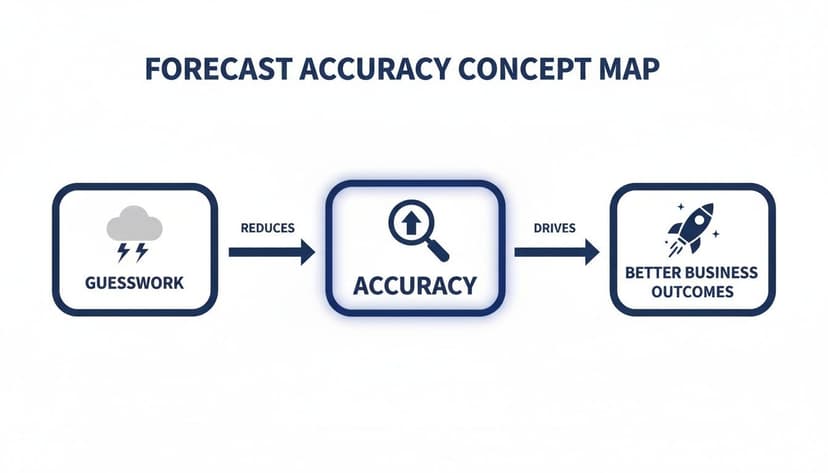
The image above nails it—moving toward accuracy is a journey from the uncertainty of "what if" to the confidence of "what's next."
So, how do you actually do it? Let's dive into the seven essential metrics you can start using in Excel today. Each gives you a unique lens to view your forecast's performance, helping you build a complete picture of what's working and what isn't.
A Comparison of 7 Forecasting Accuracy Metrics
Before we break them down one by one, here’s a quick overview of the key metrics. Think of this as your cheat sheet for choosing the right tool for the job.
| Metric | Example Excel Formula | What It Measures | Best Used For |
|---|---|---|---|
| MAE | =AVERAGE(ABS(Actual-Forecast)) |
The average error magnitude in units. | Simple, direct error measurement in the same units as your sales (e.g., dollars, items). |
| MAPE | =AVERAGE(ABS(Actual-Forecast)/Actual) |
The average error as a percentage of actuals. | Comparing forecast performance across different products or time periods. |
| RMSE | =SQRT(SUMXMY2(Actuals, Forecasts)/COUNT(Actuals)) |
The square root of the average of squared errors. | Flagging the impact of large, costly forecast misses. |
| Forecast Bias | =SUM(Forecasts) - SUM(Actuals) |
The tendency to consistently over- or under-forecast. | Identifying systemic errors to adjust inventory and avoid stockouts or overstock. |
| Tracking Signal | Cumulative Error / MAD |
Whether forecast bias is consistent over time. | Detecting when a forecasting model is no longer reliable and needs review. |
| Forecast Accuracy | =1 - MAPE |
The inverse of MAPE, expressed as a positive percentage. | Communicating performance in an intuitive, easy-to-understand way to stakeholders. |
| WMAPE | SUM(ABS(Actual-Forecast))/SUM(Actuals) |
MAPE weighted by sales volume. | Prioritizing accuracy for high-volume products that have the biggest business impact. |
Each of these metrics tells a different story about your forecast. Using a few in combination gives you a much richer understanding than relying on just one.
Method 1: Mean Absolute Error (MAE)
Let’s start with the most straightforward metric: Mean Absolute Error (MAE). It answers one simple question: "On average, how far off are we?" It calculates the average size of your errors, ignoring whether you were over or under.
Because MAE is measured in the same units as your data (dollars, boxes, etc.), it's incredibly easy to explain to anyone, from the warehouse floor to the executive suite.
Method 2: Mean Absolute Percentage Error (MAPE)
You’ll see Mean Absolute Percentage Error (MAPE) everywhere, and for good reason. It expresses the average forecast error as a percentage. A 15% MAPE simply means your forecast is off by an average of 15%.
This is the go-to metric for comparing accuracy across different products. After all, being off by 100 units is a disaster for a slow-moving item but a rounding error for a bestseller. MAPE puts everything on a level playing field.
For most businesses, a MAPE under 20% is considered solid, while anything under 10% is excellent. But remember, what's "good" really depends on your industry.
Method 3: Root Mean Square Error (RMSE)
Root Mean Square Error (RMSE) is a bit like MAE's stricter older sibling. It also measures the average error, but it squares the errors before averaging them. This simple step gives much more weight to big mistakes.
One huge forecasting miss will blow up your RMSE far more than a handful of small ones. This makes it perfect for situations where a single large error is a huge problem, like forecasting for high-value machinery or critical raw materials.
Method 4: Forecast Bias
Are you a perpetual optimist or a pessimist in your forecasts? That’s what Forecast Bias tells you. It reveals if you're consistently over-forecasting (predicting more sales than you get) or under-forecasting (predicting fewer).
A positive bias means you're under-forecasting, which can lead to stockouts. A negative bias means you're over-forecasting, tying up cash in excess inventory. The goal is to get this number as close to zero as possible.
Want to get more comfortable with the formulas behind these metrics? Exploring a solid guide to essential Excel formulas can really sharpen your skills for this kind of analysis.
Method 5: Tracking Signal
While bias gives you a snapshot, the Tracking Signal monitors that bias over time. It’s like an early warning system that tells you when your forecasting model is starting to go off the rails.
If the Tracking Signal consistently drifts outside a set range (usually ±4), it's a clear sign that something has changed in the market and your model needs a tune-up.
Method 6: Forecast Accuracy
This one is as simple as it sounds. Forecast Accuracy is just 100% minus your MAPE. While it's technically the same information, framing it positively can be much more effective.
It’s often easier to get buy-in when you report "our forecast accuracy is 85%" instead of "our MAPE is 15%." It’s the same data, just presented in a more encouraging way.
Method 7: Weighted Mean Absolute Percentage Error (WMAPE)
Finally, we have Weighted Mean Absolute Percentage Error (WMAPE). This is a smarter version of MAPE that gives more weight to your most important products.
It ensures that a massive percentage error on a product you sell once a year doesn't tank your overall score. Instead, WMAPE focuses your attention on the accuracy of the high-volume items that truly drive your business. It answers the question, "How accurate are we on the products that matter most?"
Method 8: Why High-Quality Historical Data Is Your Foundation
You wouldn't build a house on a shaky foundation, right? The same logic applies to demand forecasting. Your historical data is that foundation, and if it's a mess, everything you build on top of it will be unstable. The old saying "garbage in, garbage out" is a golden rule here.
If the data you're feeding into your model is incomplete, messy, or just plain wrong, your predictions will be just as unreliable. So, boosting your demand forecasting accuracy doesn't start with choosing a fancy algorithm; it starts with getting your raw data in order.
Think about it. Could you predict next month's sales from a spreadsheet with missing entries, sales logged in the wrong currency, or a massive holiday spike that's completely unaccounted for? No algorithm is smart enough to make sense of that chaos. This is why spending time on data integrity is the single best investment you can make for better forecasts.
The 3 Pillars of Strong Forecasting Data
To build a forecast you can actually trust, your historical data needs to be propped up by three critical pillars. If even one is weak, your entire forecast could come crashing down.
- Sufficient History: You need enough data to spot the bigger picture, like seasonal cycles and long-term trends. A few months of sales data can't tell you if that summer spike was a one-off or a reliable annual pattern.
- Data Quality: Your records must be complete and consistent. That means hunting down and fixing problems like missing values, duplicate entries, and other errors before you start forecasting.
- Appropriate Aggregation: The level of detail matters. Are you forecasting for a whole product category or a single SKU? The answer dramatically changes your potential for accuracy.
Industry wisdom suggests you need at least two years of historical data to get a decent grasp of trends and seasonality. This gives your models a fighting chance to make dependable predictions. You can dig deeper into these statistical must-haves by exploring insights on forecasting benchmarks.
From Category to SKU: Understanding Granularity
The level at which you group your data has a massive effect on demand forecasting accuracy. It’s almost always easier to get a precise forecast for a broad category than for one specific item.
Here’s a simple way to think about it: predicting the total number of "soft drinks" your store will sell next month is a fairly safe bet. But trying to predict the exact number of "2-liter bottles of diet cherry soda"? That’s a much tougher game. Demand for a single SKU is just more volatile and prone to random noise.
A best-in-class forecast might hit 90% accuracy for a product family, but that number often dips to around 85% at the individual item level. The more granular you get, the trickier it becomes.
Spotting Common Data Issues in Excel
Before you can build your forecast, you have to put on your detective hat and search for clues that your data might be flawed. The good news is that Excel has the tools you need to find and fix these common culprits. Proactively managing these issues is a core part of the process, and you can learn how to streamline AI-powered data cleaning to make it even easier.
Keep an eye out for these red flags:
- Outliers: A freakishly large one-time sale can throw off your entire forecast. Use Excel's sorting or filtering tools to spot values that are way out of line with the average.
- Missing Values: Empty cells in your sales history create blind spots for your model. The
COUNTBLANKfunction in Excel can help you find them so you can decide how to handle them. - Business Shifts: Did a big marketing push, a new competitor, or a supply chain headache change your sales patterns? These real-world events create shifts in your data that historical trends can't explain on their own. Make sure to document them
Method 9: Comparing Traditional vs. Modern Forecasting Methods
Picking a forecasting method is a lot like choosing tools for a construction project. You could stick with a hammer and a handsaw. They're reliable, familiar, and they'll get the job done eventually. Or, you could bring in power tools—tools that offer speed, precision, and the ability to handle far more complex work.
Both approaches can build a house, but the process and the final result will be worlds apart.
The same is true in demand forecasting. There's a huge divide between the traditional methods many of us use in Excel and the modern, AI-powered approaches available today. Understanding this difference is the first step toward seriously improving your demand forecasting accuracy.
The Old-School Way: Traditional Forecasting in Excel
Most businesses start with traditional forecasting because it feels intuitive and works easily within a standard spreadsheet. These methods are almost entirely backward-looking, operating on the assumption that past performance is the best and only predictor of future results.
A prime example is the Simple Moving Average (SMA). This technique just averages out demand from a recent period, like the last three months, to guess what the next month will look like.
If your sales data for the last three months is in cells B2, B3, and B4, the Excel formula is as simple as it gets:
=AVERAGE(B2:B4)
How the Formula Works:
AVERAGE: This is the Excel function that calculates the arithmetic mean of a set of numbers.B2:B4: This is the range of cells containing the numbers you want to average. In this case, it's the sales figures for the last three months.
The problem? This formula gives equal weight to all past data and is painfully slow to react to new trends or sudden changes. It’s no surprise these traditional models often hit a wall when it comes to accuracy.
The Modern Leap: Predictive Analytics and AI
Modern forecasting flips the script. Instead of just staring in the rearview mirror, it looks at the entire road ahead, scanning for anything and everything that could impact your journey. AI-driven models can analyze thousands of variables simultaneously, building a much richer, more dynamic picture of the future.
Just think about all the factors a modern model can juggle at once:
- Seasonality: The predictable rhythm of holiday rushes or summer lulls.
- Promotional Events: The sales lift you expect from that big marketing campaign.
- Economic Trends: How things like inflation or consumer confidence are affecting spending habits.
- Competitor Actions: What happens when a rival launches a new product or runs a big sale.
This ability to see the whole picture is what drives the massive leap in demand forecasting accuracy. It moves beyond simply repeating historical patterns to actually understanding the drivers behind demand. For a deeper look into various techniques, you can explore these different inventory forecasting methods.
The core difference is simple: traditional methods analyze what happened, while modern methods analyze why it happened and what is likely to happen next.
Quantifying the Accuracy Gap
The performance difference here isn't just a small step up; it's a game-changer. The accuracy gap between old and new methods is often stark, creating a serious competitive advantage for those who make the switch. You can see for yourself how AI in Excel brings this power directly into your spreadsheets.
Traditional forecasting methods typically hover around 50-60% accuracy, which can lead to planning errors as high as 50%. Think about that—it’s like flipping a coin.
In contrast, modern systems powered by predictive analytics can soar past 85% accuracy. This isn't just a marginal gain. When a company manages to cut its forecast error in half, it often unlocks millions in savings from reduced inventory and lost sales.
Moving to a modern approach is the difference between constantly dealing with stockouts and overstock, and running a smooth, efficient, and profitable supply chain. You’re not just making better guesses; you’re building a more resilient and forward-thinking business.
Method 10: How AI in Excel Can Transform Your Forecasting Accuracy
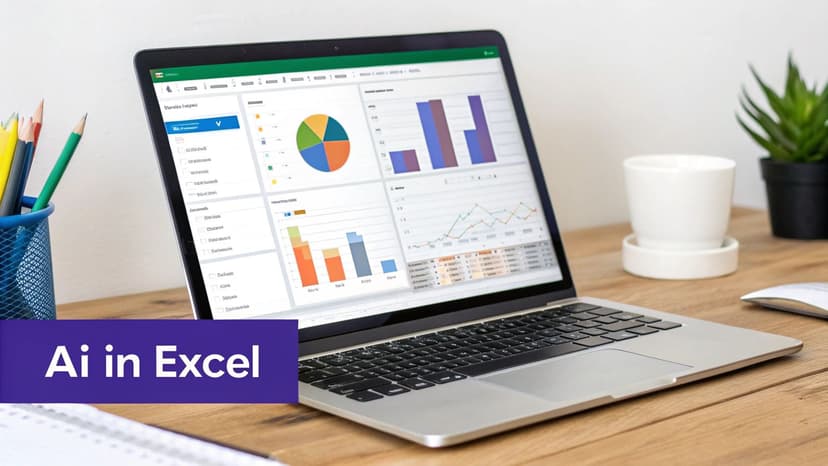
The image above gives you a glimpse of what's possible. Instead of wrestling with formulas, an AI-powered dashboard presents clear, visual insights right inside Excel. This is where the whole idea of improving demand forecasting accuracy stops being a theory and starts becoming a practical tool for your business.
For a long time, getting a highly accurate forecast meant stepping outside of Excel and into complex, specialized software that often required a team of data scientists to operate. That's changing. AI add-ins like Elyx.AI are bringing that same analytical horsepower directly into the spreadsheets we all know and use daily.
Think about it. You start with a messy spreadsheet of historical sales data—it's got duplicates, weird outliers, and a bunch of empty cells. The old way involved hours of tedious, manual cleanup before you could even think about building forecasting models. With an AI agent, you can kickstart that entire process with a simple, plain-English command.
From Complex Formulas to Simple Conversations
This is the real magic of AI in Excel: it understands what you want to do. You don't need to be a spreadsheet guru who knows the exact syntax for a Holt-Winters seasonal model. You just need to describe your goal.
Let's say you tell the AI agent:
"Clean this sales data, find the seasonal patterns, and give me a sales forecast for the next 12 months with a 95% confidence interval."
That one sentence triggers a whole chain of events that would have taken an analyst hours, if not days, to complete by hand. The AI gets to work on all the critical tasks that lead to high demand forecasting accuracy.
The Automated Workflow for Better Accuracy
So, what exactly happens behind the screen after you give that command?
- Automated Data Cleaning: First, the AI scans your data for all the usual problems. It zaps duplicate rows, flags strange outliers that could throw off your numbers, and smartly fills in the gaps based on existing patterns. This step alone is a massive time-saver.
- Intelligent Model Selection: With clean data, the AI analyzes its structure. It looks for seasonality, trends, and other cycles, then automatically picks the best forecasting model for the job—whether that's ARIMA, Exponential Smoothing, or another sophisticated algorithm. No more guesswork.
- Calculation and Visualization: Finally, the AI does all the heavy math to generate the forecast. It won't just spit out a single number; you get a complete projection, often with confidence intervals showing a best-case/worst-case range. It then visualizes everything in an easy-to-read chart.
This automated workflow doesn't just save time; it dramatically cuts down on the potential for human error, which naturally leads to more dependable forecasts. We see this in the real world all the time. One manufacturing company improved its forecast accuracy by 25% by using machine learning to combine historical data with market trends, leading to less waste and better production schedules.
The beauty of it all is doing this level of work without ever having to leave your spreadsheet. If you're curious about how AI can supercharge your data analysis skills in Excel, it's worth exploring further. By turning hours of manual effort into a task that takes just a few minutes, these tools are making a new level of forecasting precision available to everyone.
Method 11: Got Questions? We’ve Got Answers.
Even with the best tools and intentions, demand forecasting can throw you a curveball. Let's tackle some of the most common questions that pop up when you're trying to nail down your numbers.
So, What’s a "Good" Accuracy Rate?
Honestly, there’s no magic number. "Good" is all about context.
A business selling a staple product like bread might get nervous if their forecast accuracy dips below 95%. But if you're in fast fashion, where trends change in a blink, hitting 75-85% accuracy could be a huge win.
Instead of getting hung up on a universal benchmark, focus on beating your own score. If you can bump your accuracy by even 5% from last quarter, you're making real, meaningful progress. That’s what matters.
How Often Should I Rerun My Forecast?
Think of your forecast as a living document, not a stone tablet. How often you update it depends entirely on how fast your world moves.
- Fast-Paced Businesses (Retail, E-commerce): You might need to look at it weekly, or even daily. A sudden promotion or a competitor's move can change everything overnight.
- Steady Industries (B2B Manufacturing): A monthly or quarterly check-in is usually enough. You want to track the big picture without getting lost in minor, temporary blips.
This is where AI in Excel really shines. It can automate the refresh process, letting you update your forecast as often as you get new data, minus all the manual grunt work.
The Bottom Line: The more unpredictable your market, the more often you need to check in. Regular updates are the key to keeping your demand forecasting accuracy on point.
Can I Forecast Demand for a Product That Doesn't Exist Yet?
Forecasting for a brand-new product is tough, no doubt. You have zero sales history to lean on. This is where you have to get a little creative and lean on qualitative insights.
Don't just guess. Triangulate your position with a few different tactics:
- Look at Similar Products: Find a "look-alike" product in the market and analyze its performance. How did it launch? What does its demand curve look like?
- Talk to Your People: Your sales and marketing teams are on the front lines. They have a gut feeling for what customers want and how the market will react. Tap into that expertise.
- Ask Your Future Customers: Run surveys to gauge real-world interest. Nothing beats asking people directly if they'd buy your product.
As soon as you launch, start tracking sales like a hawk. Be ready to adjust your forecast on the fly as real data starts rolling in.
My Data Is a Mess. Can AI Still Help?
Messy data is exactly where AI thrives. Let's be real, almost everyone's data is a little messy. An AI agent working inside Excel can be your personal data janitor, automatically handling the cleanup that used to take hours.
It can spot and ditch duplicate entries, flag those weird outliers that throw off your entire forecast, and even intelligently fill in missing data points based on the patterns it sees. By ensuring you start with a clean, trustworthy dataset, the AI builds its forecast on solid ground. The result? A much more precise and reliable number.
Ready to stop wrestling with manual forecasts and unlock a new level of precision? Elyx AI is the autonomous agent that executes complete data workflows inside Excel. From cleaning your sales history to generating advanced forecasts with a single command, Elyx AI saves you hours of work and delivers insights you can trust. Start your free 7-day trial of Elyx AI today.
Reading Excel tutorials to save time?
What if an AI did the work for you?
Describe what you need, Elyx executes it in Excel.
Sign up