AI-Powered Cash Flow Improvement in Excel

Improving your cash flow is about making smart, data-driven decisions to accelerate incoming revenue while managing outgoing expenses. It’s not just about monitoring your bank balance; it’s about using tools like Excel, enhanced with artificial intelligence, to actively manage your money so you can pay bills on time, seize growth opportunities, and navigate unexpected financial challenges. This guide will show you how to transform your standard Excel spreadsheet into a powerful tool for cash flow improvement.
Why Your Old Spreadsheet Is Costing You Money
Let's be honest, staring at a wall of numbers in a standard Excel sheet is like trying to drive through a new city using a folded paper map. You can see where you’ve been—all your past sales and expenses are right there—but you have no idea what’s just around the corner. This kind of reactive financial management is a huge blind spot for any business.
Relying on static spreadsheets for cash flow management just doesn't cut it anymore. It keeps you stuck looking in the rearview mirror, which makes it nearly impossible to plan for the road ahead. It's a bigger problem than you might think; a staggering 82% of business failures are chalked up to poor cash management, which shows just how risky those old methods can be.
Spending too much time on Excel?
Elyx AI generates your formulas and automates your tasks in seconds.
Sign up →"When cash flow forecasts are off, businesses scramble, relying on costly short-term loans, missing financial targets, and struggling to optimize working capital. This outdated approach leaves businesses vulnerable to financial instability."
The Shift to a Proactive Approach
The answer is to turn your spreadsheet from a simple record book into a dynamic financial GPS. By integrating AI tools like Elyx.AI directly into your Excel workflow, you can stop spending hours on manual data entry and start generating AI-powered insights. Instead of just reacting to last month’s numbers, you can start predicting your future cash needs and opportunities with real confidence.
This modern, proactive method lets you:
- Automate your analysis to spot trends and potential red flags instantly, saving you from hours of manual work.
- Get accurate forecasts that account for factors like seasonal dips and your customers' payment habits.
- Model different "what-if" scenarios to see how a decision—like delaying a big purchase or offering a new discount—could affect your cash down the line.
From Static Data to a Financial GPS
Think of it this way: your old spreadsheet is a single photograph of your finances, frozen in time. An AI-powered spreadsheet, on the other hand, is like a live video feed of your financial health. It even gives you traffic alerts for potential cash crunches and suggests alternate routes to keep you financially sound.
This change turns cash flow improvement from a constant headache into a very real, achievable goal. It gives you the clarity to make smarter, forward-thinking decisions that will secure your company's future.
Getting a Clear Picture of Your Cash Flow
Before you can steer your business toward better financial health, you need an accurate map of where you stand right now. To achieve any meaningful cash flow improvement, you first have to get a real grip on where your money is coming from and where it's going. This means looking past the profit and loss statement, which can sometimes paint a deceptively rosy picture of your company's actual cash situation.
It’s a classic story: a business can be profitable on paper but still run out of cash. The secret is to perform a detailed cash flow analysis, which sorts your finances into three critical buckets. This structured view is what lets you spot the hidden leaks and truly understand the timing of your income and expenses.
The Three Pillars of Cash Flow
To get that complete view, you have to break down your cash movements. Every single transaction your business makes will fall into one of these three core activities.
- Operating Activities: This is all the cash tied to your day-to-day business. Think sales revenue flowing in and money going out for things like inventory, payroll, and rent.
- Investing Activities: This bucket is for cash spent on long-term assets. It includes buying or selling property, new equipment, or other big investments you make to fuel future growth.
- Financing Activities: This involves cash from outside sources like investors or banks. Taking out a loan, paying back debt, or issuing stock all fall under this category.
Looking at these pillars separately is incredibly important. For example, strong cash flow from operations shows your core business model is working well. On the other hand, negative cash flow from investing might just mean you're smartly reinvesting in new equipment to expand.
A common mistake is focusing only on profit. A business can report a profit from a huge sale, but if the customer hasn't paid that invoice yet, you could still face a serious cash crunch. A proper cash flow analysis exposes that timing gap.
This infographic shows the evolution from clunky, manual cash management to a much smarter, AI-driven approach.
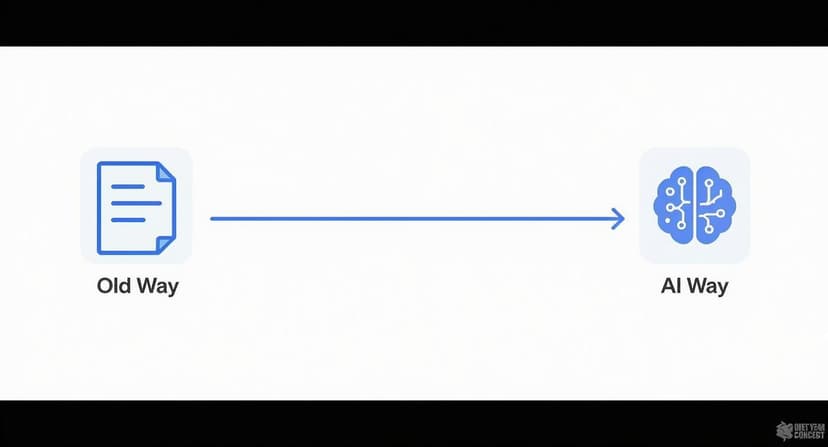
As you can see, shifting to an AI-powered system changes your financial oversight from a reactive headache into a proactive, strategic advantage.
Key Drivers of Cash Flow Change
Understanding how different actions affect your cash balance is the first step toward managing it effectively. The table below breaks down common business activities and their impact on your cash inflows and outflows.
| Activity Type | Positive Impact (Cash Inflow) | Negative Impact (Cash Outflow) |
|---|---|---|
| Operating | – Collecting payments from customers – Receiving cash refunds from suppliers |
– Paying suppliers for inventory – Paying employee salaries and wages – Paying rent, utilities, and taxes |
| Investing | – Selling old equipment or property – Selling investments (stocks, bonds) |
– Buying new machinery or vehicles – Purchasing real estate – Acquiring another business |
| Financing | – Receiving a bank loan – Getting cash from investors (issuing stock) |
– Repaying loan principal – Paying dividends to shareholders – Buying back company stock |
Thinking about your transactions through this lens helps you anticipate cash needs and make better financial decisions.
Building Your Analysis in Excel
Let's picture a small e-commerce shop. To build a cash flow statement in Excel, you’d start by pulling a list of all cash transactions for a specific period, say, a month or a quarter. The next step is the tedious part: manually sorting each line item into one of the three categories—operating, investing, or financing.
For instance, a $5,000 payment from a customer is an operating inflow. A $2,000 purchase of a new laptop is an investing outflow. And a $10,000 loan from the bank is a financing inflow. While the logic is simple, this can become a huge time-sink and is ripe for human error as your business grows. For a more detailed walkthrough, you can check out this helpful cash flow analysis template that simplifies the entire process.
This is exactly where AI can be a game-changer. An AI assistant like Elyx.AI, which works right inside your spreadsheet, can automate this entire categorization job. It reads the transaction descriptions and instantly assigns each item to the correct pillar. The work that used to take hours of manual sorting can now be done in minutes with a simple text command. This frees you up to focus on what really matters: spotting trends and making smart decisions to improve your cash flow.
Practical Ways to Boost Your Cash Flow Now
Once you have a clear picture of your cash movements, you can stop just analyzing and start acting. Real cash flow improvement happens when you make specific, targeted changes to how and when money enters and leaves your business. The aim is to create a positive cash cycle where money coming in consistently beats money going out, giving you the financial breathing room to grow.
Poor cash flow isn't just a balance sheet problem. When cash is tight, companies can’t hire the best people, invest in new equipment, or expand—even if they look profitable on paper. One major organization proved this by implementing smart changes that led to over $1.1 million in annual savings and $1.25 billion in extra credit cover, unlocking vital capital.
Speed Up Your Customer Payments
The quickest way to improve your cash position is to get customers to pay you faster. Every day an invoice sits unpaid is a day your money is stuck in someone else’s bank account. A few smart invoicing and collection tactics can make a huge difference.
Here are three high-impact strategies to try:
- Offer Early Payment Discounts: A small incentive, like 2% off for paying in 10 days instead of 30, can work wonders. You might take a slight hit on the profit for that sale, but the immediate cash injection is often worth much more.
- Automate Invoice Reminders: Chasing every late invoice manually is a drain on time and energy. Set up simple automated reminders for upcoming and overdue payments. It keeps your invoice at the top of their list without burning out your team.
- Make It Easy to Pay You: Get rid of any payment roadblocks. Offer multiple options, like online portals and credit cards. Law firms, for instance, found that 57% of clients pay the very same day when they can pay online.
Model the Impact in Excel
Before you roll out a new discount policy, you can see how it might play out in Excel. Just create a simple table with columns for Invoice Amount, Current Payment Days, and New Payment Days and use a formula to see the cash flow difference.
For example, say you offer that 2% discount on a $10,000 invoice that's usually paid in 45 days. If the customer pays in 10 days, you get $9,800 a full 35 days earlier. That trade-off—giving up $200 to get your hands on nearly $10,000 a month sooner—can be a complete game-changer for your working capital.
Strategically Manage Supplier Payments
Just as you want to accelerate incoming cash, you can be more strategic about your outgoing cash. This isn't about dodging your bills. It's about timing your payments to better align with your own cash flow cycle.
Key Takeaway: The goal is to hold onto your cash for as long as you reasonably can without hurting your relationships with suppliers or getting hit with late fees. Negotiating better terms is a fundamental part of managing cash flow well.
Talk to your key suppliers about extending your payment terms from Net 30 to Net 45, or even Net 60. An extra 15 days can provide a surprising amount of cushion for your cash reserves. When you ask, remind them of your history as a reliable customer. For more ideas, you can explore these proven strategies to improve cash flow.
Let AI Guide Your Collection Efforts
Guesswork shouldn't be part of your collections process. An AI tool like Elyx.AI can look at your accounts receivable data right inside your spreadsheet and pinpoint which customers are most likely to pay late.
By analyzing past payment behavior, the AI helps you focus your follow-up efforts on high-risk accounts. This ensures your team spends its time where it will make the biggest impact. You can use a prompt like, "Analyze the accounts receivable sheet and list the top 5 customers with the longest average payment delay." This gives you an instant, actionable list to work from.
Optimize Your Inventory Levels
If you sell physical products, your inventory is a huge cash trap. Every single item sitting on a shelf represents money you can't use for anything else. Smart inventory management is a direct route to cash flow improvement.
Start by finding your slow-moving or obsolete stock—the products that are just gathering dust. Consider running a clearance sale or bundling them with popular items to turn them back into cash.
Next, use data to make smarter purchasing decisions. An AI assistant in Excel can analyze sales trends to help you forecast demand more accurately. This stops you from over-ordering and makes sure you're only investing in inventory that’s likely to fly off the shelves.
Forecasting Your Financial Future with AI
Knowing where your money is and where it’s been is one thing. But real cash flow improvement happens when you can confidently look ahead. What if you could see your cash balance three, six, or even twelve months from now? This isn't about crystal balls or wild guesses; it's about turning your forecast from a boring report into a powerful tool for making smart business decisions.
Using AI directly within your Excel sheets, you can build reliable, data-driven cash flow forecasts. This helps you see challenges coming, spot new opportunities, and get a firm grip on your financial future long before problems have a chance to start.
Moving Beyond Basic Projections
Many businesses still rely on simple formulas and historical averages for their Excel forecasts. It’s a start, but this approach often misses the subtle rhythms of your business cycle, leaving you exposed to unexpected cash crunches. It's a bit like driving while only looking at the pavement right in front of your tires—you have no idea what's coming up around the bend.
AI completely changes the game by sifting through years of your financial data in just a few seconds. It’s designed to spot complex patterns a person might easily overlook, like seasonal sales spikes, tiny shifts in customer payment habits, or the way certain expenses always seem to pop up at the same time.
For example, an AI model can instantly see that your sales jump by 15% every fourth quarter, but it also notices that your shipping costs climb by 20% in that same window. It weaves these connected details into its predictions, giving you a forecast that’s much closer to reality.
This level of detail takes you from making educated guesses to having genuinely predictive insights. To get a better sense of how this works, you can explore different business forecasting methods that embrace this forward-thinking strategy.
How AI Makes Excel Forecasting Smarter
Bringing an AI assistant like Elyx.AI into your spreadsheet workflow adds a whole new layer of intelligence. You can start with Excel’s built-in forecasting features and then simply ask the AI to dig deeper and refine the numbers.
Here’s how AI delivers sharper predictions:
- Spotting Patterns: It scans your past data to find recurring trends and cycles. This ensures your forecast is more than just a straight line based on last month’s numbers.
- Considering Outside Factors: You can prompt more advanced AI to think about how external events—like industry-wide trends or economic shifts—might impact your future cash flow.
- Cutting Down on Manual Work: AI does the heavy lifting of pulling data together and analyzing it, so you can spend your time on strategy instead of being buried in numbers.
This blend of capabilities gives you a forecast that's not just more accurate, but also more flexible and ready for whatever the real world throws at it.
Building a Dynamic Model for Scenario Planning
One of the most powerful things you can do with AI-driven forecasting is scenario planning. Instead of being stuck with a single, rigid forecast, you can build a living model that lets you explore a bunch of different potential futures. It’s the ultimate way to prepare for anything.
With AI, it’s surprisingly easy to create and compare three key scenarios right inside Excel:
- Best-Case Scenario: What happens if that huge client renews their contract and your new product launch is a massive hit? The AI can model exactly how that would boost your cash reserves.
- Worst-Case Scenario: What if a key supplier jacks up their prices by 10% and one of your biggest customers pays 30 days late? This model shows you exactly where your cash flow would feel the pain.
- Most Likely Scenario: This is your steady, realistic forecast. It’s based on current trends and historical data, giving you a solid baseline for day-to-day planning.
Putting AI-Powered Scenario Planning into Practice
Building this kind of model is simpler than you might think. Just ask an AI tool like Elyx.AI to generate a baseline forecast. From there, you can feed it different assumptions for each scenario using plain English.
For instance, you could type: "Create a 'worst-case' forecast where sales drop by 15% and it takes us 60 days to collect receivables." The AI will instantly crunch the numbers and show you the potential hit to your cash balance.
This turns your spreadsheet into a financial sandbox where you can safely test out big decisions. You can see the likely outcome of hiring a new person, buying new equipment, or changing your prices—all before you commit a single dollar. To truly get ahead, you have to leverage AI for financial analysis and move beyond simple projections. This proactive approach to cash flow improvement makes sure you’re always one step ahead, no matter what comes next.
Building Your Own Cash Flow Dashboard
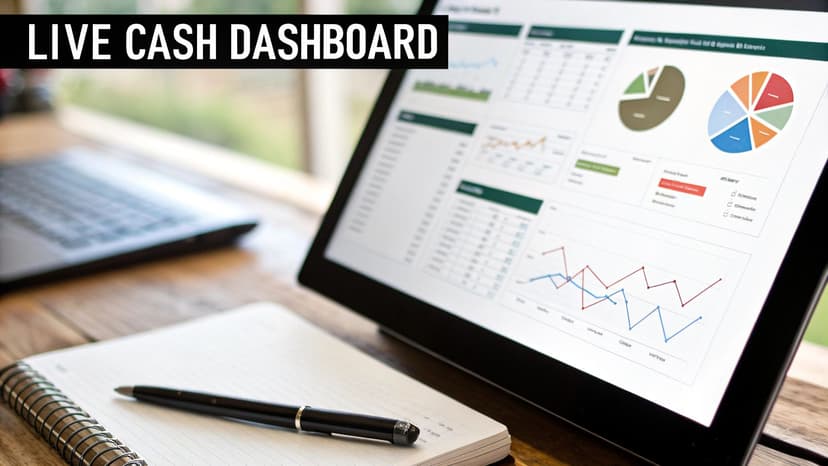
Forecasting your cash position is a must, but let's be honest—raw numbers in a spreadsheet don't exactly jump off the page. To really get a feel for your money, you need to see it, not just read it. That's where a visual dashboard comes in. It’s what turns complex financial data into clear, immediate insights, making genuine cash flow improvement feel more intuitive.
Think of it like this: you wouldn't drive a car by reading the owner's manual. You glance at the dashboard. It tells you your speed, your fuel, and if anything needs your immediate attention. We're going to build that exact kind of financial dashboard for your business, right inside Excel.
From Data Points to Decision Making
A good dashboard does more than just show you numbers; it tells the story of your company's financial health. It should answer your biggest questions at a glance, letting you spot trends and potential trouble long before they become full-blown problems.
The whole point is to transform your static spreadsheet into a dynamic control center for your business. This is more critical than ever. Between 2019 and 2024, the amount of money moving through the global banking system swelled by an incredible $122 trillion, a growth rate that left the global economy in the dust. You can read more about this trend and its impact on global banking from McKinsey. In a world moving that fast, having a real-time visual guide to your own finances isn't just nice—it's a massive advantage.
Key Metrics to Visualize
The real power of a dashboard comes from tracking the right things. You could visualize dozens of data points, but focusing on a few key metrics will give you the most clarity for day-to-day management.
Start by getting these core components on your screen:
- Cash In vs. Cash Out: This is the most basic, and most important, view. A simple bar or line chart comparing total money coming in and going out each month instantly tells you if you’re running a surplus or a deficit.
- Operating Cash Flow Trend: A line graph tracking the cash generated from your core business over time is a powerful health indicator. Is it trending up? That's a great sign.
- Days Sales Outstanding (DSO): How long does it take for your customers to pay you? Plotting this number helps you see if your collection process is getting better or worse.
- Days Payables Outstanding (DPO): On the flip side, how long do you take to pay your suppliers? Putting a DSO and DPO chart side-by-side can reveal critical gaps in your cash cycle.
A dashboard brings your cash conversion cycle to life. When you see your DSO (time to get paid) consistently higher than your DPO (time you take to pay), the visual gap on the chart represents a real cash shortfall you need to manage.
Automating Dashboard Creation with AI
Building these charts by hand in Excel is a great start. But the real magic happens when you can automate it. This is where an AI tool like Elyx.AI becomes your unfair advantage for sustainable cash flow improvement.
Instead of sinking hours into updating charts every week, you can just tell the AI what you want to see using plain English. Your dashboard goes from being a static, backward-looking report to a live, self-updating view of your company's finances.
For example, you could just type a prompt like:
- "Create a bar chart comparing total cash inflows and outflows for the last six months."
- "Generate a line graph of our Days Sales Outstanding from the receivables data."
- "Build a pivot table summarizing our top five expense categories and turn it into a pie chart."
The AI gets it. It finds the right data in your worksheet and instantly builds the visual for you. Better yet, it can keep the dashboard updated automatically as new data comes in. This gives you a constantly current look at your financial pulse, freeing you up to focus on strategy instead of being stuck in spreadsheet busywork.
Making Your Surplus Cash Work for You
So, you’ve followed the steps, tightened up your processes, and now your cash flow is consistently positive. That’s a great problem to have. The next question is, what do you do with that extra cash sitting in your bank account?
Letting a big surplus just sit there is a classic missed opportunity. Instead of being a lazy pile of money, it could be working for you. This is where smart liquidity management comes in—it’s about turning that safety net into an asset that actively generates returns.
Turning Idle Cash into a Productive Asset
Putting your extra cash to work doesn't mean you have to jump into risky investments. The idea is simple: earn a better return than you would in a standard checking account while still keeping the money accessible. For most businesses, two options stand out as practical and safe.
- High-Yield Savings Accounts (HYSAs): These are exactly what they sound like—savings accounts that offer much better interest rates than the traditional ones. They're straightforward, very low-risk, and a great first step for parking cash.
- Money Market Funds (MMFs): Think of these as low-risk mutual funds that invest in super-safe, short-term debt, like government securities. They often pay a little more than HYSAs and are built for stability and easy access.
MMFs have become incredibly popular for businesses managing extra cash. In the early 2010s, MMF balances were under $400 billion. By the end of the decade, that number shot up to over $1.6 trillion. Fast forward to late 2024, and balances have skyrocketed to $6.75 trillion. That tells you just how much businesses rely on them. You can dig into this trend over at SSGA.com.
Modeling Your Options in Excel with AI
Trying to decide between these options can feel a bit abstract. The best way to make a decision is to see the numbers for yourself. This is where Excel, especially with an AI assistant like Elyx.AI, becomes your best friend.
You don't need some massive, complicated financial model here. A simple side-by-side comparison in Excel is often all it takes to see how much extra income your idle cash could be pulling in.
You can just give your AI tool a straightforward prompt. Something like: "Create a table comparing the potential annual return on $50,000 in a HYSA at 4.5% APY versus an MMF with a projected 5.1% yield."
Instantly, you’ll get a clean table showing exactly how much interest each option would earn. This simple comparison cuts through the noise and lets you confidently choose the best home for your cash. It’s the final piece of the puzzle in mastering your company's cash flow.
Common Cash Flow Questions Answered
Even with the best tools, you're bound to have questions about managing the lifeblood of your business: cash. Let's tackle some of the most common ones I hear about improving cash flow, using Excel, and putting AI to work for smarter financial decisions.
What Is the Fastest Way to Improve Cash Flow?
The quickest win is almost always to speed up your accounts receivable. Think about it: every day an invoice sits unpaid, it’s your cash that’s tied up, not theirs.
Get into the habit of sending invoices the moment a job is done. A great tactic is to offer a small discount—say, 2%—for payments made within 10 days instead of the usual 30. You’d be surprised how many clients jump on that. Using a simple Excel template to track aging receivables can instantly show you where your money is hiding and which accounts need a friendly nudge.
Can AI in Excel Really Create a Forecast?
Absolutely. This is where modern tools really shine. AI can sift through years of your sales and expense data in seconds, spotting trends, seasonal slumps, and growth patterns you might have missed. With a simple command, it can generate a surprisingly accurate baseline forecast, saving you hours of tedious spreadsheet work.
But it's not just about automation. You can then tweak that forecast with your own insights. For instance, you could ask the AI to model what happens if a key supplier raises prices by 10%. Suddenly, you have a data-backed look at how that would ripple through your finances.
The real magic of AI is that it turns your historical data into a predictive tool. Forecasting stops being a backwards-looking report and becomes a strategic map for your next move.
How Often Should I Review My Cash Flow Statement?
For most small to medium-sized businesses, a monthly review is a healthy rhythm. It’s like a regular financial check-up, helping you catch trends before they turn into real problems.
That said, if your business is in a high-growth spurt, experiences big seasonal swings, or is navigating a tight spot, I’d strongly recommend a weekly review. An AI-powered dashboard in Excel makes this a quick, painless process, giving you a constant pulse on your cash position without bogging you down.
Ready to turn your spreadsheet from a static report into a dynamic financial command center? Elyx.AI plugs right into Excel, letting you analyze data, create forecasts, and build dashboards with simple text prompts. See how you can achieve real cash flow improvement by checking out the Elyx.AI website.
Reading Excel tutorials to save time?
What if an AI did the work for you?
Describe what you need, Elyx executes it in Excel.
Sign up