Boost Results with Business Process Improvement Techniques in Excel and AI

Optimizing workflows isn't just a buzzword—it's essential for teams leveraging Excel and AI to manage data, generate reports, and drive insights. In this article, you will discover ten proven business process improvement techniques you can apply directly in Excel with AI assistance like Elyx.AI or Microsoft Copilot. Each approach offers clear steps, practical examples, and quick-start tips to eliminate manual steps, reduce errors, and accelerate analysis.
You’ll learn how Lean Manufacturing principles translate to spreadsheet models, how Six Sigma can guide error reduction in macros, and how Kaizen fosters continuous tweaks in financial forecasts. From Agile sprints for report delivery to Value Stream Mapping for end-to-end clarity, every method includes a real-world scenario and an actionable Excel formula or AI prompt.
Whether you’re a finance professional automating reconciliation, a marketing analyst tracking ROI, or a project manager building KPI dashboards, these business process improvement techniques in Excel will enhance accuracy and free up time for strategic work. By the end, you’ll have a toolkit of methods to streamline data flows, spot bottlenecks, and implement improvements at scale—powered by AI. Let’s dive in.
Spending too much time on Excel?
Elyx AI generates your formulas and automates your tasks in seconds.
Sign up →1. Lean Manufacturing
Lean Manufacturing is a systematic methodology focused on minimizing waste and maximizing value delivery to customers. As one of the most effective business process improvement techniques, it fosters continuous improvement (Kaizen) and optimized resource utilization across workflows.

What is Lean Manufacturing?
Lean aims to eliminate non-value-added steps by mapping processes and standardizing best practices. It uses tools like 5S, Kanban, and mistake-proofing to streamline operations.
When and Why to Use It?
Implement Lean when you need to reduce lead times, cut costs, or remove bottlenecks in production or even Excel-based financial workflows. It works in manufacturing, warehousing, and data-heavy processes enhanced by AI analysis.
Examples of Success
- Toyota’s Production System as the Lean cornerstone
- Ford’s assembly line optimization for higher throughput
- Amazon’s warehouse operations for faster order fulfillment
- Intel’s semiconductor waste reduction initiatives
- Dell’s adaptive supply chain management
Actionable Tips
- Start with value stream mapping in Excel to visualize current state. Use Copilot: “Generate a process map table for invoice approval in Excel.”
- Engage frontline staff to spot waste during Kaizen workshops with AI-summarized feedback.
- Apply changes incrementally and review impact weekly using an automated dashboard.
- Track KPIs using Excel charts and AI-driven insights for real-time variance alerts.
- Form cross-functional teams with clear improvement goals and AI-assisted project plans.
- Provide Lean training and certification, then maintain a shared Excel training log.
Learn more about Lean Manufacturing on getelyxai.com.
2. Six Sigma
Six Sigma is a data-driven methodology designed to reduce defects and variation in processes, aiming for near-perfect quality (3.4 defects per million opportunities). It follows DMAIC for existing processes and DMADV for new products, leveraging statistical analysis and rigorous project management to deliver consistent, measurable improvements.
What is Six Sigma?
Six Sigma relies on rigorous data collection and analysis. It uses:
- DMAIC (Define, Measure, Analyze, Improve, Control) for process improvement
- DMADV (Define, Measure, Analyze, Design, Verify) for new products
- Tools such as control charts, hypothesis testing, and process capability analysis
When and Why to Use It?
Implement Six Sigma when you need to:
- Cut defect rates in manufacturing or service workflows
- Standardize critical-to-quality metrics in Excel and AI-driven reports
- Achieve measurable quality gains with executive leadership support
Examples of Success
- Motorola: Originated Six Sigma in 1986
- General Electric: Jack Welch’s company-wide transformation
- 3M: Significant reduction in product defects
- American Express: Billing error minimization
- Bank of America: Streamlined transaction processing
Actionable Tips
- Start with a pilot project on a single high-impact Excel process.
- Invest in certified Black Belts to lead and mentor teams.
- Focus on critical-to-quality characteristics in data models and dashboards.
- Use statistical software or Excel add-ins for analysis and AI-generated control charts.
- Combine Lean and Six Sigma for Lean Six Sigma benefits.
- Secure executive sponsorship to remove roadblocks.
Learn more about Six Sigma on getelyxai.com
3. Kaizen (Continuous Improvement)
Kaizen is a Japanese philosophy and methodology focused on making small, incremental improvements to processes on a continuous basis. Embedded in organizational culture, it empowers every team member to suggest and implement improvements, driving sustainable, long-term enhancement as one of the leading business process improvement techniques.
What is Kaizen?
Kaizen emphasizes ongoing, everyday refinements rather than large, event-driven change. It encourages frontline employees and managers to identify waste, streamline workflows, and optimize tasks through collective ownership and simple experiments.
When and Why to Use It?
Use Kaizen when you need to foster a culture of continuous learning and keep Excel-based reports, dashboards, or financial models up to date. It works best in environments where small adjustments—like refining a PivotTable layout or automating repetitive formulas—can add cumulative value.
Examples of Success
- Toyota – core company philosophy guiding daily 5S and improvement circles
- Honda – integrated Kaizen into assembly line checkpoints
- Starbucks – employee suggestion programs for store operations
- Pixar – continuous feedback loops during storyboarding
- Healthcare systems – daily huddles to refine patient care workflows
Actionable Tips
- Create structured forums for idea submission (digital suggestion boards in Teams or SharePoint).
- Hold daily or weekly huddles to review Excel process improvements, with AI-generated summary notes.
- Publicly recognize small wins on a shared dashboard or bulletin.
- Visualize incremental changes with versioned Excel dashboards and Copilot-assisted comments.
- Keep improvements simple so frontline staff can implement them.
- Establish rapid feedback loops and decision protocols.
Learn more about Kaizen at the Kaizen Institute: https://www.kaizen.com
4. Business Process Reengineering (BPR)
Business Process Reengineering (BPR) is a radical redesign methodology that fundamentally rethinks and restructures business processes from the ground up. Instead of making small, incremental tweaks, BPR seeks dramatic performance improvements by abandoning outdated procedures and leveraging technology. It relies on cross-functional collaboration and relentless questioning of why each step exists today.
What is Business Process Reengineering (BPR)?
BPR involves mapping end-to-end processes, identifying core objectives, and rebuilding workflows around customer value. Teams challenge existing assumptions to create lean, technology-enabled processes. Popularized by Michael Hammer and James Champy, BPR drives step-changes in efficiency rather than gradual gains.
When and Why to Use It?
Use BPR when processes are so entrenched they resist incremental fixes.
- You face severe cost overruns or repeated errors
- Legacy systems block fast, accurate data flows
- You need to reposition your business model quickly
This approach delivers drastic throughput increases, cost reductions, and more agile operations.
Examples of Success
- IBM restructured its sales and support processes
- Xerox redesigned its entire service delivery model
- Bell Atlantic transformed telecom provisioning
- Capital One reinvented credit card processing
- Gartner overhauled its client delivery workflow
Actionable Tips
- Start with high-impact processes that touch customers directly.
- Secure executive sponsorship to drive cross-department buy-in.
- Leverage modern platforms (AI, low-code) to enable new workflows.
- Use Copilot prompts: “Propose a redesigned workflow for expense approvals.”
- Communicate changes clearly and often to all stakeholders.
- Plan comprehensive change management and targeted training.
- Involve customers in redesign workshops for real-world insights.
Learn more about Business Process Automation Tools on getelyxai.com to support your BPR journey.
5. Total Quality Management (TQM)
Total Quality Management is a comprehensive organizational approach that emphasizes continuous quality improvement across all functions and levels. It integrates quality principles into every aspect of business operations from product design to customer service. Focused on prevention rather than detection of defects, TQM demands commitment from every team member to maintain and enhance standards.
What is Total Quality Management (TQM)?
TQM brings together proven quality tools and a people-focused mindset to drive business process improvement techniques throughout the organization. Pioneered by gurus like W. Edwards Deming and Joseph Juran, it embeds quality in everyday tasks. Teams use methods such as Plan-Do-Check-Act cycles and quality circles to prevent issues before they occur.
When and Why to Use It?
Use TQM when you need to eliminate recurring errors, improve data accuracy in Excel models, or standardize reporting across departments. It is ideal for finance teams, project managers, and BI professionals who require robust controls and consistent outcomes. TQM enhances customer satisfaction and reduces rework by building a culture of continuous improvement.
Examples of Success
- Motorola – quality-driven breakthrough
- Jaguar – transformed reliability and reputation
- Florida Light and Power Company – sustained quality gains
- Westinghouse – enterprise-wide TQM transformation
- Xerox – revival through rigorous quality focus
Actionable Tips
- Start with quality training for all employees, track progress in Excel.
- Establish cross-functional quality teams supported by AI-generated performance alerts.
- Implement statistical quality control using Excel and Copilot to flag deviations.
- Create customer feedback loops for real-time insights and automated sentiment analysis.
- Make quality metrics visible on shared dashboards.
- Link improvements to strategic objectives and update with AI-driven forecasts.
6. Agile Methodology
Agile Methodology is an iterative, adaptive approach to project management and process improvement that emphasizes flexibility, rapid feedback, and continuous delivery. Originally developed for software teams, Agile extends to finance and Excel-based workflows, leveraging AI tools such as Microsoft Copilot to automate repetitive tasks and accelerate dashboard iterations.
What is Agile Methodology?
Agile values individuals and interactions over rigid plans. Teams break projects into short sprints, deliver working solutions quickly, review progress in retrospectives, and adapt based on feedback.
When and Why to Use It?
- Ideal for complex data projects requiring frequent updates
- Use Agile when requirements shift or new insights emerge
- Boosts team collaboration and transparency in BI, finance, and accounting
Examples of Success
- Spotify scaling across squads and tribes
- Amazon’s rapid product feature releases
- Google’s iterative data tool enhancements
- Netflix’s continuous deployment for analytics dashboards
- Salesforce’s Agile-driven product updates
Actionable Tips
- Start with a pilot team to learn Agile practices and track sprint burndown in Excel.
- Invest in Agile training and coaching.
- Use tools like Jira, Trello, or Azure DevOps alongside AI-driven status updates.
- Establish clear sprint goals and Definition of Done.
- Ensure product owner availability and engagement.
- Celebrate sprint successes and learn from retros.
- Enhance estimation accuracy with a complete guide to Planning Poker and user story estimation.
This method speeds delivery, reduces waste, and supports continuous improvement of business process improvement techniques in data analytics and Excel-driven projects.
7. Kanban System
Kanban is a visual process management system that uses cards and boards to control workflow and limit work-in-progress (WIP). As one of the top business process improvement techniques, it helps teams see work status at a glance, manage flow, and prevent bottlenecks. Excel and AI users can build Kanban boards in a spreadsheet or integrate with AI to track cycle time and throughput automatically.

What is Kanban System?
Kanban originated in Toyota’s manufacturing in the 1940s and was popularized for software by David Anderson. It visualizes each step of a process on cards moving across columns – for example, To Do, In Progress, and Done. Teams set WIP limits per column to balance demand with capacity and reduce multitasking overload.
When and Why to Use It?
Use Kanban when you need real-time visibility of tasks, want to shorten lead times, or aim to smooth workflow in finance, operations, or data projects. It’s ideal for Excel power users who need a lightweight, flexible tool rather than full project-management software. AI integration can highlight bottlenecks and predict throughput.
Examples of Success
- Toyota Production System – original implementation
- Spotify – engineering workflow management
- Adobe – content creation pipelines
- Zappos – customer service operations
- NASA – project workflow tracking
Actionable Tips
- Start with a current-state board in Excel to map all process steps.
- Set WIP limits based on team capacity and refine monthly.
- Use colored cards or conditional formatting for priority levels.
- Hold 5-minute stand-ups with the board as focal point.
- Measure and chart cycle time and throughput with AI dashboards.
- Adjust WIP limits using data trends to optimize flow.
Learn more about Kanban System on getelyxai.com.
8. Root Cause Analysis (RCA)
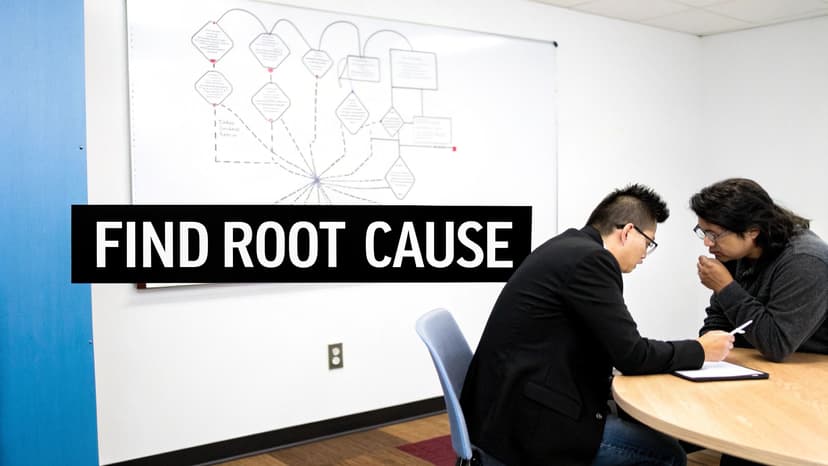
Root Cause Analysis (RCA) is a systematic process for identifying the underlying causes of problems rather than treating symptoms. It uses structured methods like the 5 Whys and Fishbone diagram to drill into layers of contributing factors. By focusing on root issues, teams apply lasting solutions that improve workflows.
What is Root Cause Analysis (RCA)?
RCA is a structured approach that asks “why” repeatedly until the fundamental issue emerges. Tools like the Ishikawa diagram help map cause-and-effect in processes. It integrates with Excel by using AI-powered data clustering and pivot tables to highlight patterns.
When and Why to Use It?
Use RCA when errors recur or when you need to boost accuracy in financial models, reporting, or operations. It prevents repeat failures and drives continuous improvement by targeting fixes at the source. In business process improvement techniques, RCA ensures sustainable gains.
Examples of Success
- Healthcare: medical error investigation and prevention
- Aviation: NTSB accident analysis with data dashboards
- Manufacturing: defect reduction in assembly lines
- IT: post-mortem of system outages using AI logs
- Automotive: recall analysis and corrective workflows
Actionable Tips
- Involve cross-functional team members early.
- Combine 5 Whys with Fishbone for verification.
- Focus on processes not individuals to avoid bias.
- Gather comprehensive data in Excel with AI insights.
- Document findings and corrective actions clearly.
- Track implementation status with automated dashboards.
9. Process Mining
Process Mining is a data analytics technique that discovers, visualizes, and analyzes actual business processes from event logs recorded by information systems. Using algorithms and data science, Process Mining reveals the real workflows being executed rather than the documented ones, identifies bottlenecks, and detects deviations. It bridges process analysis with data science and integrates with Excel via AI connectors like Microsoft Copilot.
What is Process Mining?
Process Mining connects raw event logs from ERP, CRM, or Excel exports with specialized visualization tools. It reconstructs the end-to-end journey of transactions, highlights variation, and provides root cause insights. This method uncovers hidden inefficiencies and supports data-driven decision making in operational workflows.
When and Why to Use It?
Use Process Mining when you need an objective view of complex workflows in finance, supply chain, or shared Excel workbooks. It is ideal for large datasets that require automated pattern detection and AI-powered forecasting. Key reasons to adopt it include:
- Uncovering hidden delays and loopbacks
- Validating compliance and standard practices
- Accelerating continuous improvement cycles
Examples of Success
- Celonis platform accelerating order-to-cash cycles
- UiPath integrating process mining in RPA workflows
- SAP Enterprise Process Intelligence optimizing procurement
- Financial services improving loan approval insights
- Healthcare tracing patient journey performance
Actionable Tips
- Start with quality event log extraction using Excel Power Query.
- Select high-impact processes with long cycle times.
- Leverage visualization tools for clear process flow maps.
- Pair analytics with domain expertise for practical fixes.
- Validate results against business stakeholders.
- Plan and track improvements based on bottleneck data.
Learn more at https://www.celonis.com
10. Value Stream Mapping (VSM)
Value Stream Mapping (VSM) is a visual technique that charts every step, information flow, and decision point in a process from start to finish. It separates value-added activities that customers pay for from non-value-added activities or waste. VSM helps teams to see improvement opportunities and design a more efficient future state.
What is Value Stream Mapping?
Value Stream Mapping uses standardized symbols to map current-state processes in Excel or dedicated software. It highlights bottlenecks, delays, and rework loops so teams can focus on true customer value and support other business process improvement techniques.
When and Why to Use It?
Use VSM when you need a clear, end-to-end view of workflows to cut cycle time, reduce costs, or improve quality. It works well in Excel-driven finance models, production lines, and service processes that demand transparency and faster decision making.
Examples of Success
- Manufacturing plants – production process optimization
- Healthcare – patient admission process improvements
- Financial services – loan approval workflow streamlining
- Retail – order fulfillment and delivery acceleration
- Software development – feature delivery pipeline mapping
Actionable Tips
- Include frontline workers in the mapping exercise to capture real data.
- Use standard VSM symbols and notations consistently in Excel sheets.
- Map the actual current state, not an idealized version.
- Measure key metrics like cycle time, lead time, and waste.
- Design a future-state map that eliminates identified waste.
- Develop an action plan with responsibilities and timelines.
Learn more about Value Stream Mapping on Lean Enterprise Institute: https://www.lean.org/VSM
Comparison of 10 Business Process Improvement Techniques
| Method | Implementation Complexity 🔄 | Resource Requirements ⚡ | Expected Outcomes ⭐📊 | Ideal Use Cases 💡 | Key Advantages ⭐ |
|---|---|---|---|---|---|
| Lean Manufacturing | Medium–High 🔄 — culture change & process redesign | Medium–High ⚡ — training, cross-functional teams, JIT systems | Waste reduction, shorter lead times, improved quality 📊 | Manufacturing & operations with repeatable workflows 💡 | Sustained efficiency and quality improvements ⭐ |
| Six Sigma | High 🔄 — rigorous statistical methods & project governance | High ⚡ — certified belts, statistical tools, project resources | Dramatic defect reduction & lower variation (measurable) 📊 | Processes with measurable defects/critical quality metrics 💡 | Highly measurable, data-driven quality gains ⭐ |
| Kaizen (Continuous Improvement) | Low–Medium 🔄 — cultural commitment, ongoing practices | Low ⚡ — employee time, facilitation, small improvements | Incremental, cumulative improvements and higher engagement 📊 | Any organization seeking continuous, low-cost improvement 💡 | Broad engagement and rapid small wins with low cost ⭐ |
| Business Process Reengineering (BPR) | Very High 🔄 — radical redesign across org | Very High ⚡ — tech investment, consultants, change mgmt | Potentially dramatic performance gains; high disruption 📊 | Major transformation, legacy systems replacement, digital overhaul 💡 | Large step-change improvements when incremental change won’t suffice ⭐ |
| Total Quality Management (TQM) | High 🔄 — organization-wide cultural transformation | High ⚡ — long-term training, quality systems, metrics | Comprehensive quality improvement and customer loyalty 📊 | Organizations targeting enterprise-level quality over years 💡 | Holistic, preventive approach to quality across functions ⭐ |
| Agile Methodology | Medium 🔄 — iterative practices and mindset shift | Medium ⚡ — coaching, tools, empowered teams | Faster delivery, adaptability, frequent feedback 📊 | Product development, software, teams needing adaptability 💡 | Rapid iterations and stakeholder alignment; reduces release risk ⭐ |
| Kanban System | Low 🔄 — visual system with WIP discipline | Low ⚡ — boards/tools, minimal training | Improved flow, reduced WIP, visible bottlenecks 📊 | Teams managing continuous flow (support, dev, ops) 💡 | Easy to adopt, immediate visibility and focus ⭐ |
| Root Cause Analysis (RCA) | Low–Medium 🔄 — structured investigation per incident | Low–Medium ⚡ — facilitators, data collection, cross-functional input | Elimination of recurring failures and systemic fixes 📊 | Incident investigation, safety, quality failure analysis 💡 | Targets root causes to prevent recurrence; builds learning ⭐ |
| Process Mining | Medium–High 🔄 — data integration & analytic modeling | Medium–High ⚡ — event logs, tooling, data science skills | Objective process discovery, bottlenecks, deviations identified 📊 | Complex IT-enabled processes, compliance, large data environments 💡 | Data-driven, scalable insights into actual process behavior ⭐ |
| Value Stream Mapping (VSM) | Low–Medium 🔄 — mapping workshops & facilitation | Low–Medium ⚡ — facilitators, cross-functional time | Clear visualization of value vs waste; improvement roadmap 📊 | End-to-end process optimization (manufacturing, services) 💡 | Creates aligned baseline and quick-win identification ⭐ |
Taking Action Today
Consolidate Key Insights
You’ve explored ten proven business process improvement techniques in Excel and AI. Each method empowers you to refine workflows, reduce errors, and harness data-driven insights for smarter decisions.
- Eliminate redundant steps with Lean principles and simple Excel macros.
- Standardize quality using Six Sigma charts and conditional formatting.
- Apply Kaizen in daily Excel reviews for incremental gains.
- Use Value Stream Mapping to reveal hidden delays in spreadsheets.
- Automate root cause analysis workflows with AI-powered alerts.
Next Steps to Drive Change
Select one technique from our list and apply it to a live Excel project. Integrate data analysis with Elyx.AI to surface patterns faster and free up time for strategic improvements.
- Define clear success metrics in a central spreadsheet template.
- Build automated Excel formulas or macros to track performance in real time.
- Leverage AI recommendations to refine each step and eliminate bottlenecks.
For a comprehensive approach to modernizing your operations, learn how to streamline business processes with AI automation
Why Mastering These Techniques Matters
Adopting these business process improvement techniques fosters a culture of continuous excellence. You’ll minimize costly errors, accelerate reporting cycles, and empower teams to innovate.
The Broader Impact
When stakeholders see tangible improvements, momentum spreads across departments. Faster forecasting, more reliable financial models, and proactive decision making become standard practice.
Final Encouragement
Start today in Excel: choose one process, set up your dashboard, and watch small wins compound into major breakthroughs. Your next efficiency leap is just one formula away.
Ready to automate your improvement journey? Discover how Elyx.AI can integrate with your Excel workflows to deliver AI-powered analysis and streamline process optimization. Visit Elyx.AI to start optimizing today.
Reading Excel tutorials to save time?
What if an AI did the work for you?
Describe what you need, Elyx executes it in Excel.
Sign up