12 Best Free Excel AI Tools to Boost Your Productivity in 2024

If you're spending hours wrestling with complex formulas, cleaning messy data, or manually formatting reports in Excel, it’s time for an upgrade. Artificial intelligence is no longer a distant concept; it's a practical assistant that integrates directly into your spreadsheets. These tools automate tedious and repetitive work, freeing you up to focus on the strategic analysis that truly matters.
This guide cuts through the noise and gets straight to the point. We've compiled a detailed list of the 12 best free Excel AI tools available right now, designed to solve real-world problems. This article is focused on practical application, providing actionable tips and real-world examples to help you gain new skills.
Inside, you will find:
Spending too much time on Excel?
Elyx AI generates your formulas and automates your tasks in seconds.
Sign up →- Direct links to each tool for immediate access.
- Screenshots showing the tools in action.
- Honest assessments of free plan limitations.
- Specific use cases for finance, marketing, and operations professionals.
Whether you need an AI to instantly generate a complex formula, clean thousands of rows of inconsistent data, or build an entire dashboard from a simple text prompt, this list has a solution for you. Let's find the right AI tool to transform your Excel efficiency and help you get your work done faster.
1. Elyx AI
Elyx AI stands out as a premier choice because it does more than just explain formulas; it acts as an autonomous agent within your spreadsheet. This powerful Excel add-in handles entire workflows from start to finish, executing complex, multi-step tasks based on a single instruction in plain language. For professionals who spend a significant portion of their week wrangling data, Elyx AI presents a direct path to reclaiming valuable hours.

The core strength of Elyx AI is its autonomy. Instead of asking it to perform one action at a time, you can give it a high-level goal. For example, a project manager could instruct it: “Clean this project data, create a PivotTable summarizing hours by task, build a bar chart showing the budget vs. actuals, and format the report in our corporate style.” Elyx AI plans and executes this entire sequence, freeing you from the manual mechanics of spreadsheet work.
This makes it one of the best free Excel AI tools available for a trial run, especially for analysts, consultants, and finance teams who perform recurring data routines.
Key Differentiators and Use Cases
Elyx AI is built with a privacy-first architecture, a critical consideration for businesses. It uses AES-256 and TLS 1.3 encryption, is GDPR-compliant, and offers an option to keep your data local while only sending instructions to the AI. This enterprise-grade security, combined with its status as a Microsoft Partner add-in, provides confidence for handling sensitive information.
Ideal Use Cases:
- Financial Reporting: Automating the consolidation of financial statements, creating variance analysis reports, and generating charts for monthly business reviews.
- Project Management: Cleaning raw timesheet data, building dashboards to track project KPIs, and preparing weekly status reports.
- Sales and Marketing Analysis: Segmenting customer lists, analyzing campaign ROI from raw export data, and creating sales forecast models.
Free Trial and Pricing
Elyx AI offers a 7-day free trial that provides full access to its capabilities without requiring a credit card. This allows you to test its workflow automation on your own files. After the trial, paid plans start at €39/month for the Starter tier, scaling up to Pro, Business, and custom enterprise options that offer more credits, priority support, and dedicated account management.
- Website: https://getelyxai.com
2. PromptLoop
PromptLoop brings AI directly into your spreadsheet cells using familiar, function-based syntax. This native add-in for Excel and Google Sheets is designed for analysts who want a direct way to apply AI for tasks like text classification, data extraction, and summarization. Instead of a chat interface, you can write a formula like =PROMPTLOOP() in a cell, referencing other cells as inputs.
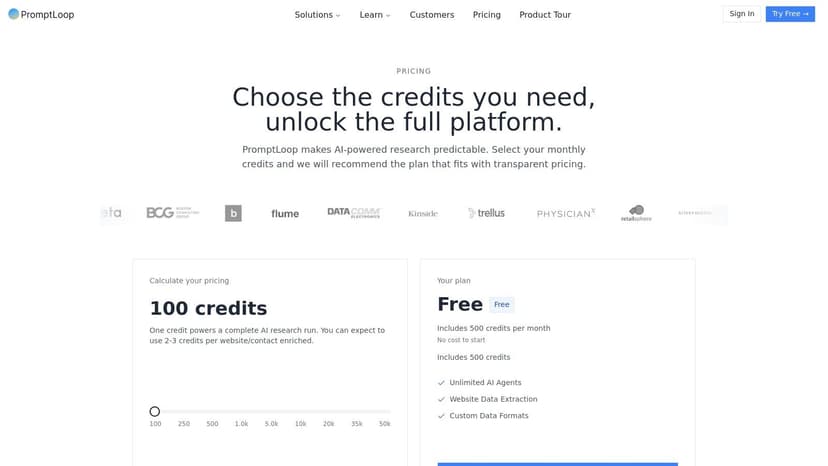
This approach makes it one of the best free Excel AI tools for automating repetitive data work at scale. For instance, to classify customer feedback in column A, you could use a formula in column B:
=PROMPTLOOP(A2, "Classify this feedback as 'Positive', 'Negative', or 'Neutral'")
Formula Explanation:
A2is the input cell containing the customer feedback text."Classify this feedback..."is the plain-language instruction given to the AI.- By dragging this formula down column B, you can instantly categorize hundreds of entries.
The add-in also includes a helpful sidebar for building and saving prompt templates, which you can reuse across your workbooks.
Access and Limitations
PromptLoop offers a free plan with a limited number of AI tasks per month, great for light usage. Getting started is quick, but for processing thousands of rows, you'll need a paid plan.
- Website: https://www.promptloop.com
- Best For: Analysts wanting to integrate AI directly into formula-based workflows.
- Key Strength: Its native, in-cell function approach feels natural to experienced Excel users.
3. Formula Bot
Formula Bot began as a tool for generating complex formulas but has grown into a broader AI assistant. Its core strength lies in making formulas accessible: describe what you want in plain English, and it provides the correct syntax. This makes it an excellent learning aid for mastering Excel's functions. The add-in also offers features for data analysis and chart creation.
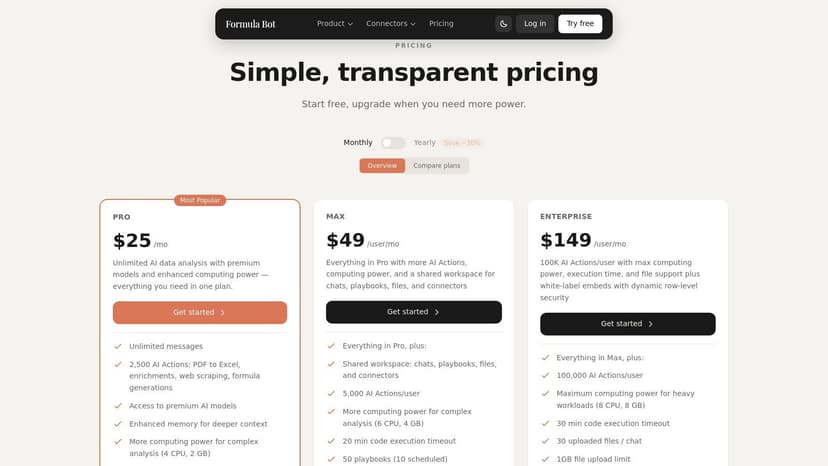
This multi-functionality makes Formula Bot one of the best free Excel AI tools for users who need support across different aspects of spreadsheet work, from formula creation to data visualization. For example, if you're struggling with combining INDEX and MATCH for a two-way lookup, you can ask the bot: "Find the value in my table (A1:E10) that matches the row value in G1 and the column value in H1." The AI will generate:
=INDEX(A1:E10, MATCH(G1, A1:A10, 0), MATCH(H1, A1:E1, 0))
Formula Explanation:
INDEX(A1:E10, ...)defines the entire data table.MATCH(G1, A1:A10, 0)finds the correct row number by matching the value in G1.MATCH(H1, A1:E1, 0)finds the correct column number by matching the value in H1.
Access and Limitations
Formula Bot provides a free plan with a limited number of requests per month. Upgrading is necessary for heavy users or to access advanced features like data connectors. The user interface can feel a bit crowded if your primary need is just generating formulas.
- Website: https://www.formulabot.com/pricing
- Best For: Excel users who want to learn, generate, and understand formulas, as well as perform basic AI analysis.
- Key Strength: Excellent at demystifying complex formulas and offers a wide range of tools.
4. Ajelix Excel Add-in
Ajelix is a productivity-focused Excel add-in that excels at helping users generate and understand formulas and VBA scripts. Its AI tools are built into a helpful sidebar, providing assistance for daily tasks and learning complex functions. It acts as a smart assistant, ready to build a complex formula or write a VBA macro on command.

Beyond formula and script generation, Ajelix offers a suite of other tools, including multi-language translation and productivity templates. The formula explainer is particularly useful for decoding nested functions. This focus on creation and education makes it one of the best free Excel AI tools for a wide range of users, from beginners needing guidance to advanced users automating script development.
Access and Limitations
Ajelix provides a free plan with a limited number of monthly credits for its AI tools. This is enough for occasional use or for trying out the features. The add-in can be installed directly from Microsoft AppSource. However, heavy use, especially for generating many complex VBA scripts, will likely require upgrading.
- Website: https://ajelix.com/tools/excel-add-in/
- Best For: Excel users who want AI assistance for writing and understanding formulas and VBA code.
- Key Strength: Excellent formula and VBA script generators with clear explanations.
5. SheetFormula AI
SheetFormula AI is a lightweight add-in designed for one primary purpose: generating complex Excel formulas from simple text descriptions. It offers a straightforward installation process that integrates a simple task pane into your Excel window. This tool is ideal for users who frequently get stuck trying to remember the right syntax for functions like VLOOKUP, INDEX/MATCH, or nested IF statements.
Its focused approach makes it a valuable utility for quick, on-the-spot assistance. The add-in provides a clean interface where you can describe your goal, and it returns a formula you can copy and paste. For instance, if you need to extract the first name from a full name in cell A2, you can ask, "Get the text before the first space in cell A2." The AI might return:
=LEFT(A2, FIND(" ", A2) - 1)
Formula Explanation:
FIND(" ", A2)locates the position of the first space in cell A2.LEFT(A2, ... - 1)extracts all characters from the left of the string in A2, up to one character before the space.
This simplicity is its main strength, serving as a dependable formula co-pilot.
Access and Limitations
SheetFormula AI is available as an Excel add-in with a free tier that allows a limited number of formula generations per month. The setup is minimal, requiring just a quick install from AppSource. Its scope is intentionally narrow, so it does not offer broader data analysis, cleaning, or visualization capabilities.
- Website: https://sheetformulaai.com/extensions?utm_source=openai
- Best For: Excel users who need quick help generating formulas from natural language descriptions.
- Key Strength: Its minimal setup and laser focus on formula generation make it extremely easy to use.
6. ExcellentAI
ExcellentAI positions itself as a friendly AI assistant directly inside Excel, focusing on users who need quick formula help and straightforward analysis without a steep learning curve. This add-in operates through a convenient task pane, where you can ask for formula generation, get explanations for complex functions, or apply quick edits to your data.
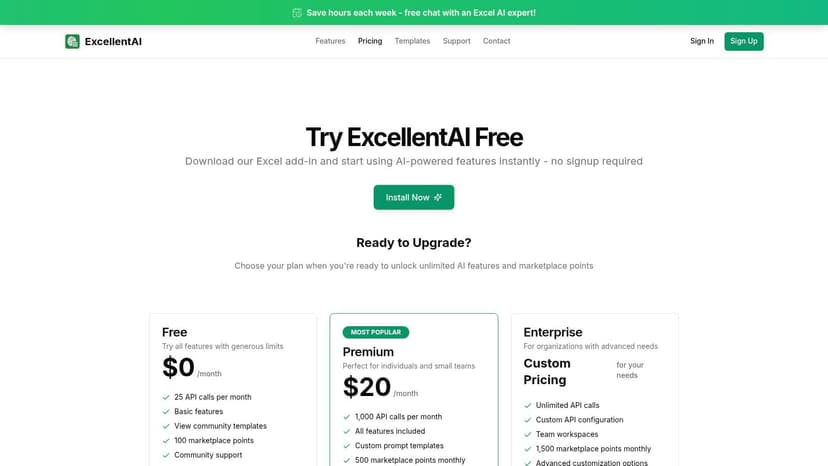
The platform includes a practical template library for common tasks, a great starting point for new users. This makes it one of the best free Excel AI tools for individuals who want to solve immediate problems, like figuring out the right VLOOKUP or creating a conditional formatting rule, without getting bogged down in advanced features. It’s an ideal on-demand coach for everyday Excel challenges.
Access and Limitations
ExcellentAI offers a free version with a limited number of requests. A standout feature is the no-signup download option, which removes a common barrier and lets you start almost instantly. However, for consistent daily use, the request limit on the free plan will likely push you toward a paid subscription.
- Website: https://excellentai.io/pricing
- Best For: Everyday Excel users needing quick formula assistance and clear explanations.
- Key Strength: Exceptionally fast setup and an intuitive interface designed for non-technical users.
7. Pine AI for Excel (PineXL)
Pine AI for Excel, also known as PineXL, focuses on the practical, everyday challenges Excel users face. Instead of offering broad data analytics features, this add-in acts as a dedicated assistant for core tasks like generating, explaining, and checking formulas. It's designed for users who want a straightforward AI helper to solve specific problems without leaving their worksheet.
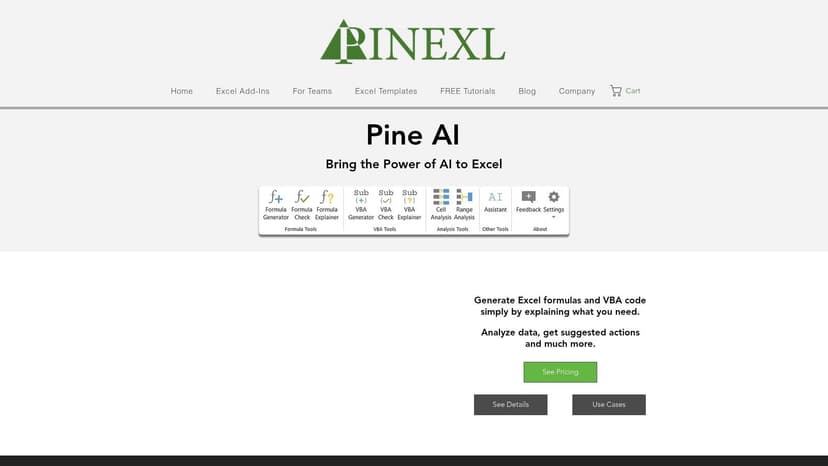
This tool is particularly helpful for those who struggle with complex formulas or need to automate tasks with macros. You can simply describe what you want to do in plain English, and PineXL will generate the correct formula or even the VBA code to accomplish it. This direct, problem-solving approach makes it one of the best free Excel AI tools for boosting day-to-day productivity and learning more about Excel's deeper capabilities.
Access and Limitations
PineXL offers a free plan with usage limits, allowing users to test its core features without any initial cost. While its free tier is suitable for occasional formula help, users who need constant assistance or want to generate a lot of VBA code may find themselves needing to upgrade. The tool's focus is on formulas and code, so it lacks advanced data analysis functions.
- Website: https://www.pinexl.com/pine-ai-excel-add-in
- Best For: Excel users who need on-demand help with creating, understanding, or debugging formulas and VBA scripts.
- Key Strength: Its direct focus on solving common formula and macro challenges.
8. TwistlyCells / TwistlySheets ChatGPT for Excel
TwistlyCells is an Excel add-in that focuses on generating entire spreadsheets and templates from simple text prompts. Instead of just analyzing existing data, you can ask TwistlyCells to create a ready-to-use table, such as a project plan or a budget tracker, complete with relevant columns and sample data. It also provides in-cell AI functions for data cleaning and analysis.
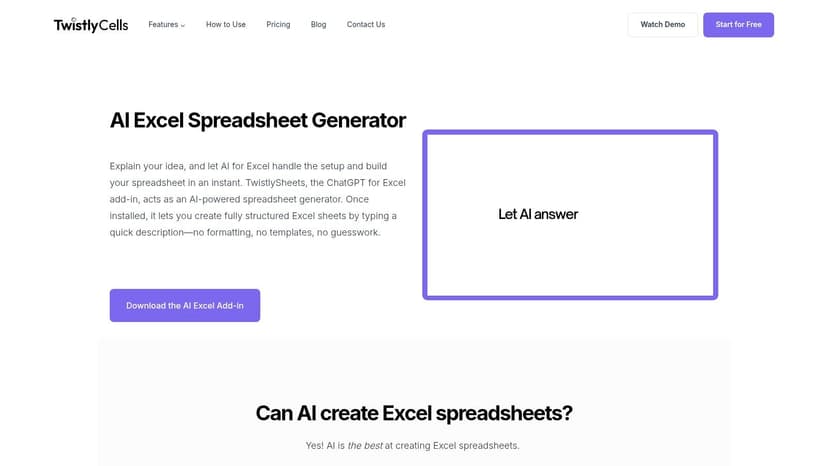
Its strength lies in quickly scaffolding complex sheets, making it one of the best free Excel AI tools for users who want to build new workbooks from scratch without manual setup. The add-in includes a free formula generator on its website, allowing you to test its AI capabilities before committing to a full installation.
Access and Limitations
TwistlyCells offers a free tier with a limited number of AI-powered operations, useful for testing its template-generation feature. Installation is straightforward via the AppSource marketplace. However, the free credits are designed for light use; anyone needing to generate spreadsheets or analyze data daily will likely need to subscribe to a paid plan.
- Website: https://twistlycells.ai/ai-excel-spreadsheet-generator/
- Best For: Users who need to generate new, structured spreadsheets or templates from scratch using AI.
- Key Strength: Excellent at building ready-to-use sheets from text prompts, saving setup time.
9. ChatGPT for Excel (AppSource add-in, 3rd‑party publisher)
This popular add-in, found on the Microsoft AppSource marketplace, embeds a familiar chat interface directly into your Excel workspace. Its primary function is to act as an AI assistant, ready to answer questions, generate formulas, and provide explanations without you ever having to leave your spreadsheet.
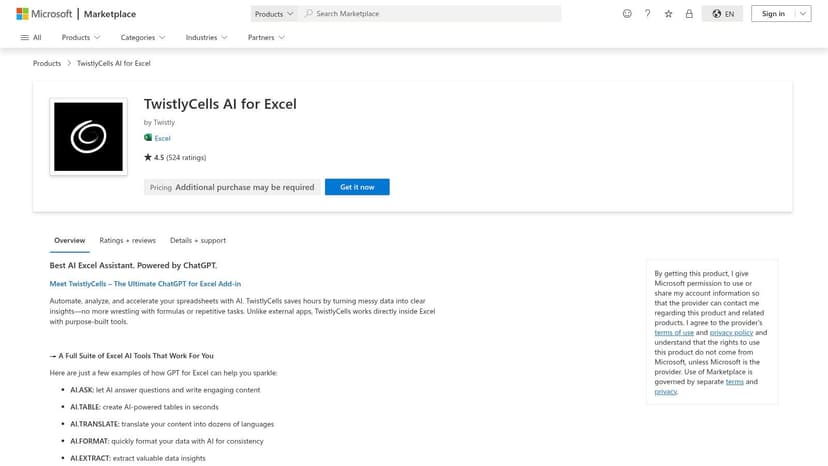
What makes this tool particularly flexible is its approach to billing. You can start with a free trial, but for heavier use, it gives you the option to connect your own OpenAI account. By supplying your own API key, you gain direct control over your usage and costs, paying OpenAI directly. This model makes it one of the best free Excel AI tools for users who already have an OpenAI account or prefer a pay-as-you-go cost structure.
Access and Limitations
The add-in offers a free plan with a limited number of AI interactions. For more extensive data processing, you will need to either subscribe or connect your personal OpenAI API key. While it excels at Q&A and formula generation, it is not designed to execute complex, multi-step tasks across your workbook like a full-fledged AI agent.
- Website: https://appsource.microsoft.com/en-us/product/category/WA200005271?utm_source=openai
- Best For: Excel users who want an in-pane AI assistant for quick formula help and explanations.
- Key Strength: Flexible cost control through its "bring your own API key" model.
10. ExcelGPT
ExcelGPT operates as a specialized, browser-based AI assistant designed for common spreadsheet tasks. Instead of an add-in, it’s a web application where you can describe your problem to generate formulas, get data analysis suggestions, or build charts. Its scope covers everything from formula creation to more complex workflows like converting PDFs or images into Excel-compatible data.
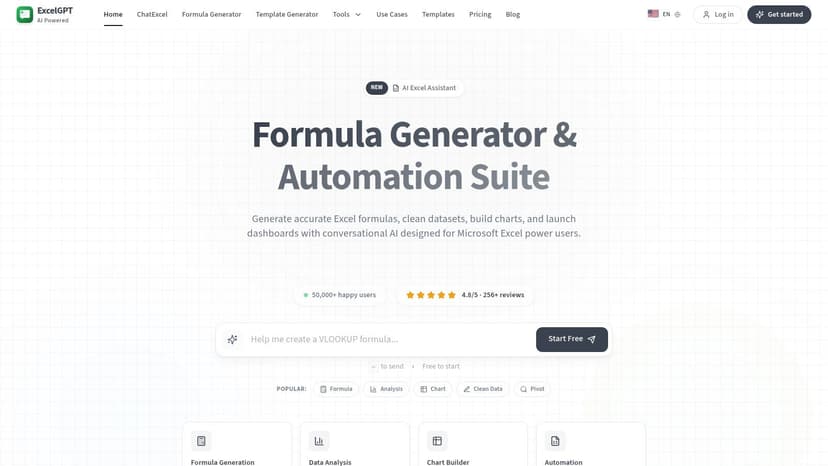
This tool is useful for users who need isolated solutions without installing software. The main drawback is the workflow; because it is a web app, you must copy and paste the generated formulas or instructions back into your Excel workbook, which is less efficient for processing large datasets.
Access and Limitations
ExcelGPT offers a straightforward free plan with a monthly quota of AI requests, making it one of the best free Excel AI tools for occasional users or for learning. Onboarding is simple, with no credit card required. However, for heavy use, you will need to upgrade to a paid Pro plan to get a higher request limit.
- Website: https://excelgpt.app/
- Best For: Users who need a quick, web-based solution for formulas, charts, or conversions.
- Key Strength: Wide range of features in an easy-to-use web interface.
11. Easy-Peasy AI — Excel/Sheets Formula Generator
Easy-Peasy AI offers a straightforward, browser-based solution for anyone stumped by a complex Excel or Google Sheets formula. It provides a dedicated web template where you describe your task in plain English, and the AI generates the corresponding formula. This approach is perfect for quick, one-off problems or for learning new functions without installing software.
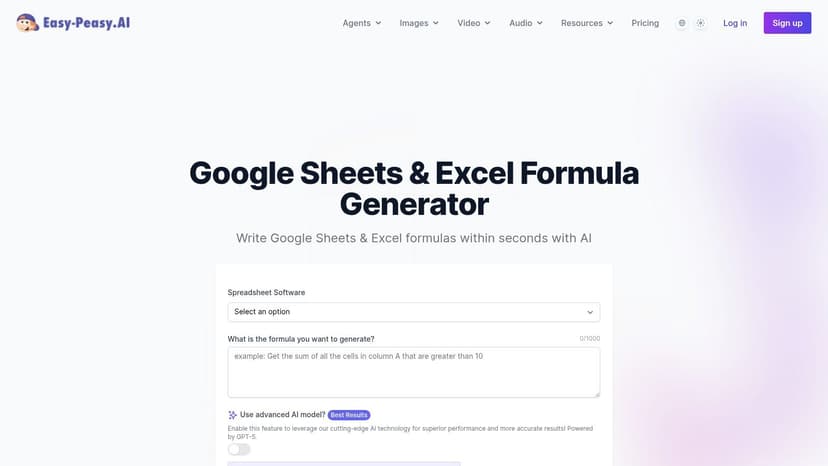
Because it operates outside of Excel, the workflow involves describing your need on the website, copying the formula, and pasting it into your spreadsheet. Its strength lies in its simplicity and accessibility. It's a fantastic learning aid, as it often explains how the formula works, making it one of the best free Excel AI tools for users looking to improve their spreadsheet skills.
Access and Limitations
The Excel/Sheets Formula Generator is a free template within the larger Easy-Peasy AI platform. You can use it immediately without an account, making it frictionless for occasional use. Its primary limitation is its scope; it only generates formulas and requires manual copy-pasting, which can be inefficient for repetitive tasks.
- Website: https://easy-peasy.ai/templates/google-sheets-excel-formula-generator
- Best For: Users who need quick formula help or want to learn complex functions without an add-in.
- Key Strength: Zero-install, browser-based access for fast and simple formula generation.
12. GPT for Work — Free Excel Formula Generator
Sometimes you don't need a full-featured add-in; you just need the right formula, right now. The Free Excel Formula Generator from GPT for Work is a simple, browser-based tool created for this exact purpose. This tool lets you type a plain-English description of what you need, and it generates the corresponding Excel formula.
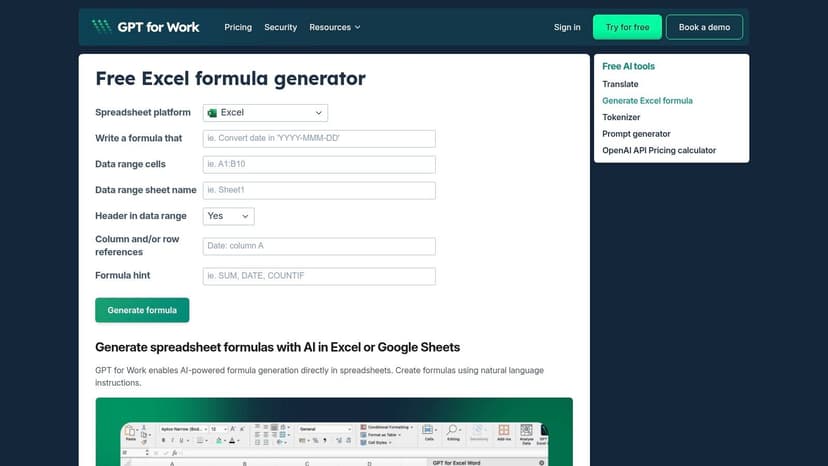
This web tool is a fantastic companion for daily Excel work. For example, you could ask it to "find the average of column B for all rows where column A says 'Sales'," and it will produce the correct AVERAGEIF function. Its clean, no-frills interface makes it one of the best free Excel AI tools for getting quick answers without installing anything.
Access and Limitations
The GPT for Work Formula Generator is completely free and accessible from your web browser. This makes it an ideal resource for quick lookups. The primary limitation is that it is not an integrated Excel add-in. It cannot analyze your data directly or automate multi-step tasks. You must manually copy the formula into your workbook.
- Website: https://gptforwork.com/tools/generate-excel-formulas
- Best For: All Excel users who occasionally need help creating complex formulas on the fly.
- Key Strength: Its simplicity and accessibility as a free web tool for immediate formula generation.
Top 12 Free Excel AI Tools — Quick Feature Comparison
| Product | Core features ✨ | Quality & UX ★ | Pricing & Value 💰 | Target audience 👥 |
|---|---|---|---|---|
| Elyx AI 🏆 | ✨ Autonomous multi-step agent (cleaning → pivots → charts → formatting); AppSource; local-data option; Claude Sonnet 4.5 | ★★★★★ 4.9/5 — fast onboarding; enterprise-grade security (AES‑256, TLS1.3) | 💰 7‑day free trial; Starter €39/mo · Pro €89/mo · Business €200/mo · Enterprise plans | 👥 Analysts, finance, consultants, power Excel users |
| PromptLoop | ✨ In-cell AI formulas, sidebar prompt builder, reusable templates; Excel & Sheets | ★★★★☆ Strong fit for analyst workflows; clear function-style UX | 💰 Free trial (credit-limited); paid plans for heavy use | 👥 Analysts who want in-cell AI formulas |
| Formula Bot | ✨ Formula generator/explainer, AI charting, data connectors | ★★★★ Good for learning formulas and analysis | 💰 Free tier; paid plans for advanced features | 👥 Learners, analysts, power users needing formula help |
| Ajelix Excel Add-in | ✨ Formula & VBA generator/explainer, templates, multi-language tools | ★★★★ Practical UX; helps reduce scripting time | 💰 Freemium with paid tiers for advanced tools | 👥 Analysts and Excel/VBA learners |
| SheetFormula AI | ✨ AppSource add-in focused on natural‑language formula generation; browser option | ★★★☆☆ Lightweight & fast for one-offs | 💰 Free tier with limits; paid to lift limits | 👥 Occasional formula users |
| ExcellentAI | ✨ In-Excel assistant, template library, no-signup trial | ★★★★ Friendly UX for non-technical users | 💰 Fast trial; paid tiers for deeper use | 👥 Everyday users seeking quick help |
| Pine AI (PineXL) | ✨ Formula generator/checker/explainer + VBA generator; quick activation | ★★★★ Practical and easy onboarding | 💰 Free limits; Pro paid plans for larger jobs | 👥 Day-to-day Excel users and VBA devs |
| TwistlyCells / TwistlySheets | ✨ Formula, template & spreadsheet generators; AppSource distribution | ★★★☆☆ Strong at producing ready-to-use sheets | 💰 Free formula tester; paid for sustained daily use | 👥 Users needing full-sheet generation from prompts |
| ChatGPT for Excel (3rd‑party) | ✨ In-pane Q&A and formula help; option to use your OpenAI API key | ★★★☆☆ Flexible Q&A; depends on your API usage | 💰 Add-in subscription; pay-as-you-go if you supply API key | 👥 Users wanting cost control and in-pane assistance |
| ExcelGPT | ✨ Web-based formulas, data cleaning, charts; PDF/image → Excel conversion | ★★★★ Clear onboarding; broad feature set (web) | 💰 Free plan with monthly quota; Pro for higher use | 👥 Users who don't require in-add-in workflow |
| Easy‑Peasy AI | ✨ Browser template for Excel/Sheets formula generation; no install | ★★★☆☆ Frictionless for quick one-offs and learning | 💰 Free | 👥 Occasional users and learners |
| GPT for Work — Free Excel Formula Generator | ✨ Simple web tool to convert plain English → formulas | ★★★☆☆ Clean, fast interface for lookups | 💰 Free | 👥 Quick formula lookups and ad-hoc needs |
How to Choose the Right AI Tool for Your Excel Needs
We have explored a dozen of the best free Excel AI tools, each offering a distinct way to inject AI into your spreadsheets. Your journey through this list, from simple formula generators to comprehensive add-ins, reveals a clear trend: AI is a practical, everyday assistant for Excel.
The key takeaway is that there is no single "best" tool for everyone. Your ideal choice depends on your daily tasks, Excel skill level, and ultimate goal.
Finding Your Perfect Match: A 3-Step Guide
To make your decision easier, consider which of these user profiles best describes you.
1. For the Occasional User and Quick Fixer: If you only need occasional help with a tricky formula, a browser-based tool is your best bet. Options like Easy-Peasy AI or the GPT for Work Formula Generator are perfect. They require no installation and provide instant answers.
2. For the Aspiring Excel Pro: If your goal is to become more proficient, an educational tool is invaluable. Formula Bot and Ajelix excel here. They don't just give you the formula; they explain how it works, helping you learn the logic behind functions like
INDEX/MATCH. Think of them as on-demand tutors.3. For the Daily Analyst and Power User: If you live in Excel and your day involves complex, multi-step processes, you need an agent that can do the work for you. This is where the distinction between explaining and executing becomes critical.
The Leap from AI Assistant to AI Agent
Most tools we've discussed act as helpful assistants. You ask for a formula, and they provide it. This is a fantastic time-saver, but you still have to implement the solution.
A select few tools are moving beyond this to become true AI agents. They don't just tell you what to do; they understand your end goal and execute the entire sequence of tasks.
This is the most significant shift in how we can work with spreadsheet data. Instead of asking "How do I create a pivot table from this sales data?", you can simply say, "Create a sales summary report showing revenue by region and month," and the AI agent builds it for you.
This is the core strength of a tool like ElyxAI. It is designed for professionals who need to automate entire workflows, not just single tasks. It handles the repetitive processes that consume hours, freeing you to focus on analysis and strategy.
Choosing the right tool means assessing your needs. Do you need a teacher, a quick-reference guide, or an autonomous partner? The free tiers and trials offered are your best resource for finding the answer. Experiment with a few, bring them your real-world problems, and see which one truly makes your work easier.
Ready to stop doing repetitive Excel tasks and start automating entire workflows? Elyx AI acts as your AI-powered data analyst, executing complex, multi-step tasks from a single instruction. Experience the difference between an AI assistant and an AI agent by starting your free trial at Elyx AI today.
Reading Excel tutorials to save time?
What if an AI did the work for you?
Describe what you need, Elyx executes it in Excel.
Sign up