12 Best Data Transformation Tools (Tested and Compared)

Spending hours manually cleaning, structuring, and preparing data in Excel is a common but costly bottleneck. It delays insights, introduces errors, and consumes valuable time that could be spent on actual analysis. If your team is stuck in this cycle of copying, pasting, and formula-fixing, it's time to find a better way. Modern data transformation tools, especially those leveraging AI, are designed to automate this entire process, turning raw, messy data from multiple sources into a clean, analysis-ready format directly within your spreadsheet.
This guide provides a practical breakdown of the best data transformation tools, with a special focus on solving common Excel challenges. We’ll move beyond generic marketing claims to give you an honest look at what each platform does best. You'll find detailed comparisons, real-world examples, and clear guidance on which solution fits your specific needs—whether you're a finance professional looking to supercharge your Excel workflows with AI or a data engineer managing complex cloud pipelines. To truly move beyond manual data prep, businesses are embracing solutions like Intelligent Document Processing which leverage AI to automatically understand and process information, making it ready for sophisticated transformations.
Our goal is simple: to help you choose the right tool to reclaim your time and unlock faster, more reliable insights. Each entry includes screenshots, feature analysis, pricing considerations, and direct links so you can get started immediately. We'll explore everything from powerful cloud-based platforms to innovative Excel add-ins like Elyx.AI, ensuring you find an actionable solution to your data challenges.
Spending too much time on Excel?
Elyx AI generates your formulas and automates your tasks in seconds.
Sign up →1. Elyx.AI
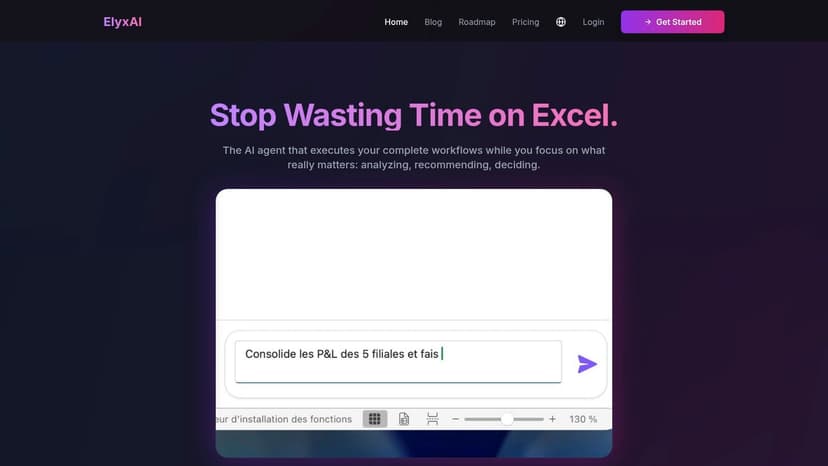
Elyx.AI solidifies its position as a premier data transformation tool by integrating a powerful AI agent directly into Microsoft Excel. It’s designed not just to assist with tasks but to autonomously execute complete, multi-step workflows, bridging the gap between manual spreadsheet work and sophisticated data processing without requiring any code. Users can simply describe their goal in natural language—for example, "Clean this sales data, create a pivot table by country, and make a bar chart"—and the AI agent plans and executes the entire sequence of actions in one seamless operation.
This focus on end-to-end workflow automation is what truly sets Elyx.AI apart from other AI assistants like Microsoft Copilot. Rather than offering help with single functions, it acts as an agent that understands a high-level objective and carries it out from start to finish. This makes it exceptionally effective for recurring reporting tasks and complex data preparation, turning hours of tedious, repetitive work into a task that takes only minutes. For anyone who has ever wrestled with VLOOKUPs or complex pivot table settings, this tool provides a direct path to a finished result.
Key Strengths and Use Cases
Elyx.AI is engineered for practical, real-world application, offering a robust feature set that directly addresses common Excel pain points.
- End-to-End Workflow Automation: Its standout capability is chaining multiple operations. For example, a user can issue a single command like, "Clean the sales data, create a pivot table showing revenue by region, add a bar chart, and format it with our company colors." Elyx.AI will perform all these steps sequentially.
- Intelligent Data Cleaning: The tool automatically identifies and corrects common data quality issues. This includes standardizing date formats (e.g., turning "01/15/24" and "Jan 15, 2024" into a consistent format), fixing typos, harmonizing inconsistent entries (e.g., "USA" vs. "United States"), and translating text across multiple languages within your dataset.
- On-Demand Analytics: Instantly generate complex formulas, pivot tables, and insightful charts without navigating Excel's menus. If you're unsure how to build a specific analysis, you can simply ask, "Show me the top 5 products by sales volume," and Elyx.AI will construct the pivot table and chart for you. This approach empowers both beginners and experts to achieve their desired outcomes faster.
- Strong Security Protocols: Security is a core design principle. Elyx.AI leverages Supabase authentication, TLS 1.3, and end-to-end encryption to protect your data. Critically, your file remains under your control, and no data is stored post-processing or used for training models, addressing key enterprise security concerns.
Practical Implementation
Integrating Elyx.AI is straightforward, as it operates as an Excel add-in. After a quick installation, you can access its capabilities through a chat-like sidebar or by typing the =ELYX.AI() formula directly into a cell. This in-situ operation means all transformations, charts, and tables are applied directly to your worksheet, maintaining a natural and uninterrupted workflow. This avoids the cumbersome process of exporting data to another tool and re-importing it.
For those interested in mastering its capabilities, Elyx.AI provides helpful resources. You can learn more about its specific functions by exploring their guides on data transformation within Excel.
Pricing and Access
Elyx.AI offers a transparent, request-based pricing model suitable for different usage levels. You can start with a 7-day free trial that provides 10 requests without requiring a credit card. Paid plans begin with the Solo plan at €19/month for 25 requests and the Pro plan at €69/month for 100 requests and priority support. All plans can be canceled anytime and include a 14-day money-back guarantee.
Pros and Cons
| Pros | Cons |
|---|---|
| Massive time savings through complete workflow automation in a single request. | Requires an active internet connection to function. |
| Works directly inside Excel via chat or formula, applying outputs in-place. | Request-based pricing may become costly for users with very high-frequency, automated needs. |
| Robust automated data cleaning and multilingual column translation. | While highly accurate, AI-generated outputs, especially for complex logic, still require human verification. |
| Strong security posture with end-to-end encryption and no data storage. | – |
| Risk-free trial and transparent pricing with a money-back guarantee. | – |
Website: https://getelyxai.com
2. dbt Labs (dbt Cloud)
dbt Cloud has emerged as the industry standard for transforming data directly within a cloud data warehouse. It operates on the "T" in ELT (Extract, Load, Transform), allowing teams to build reliable, tested, and documented data models using just SQL. This approach empowers analytics engineers and data analysts to own the entire transformation workflow, from raw data to analytics-ready datasets, without leaving their data warehouse environment. It stands out by building a robust community and a strong set of best practices around analytics engineering, making it one of the best data transformation tools for modern data stacks.
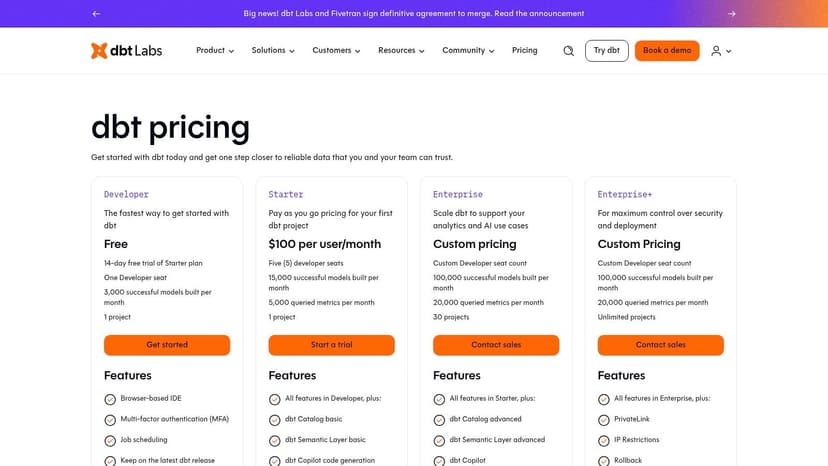
The platform offers a collaborative, browser-based IDE where users can write, run, and schedule their SQL-based transformation jobs. For teams looking to mature their data practices, dbt Cloud introduces software engineering principles like version control, testing, and documentation directly into the analytics workflow. This focus on structured development helps create more reliable data pipelines. Its emphasis on modular and reusable code simplifies the process of building complex transformations and supports effective data modeling within the warehouse.
Core Features & Pricing
- Transformation Method: In-warehouse SQL-based transformations.
- Key Features: Browser-based IDE, job scheduling, version control integration, data testing, and auto-generated documentation. Higher tiers add a Semantic Layer, a catalog, and AI-assisted authoring (dbt Copilot).
- Best For: Teams that have adopted a modern, warehouse-centric data stack (like Snowflake, BigQuery, or Databricks) and want to apply software engineering best practices to their data transformations.
- Pricing: Starts with a free Developer plan for one user. Paid plans include Team ($100/seat/month) and Enterprise (custom pricing), with costs scaling based on seats and usage. A 14-day free trial of the Team plan is available. You can view the full pricing at www.getdbt.com/pricing.
3. Fivetran
Fivetran is primarily known as a leader in automated data movement, but its platform offers a powerful, integrated approach to both ELT and subsequent transformations. With over 700 fully managed connectors, it excels at the "E" and "L" of ELT, reliably pulling data from disparate sources into a central data warehouse. Where it shines as a transformation tool is its native integration with dbt Core, allowing teams to manage data ingestion and the transformation layer within a single, unified platform. This makes it an excellent choice for organizations that want to minimize engineering overhead and streamline their entire data pipeline from source to analytics.
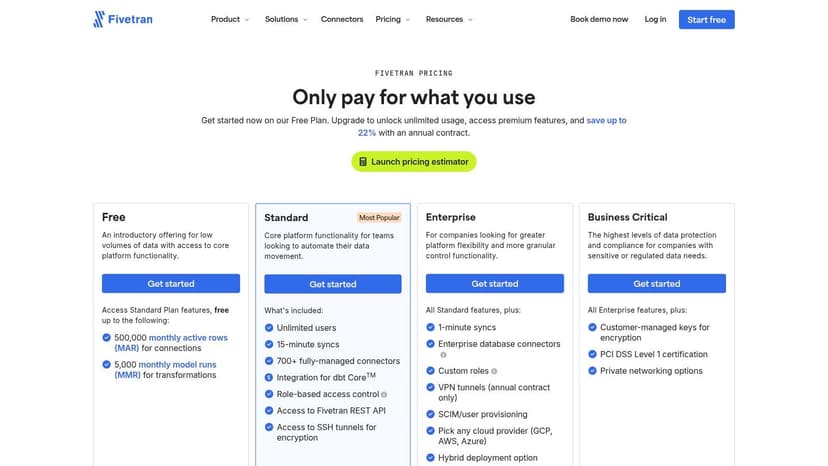
The platform enables users to trigger and schedule dbt Core models directly after a data sync completes, ensuring that transformations always run on the freshest data. This managed service approach removes the complexity of orchestrating separate ingestion and transformation jobs. For teams that value simplicity and reliability, Fivetran provides a robust solution that automates schema management and data updates, freeing up data professionals to focus on building valuable data models rather than maintaining brittle connectors and scripts. This integrated workflow makes it one of the best data transformation tools for teams seeking a low-maintenance, end-to-end solution.
Core Features & Pricing
- Transformation Method: Managed dbt Core execution triggered after data loads.
- Key Features: 700+ pre-built connectors, automated schema migration, incremental data updates, and integrated dbt Core job scheduling. Higher tiers offer enterprise-grade security like RBAC and SSO.
- Best For: Teams that prioritize a fully managed, low-maintenance ELT pipeline and want to couple their data ingestion and transformation workflows into a single, automated process.
- Pricing: Follows a usage-based model based on Monthly Active Rows (MAR). A Free plan is available for up to 500,000 MAR and 5,000 dbt model runs. Paid plans are Starter, Standard, and Enterprise, with costs scaling based on data volume and features. You can get a full pricing estimate at www.fivetran.com/pricing.
4. Matillion (Data Productivity Cloud)
Matillion offers a cloud-native data integration and transformation platform designed for users who prefer a visual, low-code approach to building data pipelines. The Matillion Data Productivity Cloud provides a graphical interface for authoring both ELT and ETL workflows, allowing data engineers and analysts to visually design complex jobs that push down processing to a cloud data warehouse. This method democratizes data pipeline development, making it accessible to a broader range of users without requiring deep coding expertise. It stands out by combining a powerful visual builder with a flexible, consumption-based pricing model.
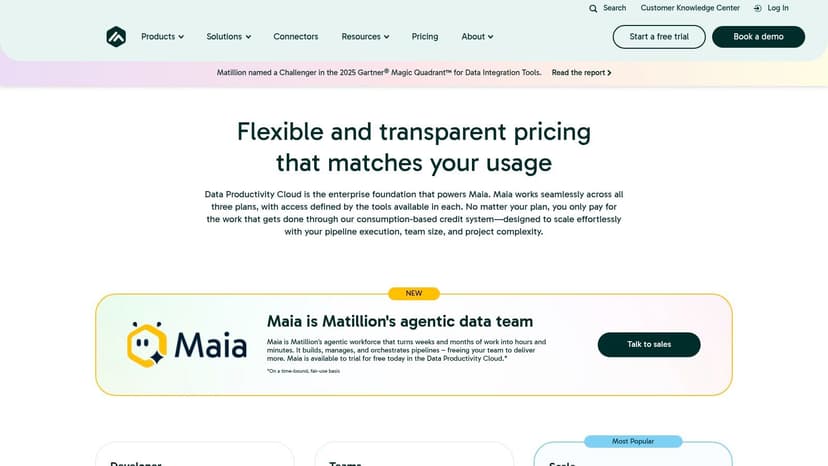
The platform is engineered to leverage the full power of modern cloud data warehouses like Snowflake, Databricks, and Amazon Redshift by pushing transformation logic directly into them. This "pushdown" architecture ensures that data processing is fast, scalable, and secure, as data doesn't need to leave the warehouse environment. For teams looking to accelerate development, Matillion's drag-and-drop interface and pre-built connectors significantly reduce the time needed to build, manage, and orchestrate pipelines. The recent introduction of an AI-powered assistant, Maia, further simplifies the process by helping users build and manage their data workflows.
Core Features & Pricing
- Transformation Method: Visual, low-code ELT/ETL with pushdown processing to cloud data warehouses.
- Key Features: Drag-and-drop pipeline builder, extensive library of pre-built connectors, job scheduling and orchestration, and an agentic AI assistant (Maia) to help build and manage pipelines.
- Best For: Data teams that want to accelerate pipeline development through a visual interface and leverage the native power of their cloud data warehouse without extensive hand-coding.
- Pricing: Matillion uses a consumption-based credit model with three main editions: Developer, Teams, and Scale. Pricing depends on credit usage, and plans can be procured directly or through cloud marketplaces like AWS and Azure. A free trial is available. You can find more details at www.matillion.com/pricing.
5. Airbyte
Airbyte is a powerful open-source data integration platform that excels at the "E" and "L" in ELT (Extract, Load, Transform), making it a foundational component for any modern data stack. While its primary focus is on data movement, it provides basic normalization and the ability to trigger downstream transformations, positioning it as a key orchestrator in the data pipeline. It stands out with a vast library of over 300 pre-built connectors, many of which are community-driven, offering unparalleled flexibility for connecting disparate data sources to a central data warehouse or lake. This open-source-first approach gives teams the freedom to start with a self-hosted solution and scale to a managed cloud service as their needs evolve.
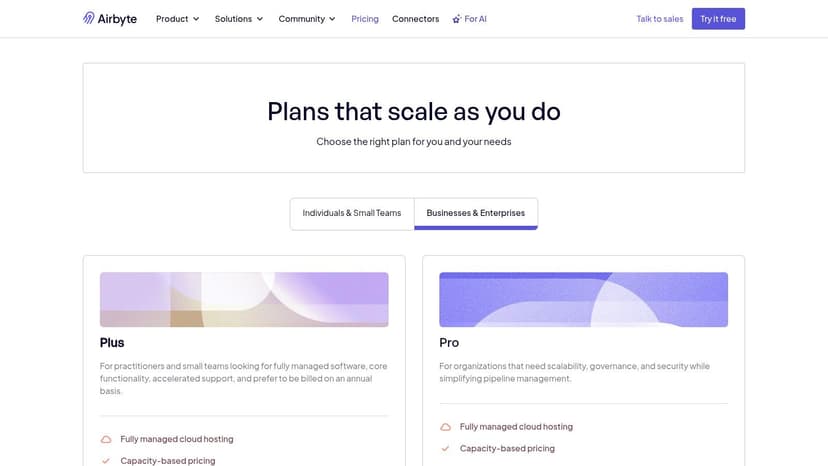
The platform is designed to be accessible to both engineers and less technical users, with a user-friendly UI for configuring and monitoring data pipelines. For teams that want to avoid vendor lock-in and have full control over their infrastructure, the open-source version is ideal. As requirements grow, Airbyte Cloud provides enterprise-grade features like role-based access control, encryption, and dedicated support. This dual offering makes Airbyte one of the best data transformation tools for organizations that value both flexibility and the option for a fully managed, scalable solution. Its predictable capacity-based pricing also helps teams manage costs effectively without fearing surprise overages from high data volumes.
Core Features & Pricing
- Transformation Method: Primarily focused on Extract and Load with options for basic normalization and integration with dedicated transformation tools like dbt Core.
- Key Features: Over 300 open-source connectors, community-driven development, a self-hosted open-source option, and a managed Cloud platform. Paid tiers offer faster syncs, RBAC, and multiple pricing models.
- Best For: Teams needing a flexible, connector-rich data integration tool that can start as a free, self-hosted solution and scale to a managed enterprise-grade service.
- Pricing: A free, self-hosted Open Source plan. The Cloud plan offers a free tier for low-volume users, followed by a usage-based model. The Enterprise plan offers custom pricing for self-hosted deployments with advanced security and support features. You can explore the full pricing at www.airbyte.com/pricing.
6. Alteryx
Alteryx provides a comprehensive, low-code/no-code analytics automation platform designed to empower business users and data analysts. It bridges the gap between complex data engineering and business intelligence by offering a visual, drag-and-drop workflow builder. This approach allows users to prepare, blend, and transform data from disparate sources without writing a single line of code, significantly accelerating the journey from raw data to actionable insights. Its user-friendly interface makes it one of the best data transformation tools for organizations aiming to foster a data-driven culture beyond the IT department.
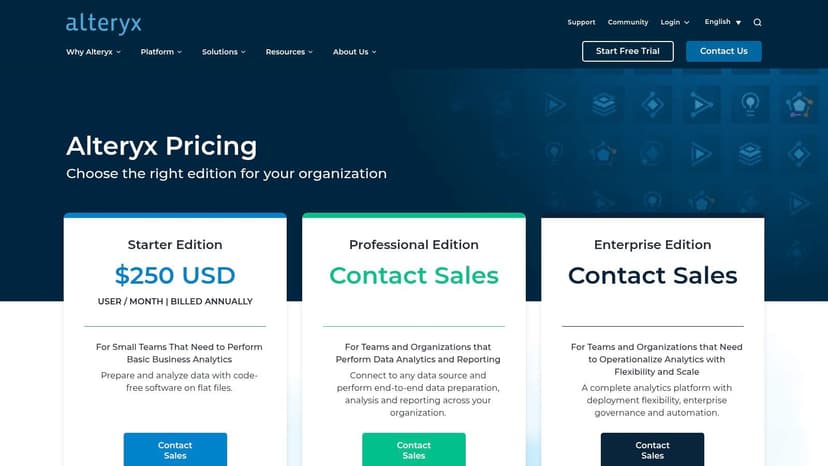
The platform, available as both a Designer Desktop and Designer Cloud product, excels at automating repetitive data preparation tasks. Users build reusable workflows that can be scheduled and deployed with strong governance controls, ensuring consistency and reliability. Features like real-time data profiling and smart sampling give immediate feedback on data quality, helping analysts clean and validate datasets efficiently. Alteryx also supports pushdown processing, which leverages the power of cloud data warehouses like Snowflake or Databricks to handle large-scale transformations directly where the data resides.
Core Features & Pricing
- Transformation Method: Visual drag-and-drop workflows with optional pushdown processing to cloud warehouses.
- Key Features: Low-code workflow builder, data blending from multiple sources, real-time data profiling, smart sampling, and integrations with major cloud and on-premise data platforms.
- Best For: Business analysts, finance teams, and other domain experts who need to perform complex data preparation and blending without relying on coding or dedicated data engineering teams.
- Pricing: Alteryx uses a quote-based, enterprise pricing model. Interested users must contact the sales team for a custom quote. A 30-day free trial of the Designer Desktop is available. You can request pricing at www.alteryx.com/products/pricing.
7. Informatica Intelligent Data Management Cloud (IDMC)
Informatica's Intelligent Data Management Cloud (IDMC) is a comprehensive, AI-powered platform designed for large-scale enterprise data challenges. Unlike point solutions that focus solely on transformation, IDMC provides an end-to-end suite covering data integration, quality, governance, and Master Data Management (MDM). Its AI engine, CLAIRE, assists users in automating complex tasks, from mapping data flows to discovering data relationships. This holistic approach makes it one of the best data transformation tools for organizations in regulated industries that require a unified, compliant, and scalable data fabric across their entire ecosystem.
The platform offers a cloud-native, microservices-based architecture that can handle diverse data sources, from on-premise databases to multi-cloud environments. Its strength lies in providing a single source of truth through robust governance and master data management, ensuring that transformations are not only performed but are also documented, secure, and aligned with business policies. This focus on integrated governance helps streamline processes like data harmonization, making data consistent and reliable for analytics and operations across the enterprise.
Core Features & Pricing
- Transformation Method: Low-code/no-code ETL and ELT with extensive pre-built connectors and transformation logic.
- Key Features: AI-powered automation (CLAIRE), comprehensive data governance and quality controls, Master Data Management (MDM), API management, and a unified metadata catalog.
- Best For: Large enterprises, particularly in finance, healthcare, and government, that need a single, governed platform for all data management and transformation needs, from integration to consumption.
- Pricing: Primarily consumption-based with a free 30-day trial available. Pricing is custom and quote-based, tailored to specific enterprise usage needs across different services. You can learn more at www.informatica.com/platform.html.
8. Talend by Qlik (Talend Data Fabric / Talend Cloud)
Talend, now part of Qlik, offers a comprehensive data integration and transformation platform that extends well beyond the "T" in ELT. It provides a unified environment for data integration, quality, and governance, making it a strong choice for enterprises that need an end-to-end solution. Its visual, drag-and-drop pipeline designer allows both technical and less-technical users to build complex data workflows without writing extensive code. This focus on accessibility, combined with powerful underlying capabilities, establishes it as one of the best data transformation tools for organizations managing diverse data ecosystems.
The platform stands out by embedding data quality and governance directly into its transformation workflows. Features like the Talend Trust Score provide an instant assessment of data health, helping teams build reliable pipelines from the ground up. With over 1,000 pre-built components and connectors, users can quickly integrate various data sources and apply transformations. For business users, its self-service data preparation tools offer an intuitive, Excel-like interface for cleansing and shaping data, bridging the gap between business needs and IT capabilities. Its flexible deployment options (cloud, on-premises, or hybrid) cater to specific security and data residency requirements.
Core Features & Pricing
- Transformation Method: Low-code/no-code visual ETL/ELT pipeline design.
- Key Features: Visual pipeline designer, embedded data quality tools (Talend Trust Score), 1,000+ connectors and components, and self-service data preparation capabilities.
- Best For: Large organizations needing a unified platform that combines data integration, transformation, and robust data quality and governance in a single ecosystem.
- Pricing: Talend offers free trials and open-source versions of its tools. Commercial pricing for Talend Data Fabric and Talend Cloud is customized and requires contacting their sales team. You can explore the platform and its editions at www.talend.com.
9. AWS Glue
AWS Glue is a fully managed, serverless data integration service that simplifies the process of discovering, preparing, and combining data for analytics, machine learning, and application development. As a core component of the AWS ecosystem, it's designed for users who need a powerful, scalable engine for ETL and ELT jobs without managing any infrastructure. Glue automates much of the heavy lifting involved in data integration, from crawling data sources to generate a centralized data catalog to running Spark-based transformation jobs. This makes it one of the best data transformation tools for organizations deeply invested in the AWS cloud.
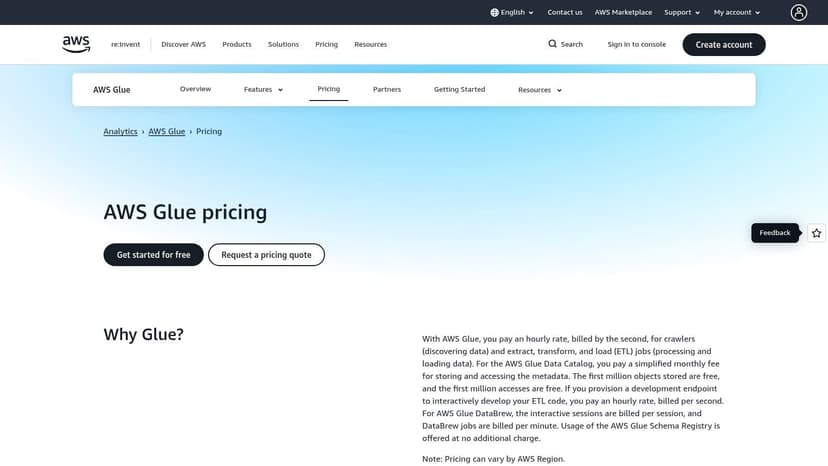
The platform is composed of several key components that work together. The Glue Data Catalog acts as a central metadata repository for all your data assets, while Glue Studio and notebooks provide a visual interface and an interactive environment for authoring complex ETL jobs. For business users and analysts, AWS Glue DataBrew offers a no-code visual data preparation tool, making it accessible to those who may not be comfortable with Python or Spark. This comprehensive approach allows different team members, from data engineers to business analysts, to collaborate on data preparation within a unified environment.
Core Features & Pricing
- Transformation Method: Serverless ETL/ELT using Apache Spark and Python.
- Key Features: Automated schema discovery with Glue Crawlers, a central Glue Data Catalog, visual job authoring with Glue Studio, serverless job execution, and Glue DataBrew for no-code data preparation.
- Best For: Teams that have built their data infrastructure on AWS and need a scalable, serverless, and deeply integrated service for data cataloging and transformation across services like S3, Redshift, and RDS.
- Pricing: Follows a pay-as-you-go model. Costs are calculated based on the number of Data Processing Units (DPUs) used per second, with separate charges for the data catalog, crawlers, and other components. You can view the full pricing at aws.amazon.com/glue/pricing.
10. Azure Data Factory
Azure Data Factory (ADF) is Microsoft's cloud-based data integration service, designed for orchestrating and automating complex data movement and transformation workflows. As a fully managed platform, it empowers users to build scalable ETL and ELT pipelines within the Azure ecosystem. ADF excels at connecting to a vast array of on-premises and cloud data sources, making it a powerful hub for enterprise data operations. For teams deeply invested in Microsoft's technology stack, it stands out as one of the best data transformation tools for its native integrations and visual development interface.
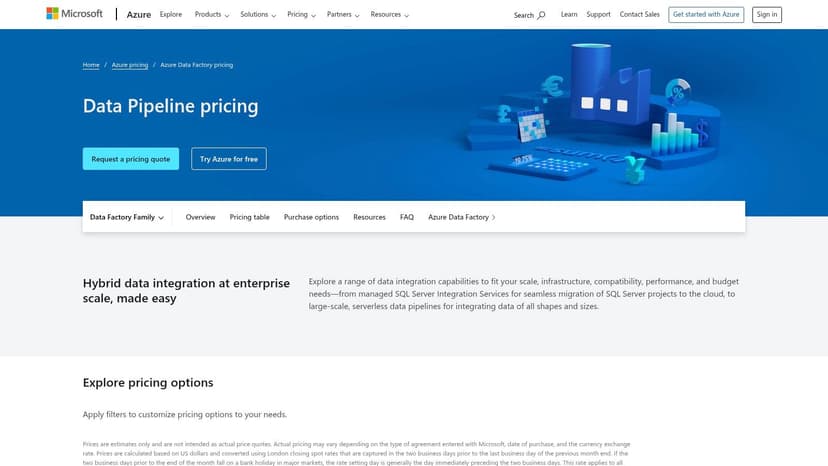
The platform's visual "Mapping Data Flows" provide a low-code/no-code environment for building data transformations, which are executed on managed Apache Spark clusters under the hood. This approach abstracts away the complexity of managing big data infrastructure, allowing developers to focus on business logic. ADF is also recognized for its ability to "lift-and-shift" existing SQL Server Integration Services (SSIS) packages to the cloud, offering a managed SSIS runtime that simplifies migration for established enterprises. This makes it an ideal solution for modernizing legacy data warehouses.
Core Features & Pricing
- Transformation Method: Visually designed Mapping Data Flows (Spark-based) and orchestration of compute services like Azure Databricks.
- Key Features: Visual pipeline builder, orchestration across Azure services, managed SSIS runtime for package migration, 90+ built-in connectors, and serverless data integration.
- Best For: Organizations heavily invested in the Azure ecosystem, including Azure Synapse Analytics, Azure SQL, and Databricks, or those looking to migrate existing on-premises SSIS workloads to the cloud.
- Pricing: Follows a pay-as-you-go model with charges based on pipeline orchestration runs, data flow cluster execution (vCore-hour), and the number of data integration units used. Reserved capacity discounts are available. Explore the detailed pricing calculator at azure.microsoft.com/en-us/pricing/details/data-factory/data-pipeline.
11. Google Cloud Dataflow
Google Cloud Dataflow is a fully managed service designed for large-scale data processing for both streaming and batch workloads. Based on the open-source Apache Beam project, it allows developers to build sophisticated data pipelines that can handle massive throughput. Dataflow shines within the Google Cloud Platform (GCP) ecosystem, serving as the powerful transformation engine that connects services like Pub/Sub for real-time data ingestion and BigQuery for analytics, making it one of the best data transformation tools for enterprise-level, high-volume scenarios.
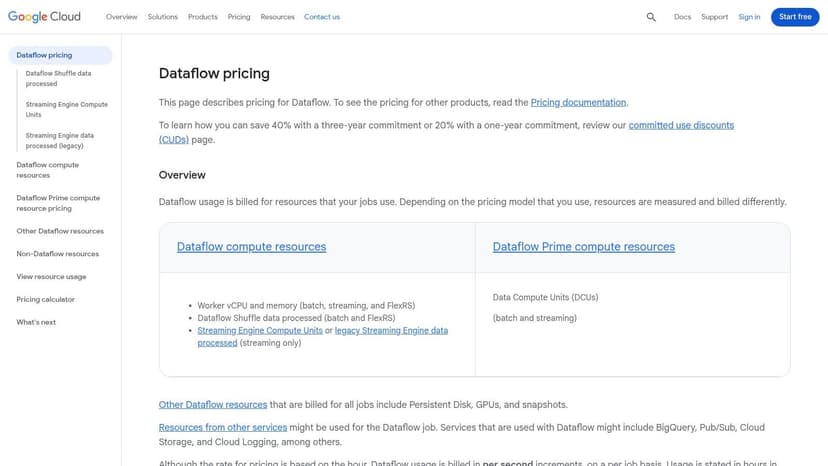
The platform’s key advantage is its serverless, autoscaling nature. It automatically provisions and manages the necessary compute resources to execute transformation jobs efficiently, freeing developers from infrastructure management. While Apache Beam development has a steeper learning curve than simple SQL, it provides unparalleled flexibility for complex logic, windowing functions, and stateful processing. This makes it ideal for use cases like real-time fraud detection, IoT data analysis, and large-scale ETL for data warehousing.
Core Features & Pricing
- Transformation Method: Code-based stream and batch processing (Apache Beam).
- Key Features: Serverless autoscaling workers, unified model for batch and stream processing, deep integration with GCP services (BigQuery, GCS, Pub/Sub, Dataplex), and resource-based billing.
- Best For: Engineering teams on GCP needing to process high-throughput streaming data or execute complex, large-scale batch transformations that go beyond the capabilities of SQL.
- Pricing: Follows a pay-as-you-go model based on the resources consumed (vCPU-hr, Memory GB-hr) and the volume of shuffle data processed. Pricing is regional and highly granular. You can find detailed rates at cloud.google.com/dataflow/pricing.
12. Databricks (Lakehouse / Delta Live Tables)
Databricks offers a unified data and AI platform that redefines transformation within the Lakehouse architecture. Its key component, Delta Live Tables (DLT), provides a declarative framework for building reliable and maintainable data pipelines for both batch and streaming data. This approach allows data engineers to focus on the business logic of their transformations by simply defining the end state of their data, while the platform automatically manages orchestration, data quality, and operational complexity. Databricks stands out by integrating these powerful transformation capabilities directly with data science and machine learning workflows, making it a comprehensive solution for organizations that need to support both analytics and AI initiatives on a single platform.
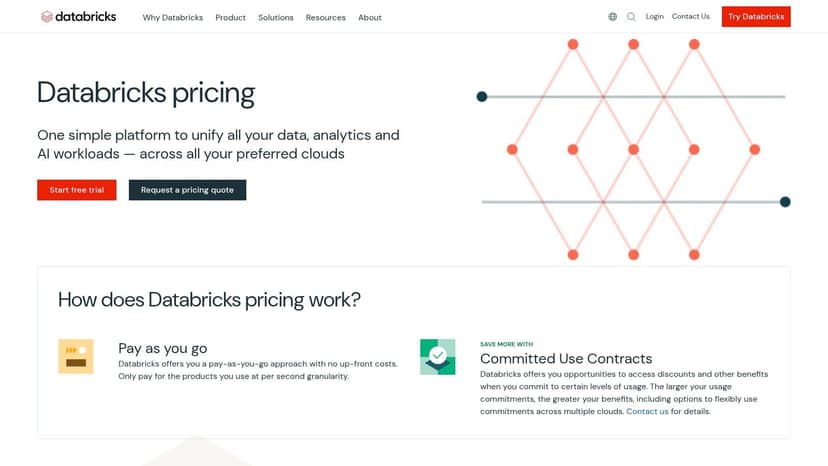
With Delta Live Tables, users can build and manage complex ETL pipelines using simple SQL or Python queries. The platform automatically infers dependencies between datasets, schedules pipeline updates, and provides deep visibility into pipeline health and data quality. This managed approach simplifies the development lifecycle and ensures data is always fresh and trustworthy. By combining transformation with robust governance and monitoring features native to the Lakehouse, Databricks has become one of the best data transformation tools for companies consolidating their data and AI stacks.
Core Features & Pricing
- Transformation Method: Declarative pipelines (Delta Live Tables / Lakeflow) for batch and streaming within the Databricks Lakehouse.
- Key Features: Managed orchestration and scheduling, automated data quality monitoring with expectations, native governance, fine-grained access control, and predictive optimization with serverless compute.
- Best For: Organizations invested in the Lakehouse architecture that need to handle mixed batch and streaming workloads, especially those with ML-adjacent data pipelines.
- Pricing: Databricks uses a pay-as-you-go model based on Databricks Units (DBUs) consumed per second. Pricing varies by cloud provider (AWS, Azure, GCP) and compute type. You can see the detailed pricing structure at www.databricks.com/product/pricing.
Top 12 Data Transformation Tools Comparison
| Product | Core features | UX / Quality (★) | Value / Price (💰) | Target audience (👥) | Unique selling points (✨) |
|---|---|---|---|---|---|
| 🏆 Elyx.AI | In‑Excel AI chat + =ELYX.AI() formula; cleaning, translations, pivots, charts, cell edits | ★★★★★ — in‑place, conversational | 💰 7‑day trial; Solo €19/mo (25 req) · Pro €69/mo (100 req) | 👥 Excel users, analysts, finance teams, consultants | ✨ Chains multi‑step workflows; multilingual column translation; strong encryption |
| dbt Cloud | SQL transformations, browser IDE, scheduling, semantic layer | ★★★★ — developer focused | 💰 Seat & usage plans; Free Developer tier | 👥 Analytics engineers, BI teams | ✨ SQL-first, strong community & governance |
| Fivetran | 700+ managed connectors, schema mgmt, frequent syncs | ★★★★ — reliable ingestion | 💰 Usage/MAR pricing; free tier limits | 👥 ELT teams needing turnkey ingestion | ✨ Massive connector library; managed syncs |
| Matillion | Visual ELT/ETL authoring, orchestration, agent assistant | ★★★ — visual authoring | 💰 Credit‑based consumption; trial available | 👥 Cloud ETL engineers & integrators | ✨ Visual pipelines + agentic assistant (Maia) |
| Airbyte | Open‑source connectors, cloud & self‑host options | ★★★ — flexible OSS | 💰 OSS free; Cloud capacity pricing (Data Workers) | 👥 Teams wanting OSS flexibility & control | ✨ Open‑source connector ecosystem; predictable capacity plans |
| Alteryx | Drag‑drop prep, profiling, pushdown processing | ★★★★ — analyst‑friendly | 💰 Enterprise pricing; trials | 👥 Business analysts, citizen data scientists | ✨ No/low‑code workflows + data quality profiling |
| Informatica IDMC | Integration, quality, governance, MDM, CLAIRE AI | ★★★ — enterprise grade | 💰 Custom enterprise quotes | 👥 Large regulated enterprises | ✨ End‑to‑end data mgmt, compliance certifications |
| Talend (Qlik) | Visual pipelines, embedded data quality, 1000+ components | ★★★ — broad platform | 💰 Contact sales; trials available | 👥 Organizations needing integration + quality | ✨ Embedded trust scoring & flexible deployment |
| AWS Glue | Serverless ETL, Data Catalog, DataBrew visual prep | ★★★★ — serverless AWS native | 💰 Usage-based (DPU/sec) | 👥 AWS‑centric data teams | ✨ Tight S3/Redshift/Lake integration; serverless |
| Azure Data Factory | Mapping Data Flows (Spark), orchestration, SSIS lift‑and‑shift | ★★★★ — Azure ecosystem fit | 💰 Pay‑as‑you‑go; complex pricing | 👥 Azure customers & MS analytics teams | ✨ Visual Spark flows + SSIS migration support |
| Google Cloud Dataflow | Serverless Beam pipelines for stream & batch | ★★★★ — high‑throughput streaming | 💰 Resource-based billing (vCPU/memory) | 👥 GCP teams, streaming/BigQuery workloads | ✨ Autoscaling Beam runner; strong GCP integrations |
| Databricks | Lakehouse, Delta Live Tables, monitoring & ML support | ★★★★ — unified data+ML | 💰 DBU-based billing; committed discounts | 👥 Data engineers, ML teams, lakehouse adopters | ✨ Declarative pipelines + Lakehouse governance |
Choosing Your Ideal Tool: From Quick Excel Wins to Enterprise Pipelines
Navigating the landscape of the best data transformation tools can feel overwhelming. We've explored a wide spectrum of solutions, from AI-powered Excel add-ins to comprehensive cloud data platforms. The key takeaway is that the "best" tool isn't a one-size-fits-all answer; it's the one that most effectively solves your specific problem, fits your team's skills, and scales with your organizational needs. Your ideal tool is the one that bridges the gap between your raw data and the actionable insights you need to drive decisions.
The diverse tools covered in this guide highlight a fundamental truth: data transformation happens at every level of an organization. It's not just the domain of data engineers building complex pipelines. It's also the daily reality for finance professionals, marketing analysts, and operations managers working within spreadsheets. The most significant barrier to efficiency is often the manual, repetitive work that consumes valuable time.
Matching the Tool to Your Transformation Task
To simplify your decision, let's categorize the tools we've discussed based on the primary user and their most common challenges. This framework will help you pinpoint where to start your journey.
-
For the Excel-Centric Professional: If your work lives and breathes in Microsoft Excel, your most immediate gains will come from automating tasks directly within your spreadsheets. This is where a tool like Elyx.AI shines. Instead of exporting data or learning a new platform, you can use AI to clean, format, merge, and analyze data without ever leaving your workbook.
- Your Problem: "I spend hours every week manually cleaning up sales reports, standardizing addresses, and creating pivot tables for my manager."
- Your Solution: An in-spreadsheet AI tool that automates these repetitive steps with simple, natural language commands.
-
For the Business Analyst and Data-Savvy Teams: If you need more power than Excel but don't have a background in SQL or Python, a low-code/no-code platform is your best bet. Alteryx provides a visual, drag-and-drop interface that empowers non-technical users to build sophisticated data blending and transformation workflows.
- Your Problem: "Our team needs to combine data from our CRM, a few spreadsheets, and a marketing analytics platform to build a weekly performance dashboard, but we don't have dedicated engineering support."
- Your Solution: A visual workflow builder that connects to multiple sources and automates the entire preparation process.
-
For the Modern Analytics Engineer: For those who are comfortable with SQL and work within a modern data warehouse like Snowflake or BigQuery, dbt is the industry standard. It focuses exclusively on the "T" in ELT (Extract, Load, Transform), allowing teams to build reliable, version-controlled, and well-documented data models using just SQL.
- Your Problem: "We need to create a trusted 'single source of truth' in our data warehouse by transforming raw data into clean, business-ready tables for our BI tools."
- Your Solution: A SQL-based framework that promotes software engineering best practices for data modeling and transformation.
-
For the Enterprise Data Engineering Team: When you're managing data at a massive scale across hybrid or multi-cloud environments, you need an end-to-end platform. Tools like Informatica, Matillion, Talend, AWS Glue, Azure Data Factory, and Databricks offer comprehensive solutions for data ingestion, transformation, governance, and orchestration. These are powerful, enterprise-grade tools designed for complex, high-volume data pipelines. It's also important to consider the data acquisition stage; for organizations needing to pull data from web sources before transformation, understanding tools like web scrapers is crucial. You can learn more about this in a detailed 2025 Puppeteer and Playwright comparison guide.
Your Next Step: Start Small, Win Big
The most effective way to embrace data transformation is to start with a tangible problem that causes you daily frustration. Don't feel pressured to implement a massive enterprise solution overnight. Instead, find a process you can improve this week. By automating a single, time-consuming report or data cleaning task, you'll immediately see the value and build momentum for broader change. This approach de-risks the adoption process and provides a clear, immediate return on your investment of time. The journey to data maturity is a marathon, not a sprint, and it begins with a single, successful step.
Ready to stop wasting time on manual spreadsheet work and start leveraging AI for smarter data transformation? Elyx.AI brings the power of the best data transformation tools directly into your familiar Excel environment. Transform your data, generate insights, and build reports in seconds, not hours, by visiting Elyx.AI to get started.
Reading Excel tutorials to save time?
What if an AI did the work for you?
Describe what you need, Elyx executes it in Excel.
Sign up